


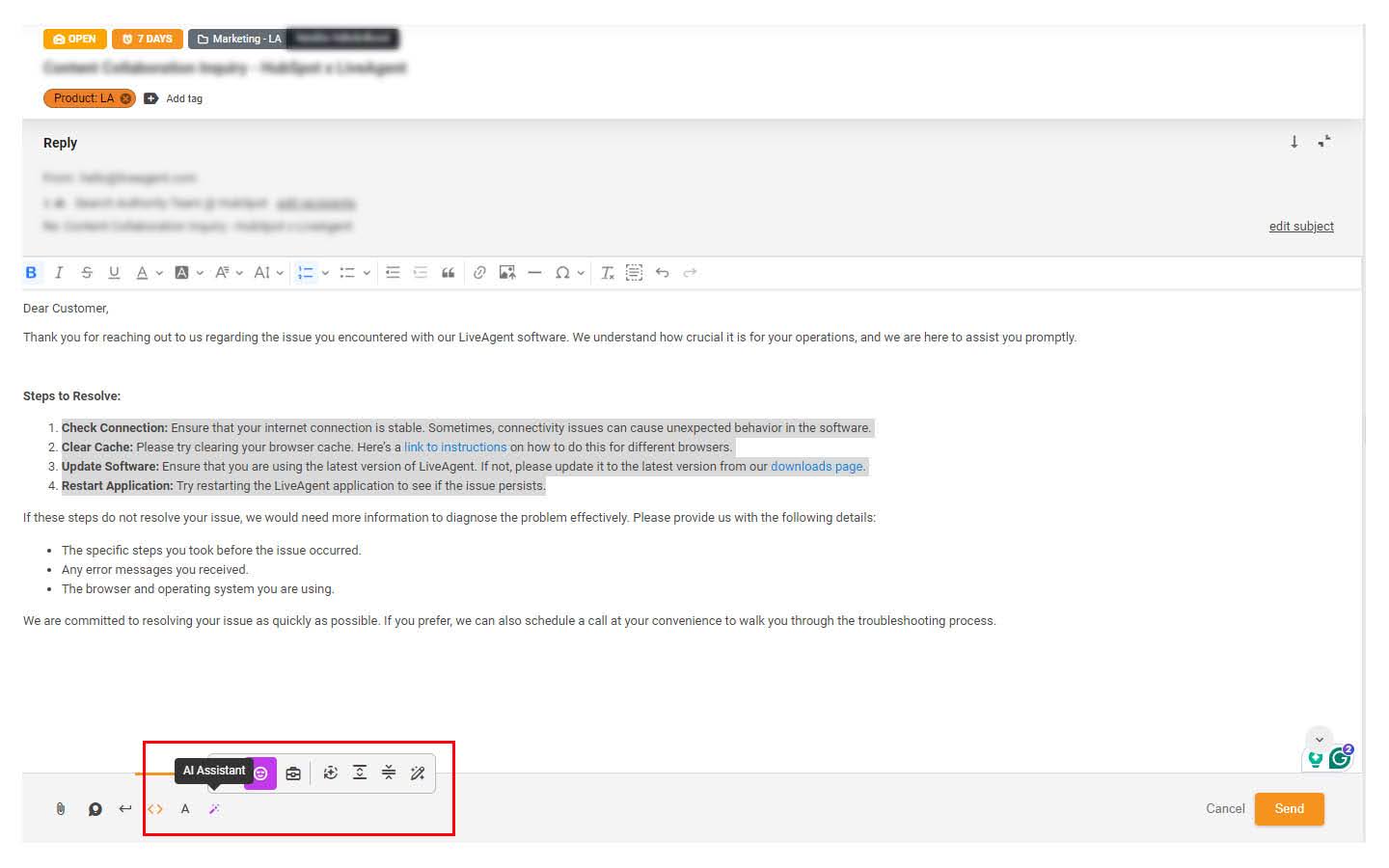
AI Answer Assistant
Discover LiveAgent's AI Answer Assistant, designed to streamline customer service with smart, AI-generated responses. Enhance your team's productivity, reduce c...
6 min read
AI Features
Customer Support
+1


Transform customer support with LiveAgent AI Answer Composer—generate perfect, context-aware replies. Try it free for 30 days!
Your customers deserve better than rushed, robotic responses. With LiveAgent AI Answer Composer you can transform every reply into a perfectly crafted message—because when your team sounds this good, customer trust isn’t just built, it’s inevitable.
LiveAgent AI Answer Composer is an intelligent response generator that helps support teams craft professional, context-aware replies to customer inquiries. By automatically analyzing the ticket conversation history, it understands the nuances of each interaction and generates accurate, relevant responses that address the customer’s specific needs.
Think of it as having an expert colleague who’s read the conversation thread, understands the context, and suggests the perfect reply—every single time. Instead of staring at a blank message box, your agents get a polished starting point they can personalize and send in seconds.
In order to use the Answer Composer feature, it is required to connect your LiveAgent account with FlowHunt and set the feature up.
AI Answer Composer is currently available in LiveAgent trials as well as in Small business, Medium business, Large business, and Enterprise plans. It is not included in Legacy and Free plans.
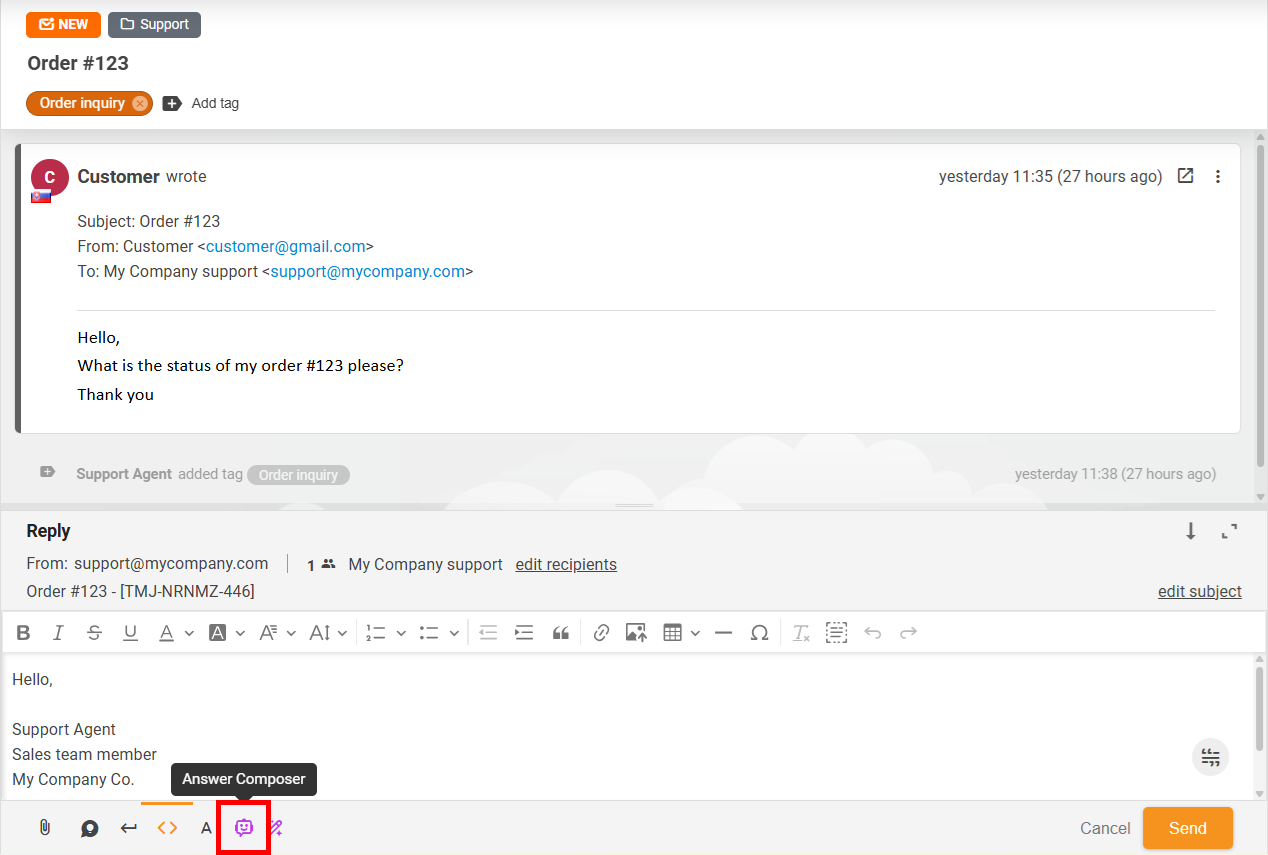
The AI Answer Composer helps you generate complete, contextually accurate responses by analysing your ticket conversation. Here’s how to use it:
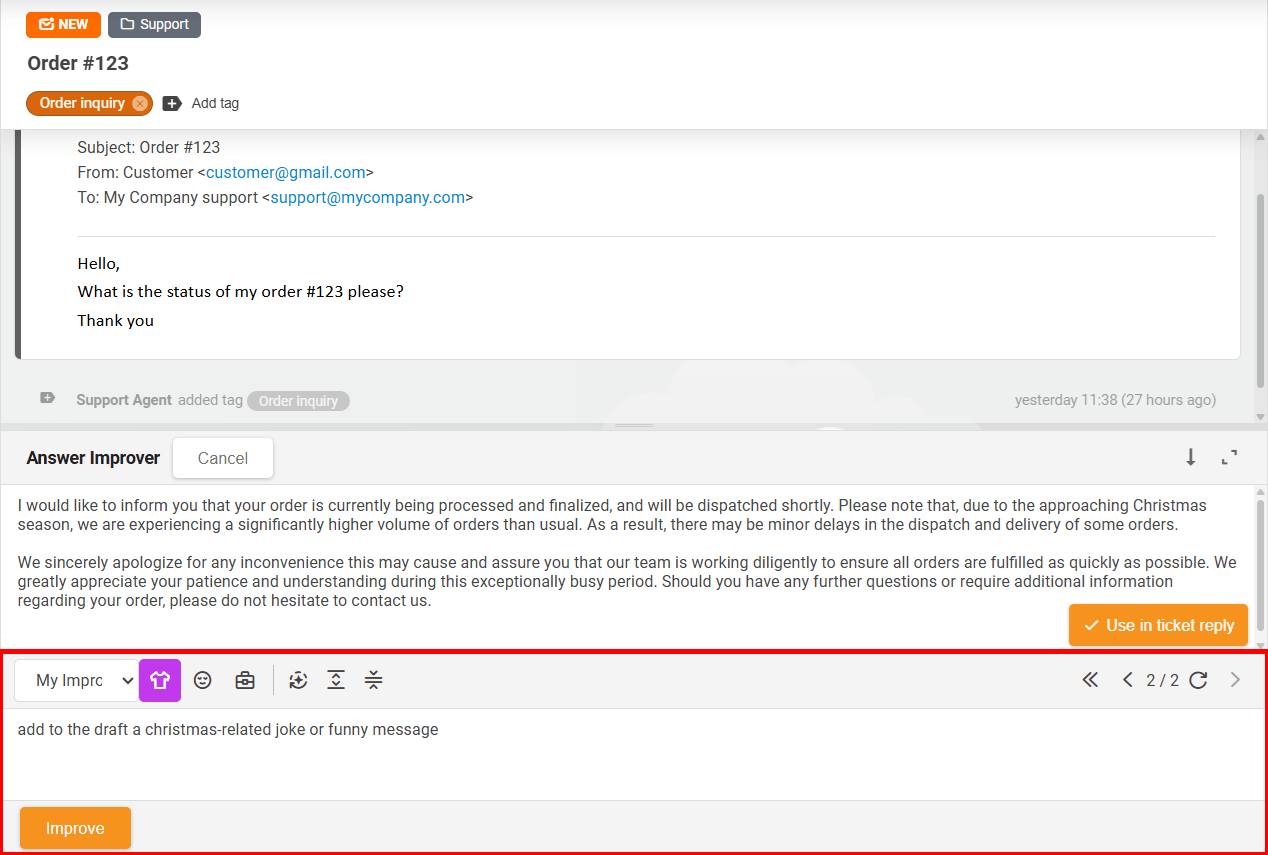
If the draft doesn’t meet your expectations, you can further modify it either by rewriting it manually, or by using the functions of the Answer Improver.
The functions of the Answer Improver are available only if you have the feature set up.
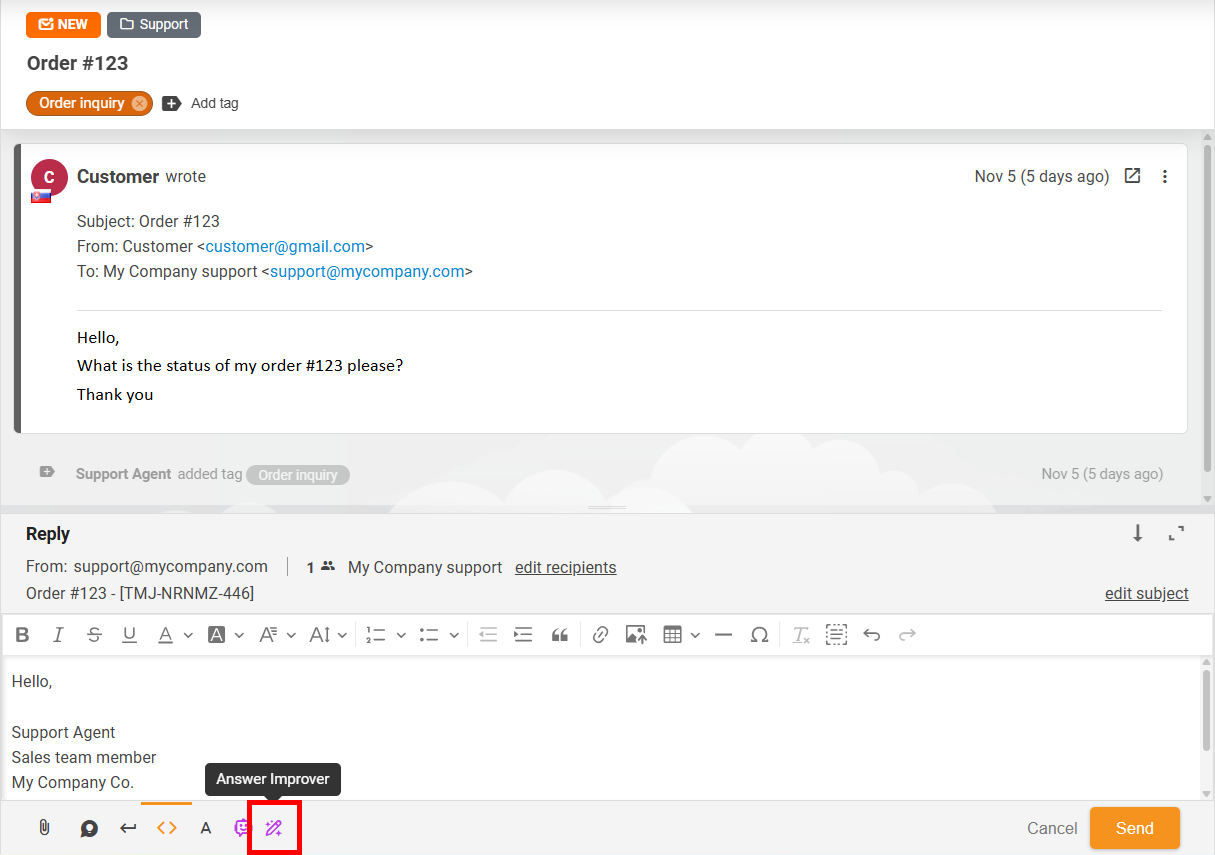
The Answer Improver enables you to use the pre-set functions to improve, extend, or simplify the suggested message, or define custom instructions by which the draft will be adjusted. The feature stores every version of the draft, allowing you to choose the best proposed answer at any time. A more detailed overview of this feature is described in the Answer Improver article.
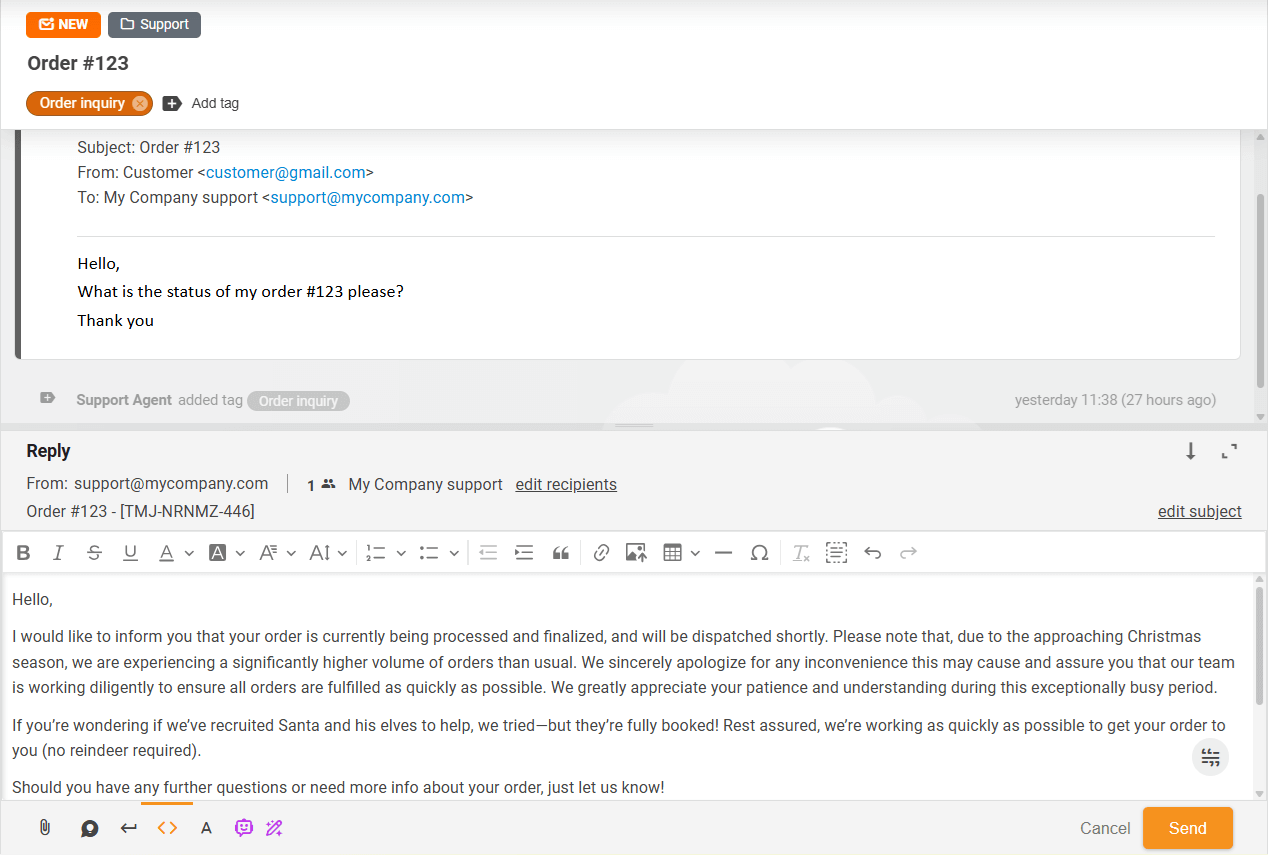
Once you are satisfied with the proposed answer, click the “Use in ticket reply” button to add it to your ticket answer.
LiveAgent currently exclusively supports FlowHunt, our no-code AI automation platform, as the AI provider for the Answer Composer feature. FlowHunt is, like LiveAgent, a product of our company, Quality Unit. By utilizing our AI features with FlowHunt, we ensure data safety and offer priority support. For customers with active LiveAgent & FlowHunt subscriptions, our support team offers a full initial setup. If you’re interested in our free setup service, feel free to contact us at support@liveagent.com .
Log in to FlowHunt and open the Flow Library. Search for ‘LiveAgent AI Answer Assistant (Composer & Improver)" and click “Add to my flows”.
This template works for both Answer Composer and Answer Improver. The template includes basic components for initial testing. After testing, adjust the system message and add components as needed.
For help, contact FlowHunt support at support@flowhunt.io .
When finished, click “Publish Flow”.
To ensure the Composer generates accurate, relevant, and up-to-date answers, it needs access to the correct information. This can be achieved by creating knowledge sources.
To add knowledge sources, navigate in your FlowHunt dashboard to the “Knowledge sources” section in the menu. The following knowledge sources are available:
In LiveAgent, go to Configuration → AI → Answer Composer. Click “Add model” and select your connected FlowHunt workspace.
Choose the flow you created (default name: LiveAgent AI Answer Assistant (Composer & Improver)).
Enter the internal name and optionally select the default Answer Improver model. The default Answer Improver model serves to pre-select a specific Improver model which will be used to adjust the generated response once it is transferred from Composer to Improver. If no default model is set, the last used Improver model will be selected.
Once the model is added, you can begin using the Answer Composer in your tickets.
LiveAgent AI Answer Composer is an intelligent response generator that helps support teams craft professional, context-aware replies to customer inquiries. By automatically analyzing the ticket conversation history, it understands the nuances of each interaction and generates accurate, relevant responses that address the customer's specific needs.
The AI Answer Composer analyzes your ticket conversation history and generates contextually accurate responses. You can choose your formality level (casual, neutral, or business), add custom instructions, and generate a complete draft response that you can review and use immediately.
LiveAgent currently exclusively supports FlowHunt, our no-code AI automation platform, as the AI provider for the Answer Composer feature. FlowHunt is, like LiveAgent, a product of our company, Quality Unit. By utilizing our AI features with FlowHunt, we ensure data safety and offer priority support.
Are you ready to add a real wow-factor to your customer service? Don't just take our word for it, give AI Answer Composer a try!
Discover LiveAgent's AI Answer Assistant, designed to streamline customer service with smart, AI-generated responses. Enhance your team's productivity, reduce c...
Discover LiveAgent's September 2025 update includes AI Draft Composer, enhanced inactive chat experience, revamped ticket filters, closed tickets in customer po...
Empower your support with LiveAgent's AI Answer Improver—refine, extend, or simplify replies instantly. Start your free trial today!
Join our community of happy clients and provide excellent customer support with LiveAgent.
