



Ticket Management
Discover the power of efficient ticket management with LiveAgent. Streamline customer support by converting issues into tickets, enhancing response times, and b...
3 min read
Customer support
Help Desk software
+1


Learn about resolved tickets and how to improve resolution time with training, knowledge bases, and SLAs. LiveAgent offers a reliable ticketing system to enhance customer experience.

A resolved ticket is one with a ticket status marked as resolved. A ticket enters the resolved stage usually after either an agent or a customer hits the Resolve button. Alternatively, LiveAgent allows tickets to be marked as resolved automatically. It is done by pre-set rules or after a predetermined time of inactivity.
It is usually determined by SLAs how quickly a ticket must be resolved, so high-priority tickets get resolved more quickly.
Support tickets are a crucial part of all customer-centric businesses. They help you manage all the customer questions, demands, and issues. Although some companies may not receive large volumes of tickets every day, the more your business grows, the more tickets you will find in your ticket queue. That is why it is helpful to have a reliable ticketing tool in place. The purpose of ticketing software is not only to help you stay organized but also to help you provide a seamless customer experience.

Although some more complex tickets can take longer to reach the resolved stage, there are a few general areas you can focus on to improve your average resolution time.
You need to have a skilled team of agents so they can solve all customer issues quickly and efficiently. You can organize in-house training sessions, hire coaches, or participate in seminars. Providing your agents with more knowledge will enable them to solve problems more effectively and provide excellent customer service.
Comprehensive documentation is the key to success when it comes to resolving tickets. Agents shouldn’t have to search online for issues they encounter. Make the knowledge base robust and accessible, and update it regularly. This way your agents will be able to find all the information they need quickly, which helps keep resolution times low.
Service level agreements are in place to avoid breaches. You can set SLAs with specific parameters like:
In B2B businesses, SLAs are an essential part of the contract between the provider and the customer. The service provider is usually penalized financially if tickets aren’t resolved according to the SLA.
If you receive a lot of tickets some manual actions can become repetitive and time-consuming. You can automate these actions so agents can focus on more demanding tasks and resolve high-priority tickets faster.
Allow customers to resolve the issue themselves. Not everybody likes to contact support. Therefore, you should offer a self-service portal where they can try to resolve issues before talking to a customer service agent. It not only makes the customer feel empowered but also lifts the burden off your agents’ shoulders when it comes to smaller, easily resolved issues.
Set up a skill-based routing to automatically assign tickets to agents that are best equipped to handle the issue at hand. This way you can avoid unnecessary ticket escalation and cut down on resolution time.
Provide more options to contact you, escalate an existing ticket, or provide additional information. Communication channels you can use include live chat, phone, social media, email, etc.
Canned responses are short pre-written answers to questions and various scenarios. You can use them to answer commonly asked questions and simple issues. Although canned responses usually aren’t used in dealing with complex problems, they can significantly help in shortening ticket resolution times.
To identify and tighten the loose ends, regularly review your workflows. You may find some processes unnecessarily complicated. Alternatively, you may find areas where adding a new process might benefit the overall workflow.
Most help desk software solutions allow you to reopen a resolved ticket if necessary. Check whether you have the system permission to reopen resolved or closed tickets. If you have the access to the original ticket and the permission to reopen it, you can usually do so in the Settings tab by clicking on the Reopen ticket option. When you reopen a ticket, it is usually automatically assigned to you.
After that, you can add ticket updates and continue working on the ticket, depending on the SLA.
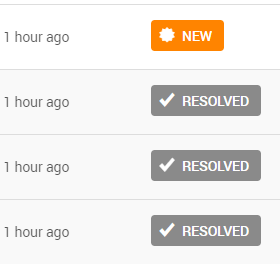
The difference between the two is whether the ticket remains in the queue.
Some ticketing tools don’t consider the resolved status the final stage of a ticket’s lifecycle. Therefore, after the agent solves a ticket, it still remains in the ticket queue waiting to be closed. According to some SLAs, a closed status is required within a certain number of days after the resolution of the ticket.
Resolve customer issues faster with LiveAgent's intelligent ticketing system featuring automation, SLA management, and skill-based routing capabilities.
Discover the power of efficient ticket management with LiveAgent. Streamline customer support by converting issues into tickets, enhancing response times, and b...
Learn how Service Level Agreements (SLAs) can enhance customer service by setting measurable targets. Monitor compliance with LiveAgent's tools.

Discover the top 20 trouble ticket systems for 2025, designed to streamline customer support and improve issue resolution. The page reviews features, pricing, a...
Join our community of happy clients and provide excellent customer support with LiveAgent.
