



Jitter Buffer
Learn how jitter buffers improve VoIP call quality by preventing choppy audio and resolving latency issues. Enhance your communication today!
4 min read
Customer support
VoIP
+1


Jitter VoIP affects call quality by causing delays and packet loss. Solutions include improving internet speed, configuring networks, using Ethernet, and setting quality of service. Aim for jitter under 30 ms for optimal VoIP performance.

VoIP technology converts the sounds of your voice into data called packets. These voice packets are then transmitted across the Internet and then converted back into the original sound.
Unfortunately, delays and problems sometimes impact the call. When packet loss occurs, your audio quality suffers. At best, a delay in packet transmission means short interruptions. At worst, packet jitter means entire words are lost. Fortunately, the loss of a single packet may not be noticeable. However, when more packets are lost, the entire packet stream might be disrupted. That means your conversation could be badly disrupted.

Network jitter refers to the amount of variation in the latency of receiving packets. For example, packet one arrives in 5 milliseconds, packet two arrives in 10 milliseconds, and packet three arrives in 30 milliseconds. In this example, network latency is gradually getting worse over time. If this happened to VoIP traffic, your conversation may become difficult to understand. It might be caused by high network congestion or inadequate VoIP speed due to a slow Internet connection.
All networks have network jitter to some degree. A small internal network like a private network of two computers in the same room would generally have close to zero network jitter. In contrast, a global company may have network connections in many different locations and, therefore, more jitter.
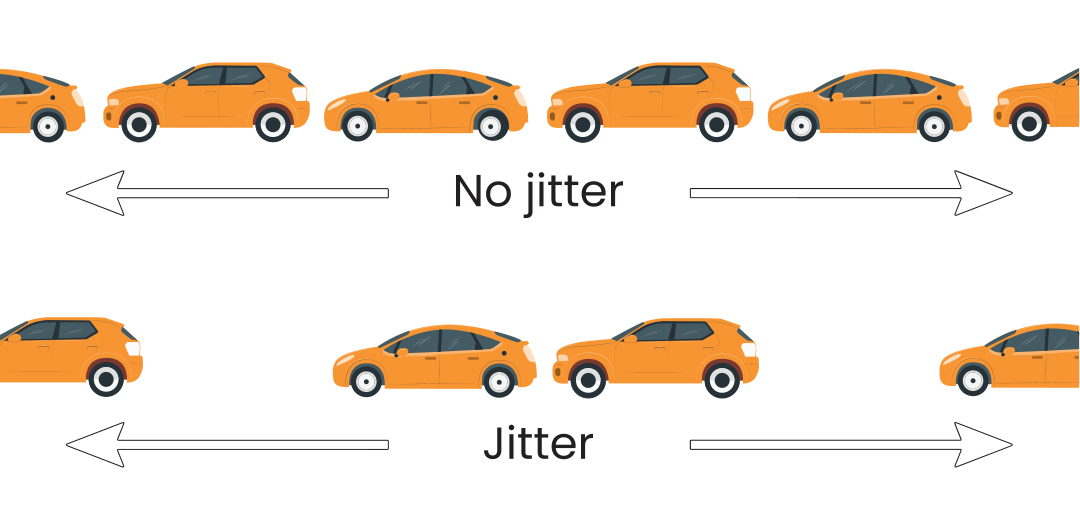
To understand how jitter issues result in poor call quality, it is helpful to understand the sources of jitter. Some causes of poor call quality may be easily fixed by your VoIP phone provider. Other poor voice quality causes, like a misconfigured router, may be more challenging.
Now that we’ve covered the technical overview, it’s time to cover an essential practical point. How exactly does excessive jitter impact your VoIP calls? There are two main ways jitter impacts your VoIP service.
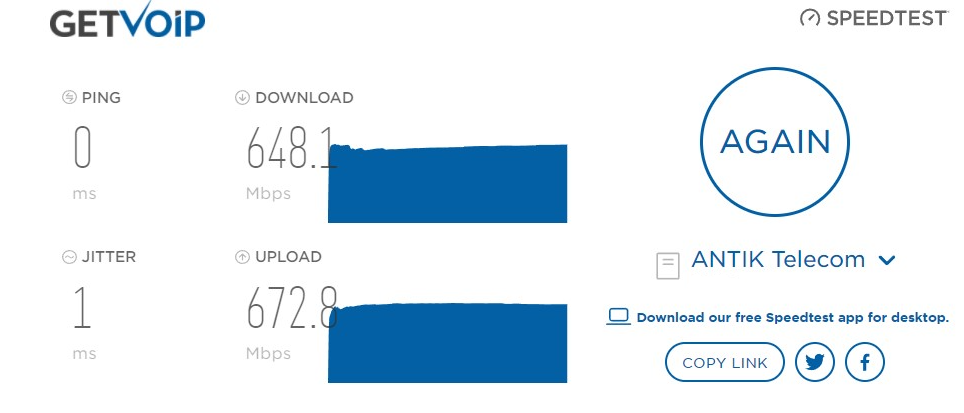
A very low level of jitter will have a minimal impact on your audio signal. It’s recommended to test your level of jitter before important calls. Fortunately, there are free bandwidth tests you can use to compare your network connection to industry standards.
Consider trying one of the following apps to run a network jitter test:
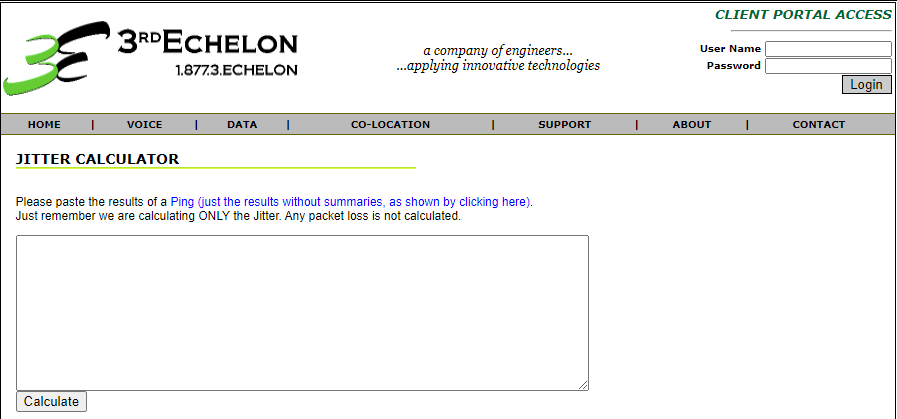
If you don’t want to use a specialized software tool, you can estimate jitter manually. Open a command window (in Windows, press the Windows key and type in CMD) and run a ping command to a website. You can then paste your results into a jitter calculator.
A good jitter score is less than 30 ms (i.e., 30 milliseconds).
Aim for a jitter of 30 milliseconds or less to avoid jitter issues while making calls on your VoIP service. To boost performance further, reduce your jitter as much as possible. For example, use quality of service (QoS) technology to prioritize VoIP calls.
Generally speaking, VoIP service may have problems when jitter goes above 30 milliseconds. To improve your call quality, there are a few areas you can look at:
There are several reasons for high jitter. Check all of these to successfully identify the issue:
There are a few ways to reduce jitter and get better VoIP calls:
Minimize jitter and deliver crystal-clear conversations with LiveAgent's reliable VoIP integrations and quality-optimized call center platform.
Learn how jitter buffers improve VoIP call quality by preventing choppy audio and resolving latency issues. Enhance your communication today!
Discover the essential components of VoIP infrastructure, including bandwidth, providers, and phones. Learn how LiveAgent can optimize VoIP for call centers and...

Traditional customer support replies slow you down. Discover how LiveAgent's AI Answer Improver boosts speed, quality, and satisfaction!
Join our community of happy clients and provide excellent customer support with LiveAgent.
