



Custom roles features
Custom roles in LiveAgent enable the creation of tailored agent roles with specific permissions, enhancing productivity and workload management. This feature is...
4 min read
Custom roles
Agent management
+2


Custom agent roles in LiveAgent enhance productivity, reduce resolution times, and improve customer experience by allowing admins to create and manage up to 3 specialized roles with customizable permissions. They streamline tasks and boost agent satisfaction.

When you add a new agent to your help desk software, you have to assign an agent role to them. Agent roles determine the agent's responsibilities, as well as permissions and rights within the system.
In LiveAgent, there are three default agent groups your agents can have:
These basic roles determine the level of access an agent has, permissions, admin settings, and other main aspects of the organization in the contact center. On top of that, agent roles usually have an impact on the agency interface and its reviewing rights.
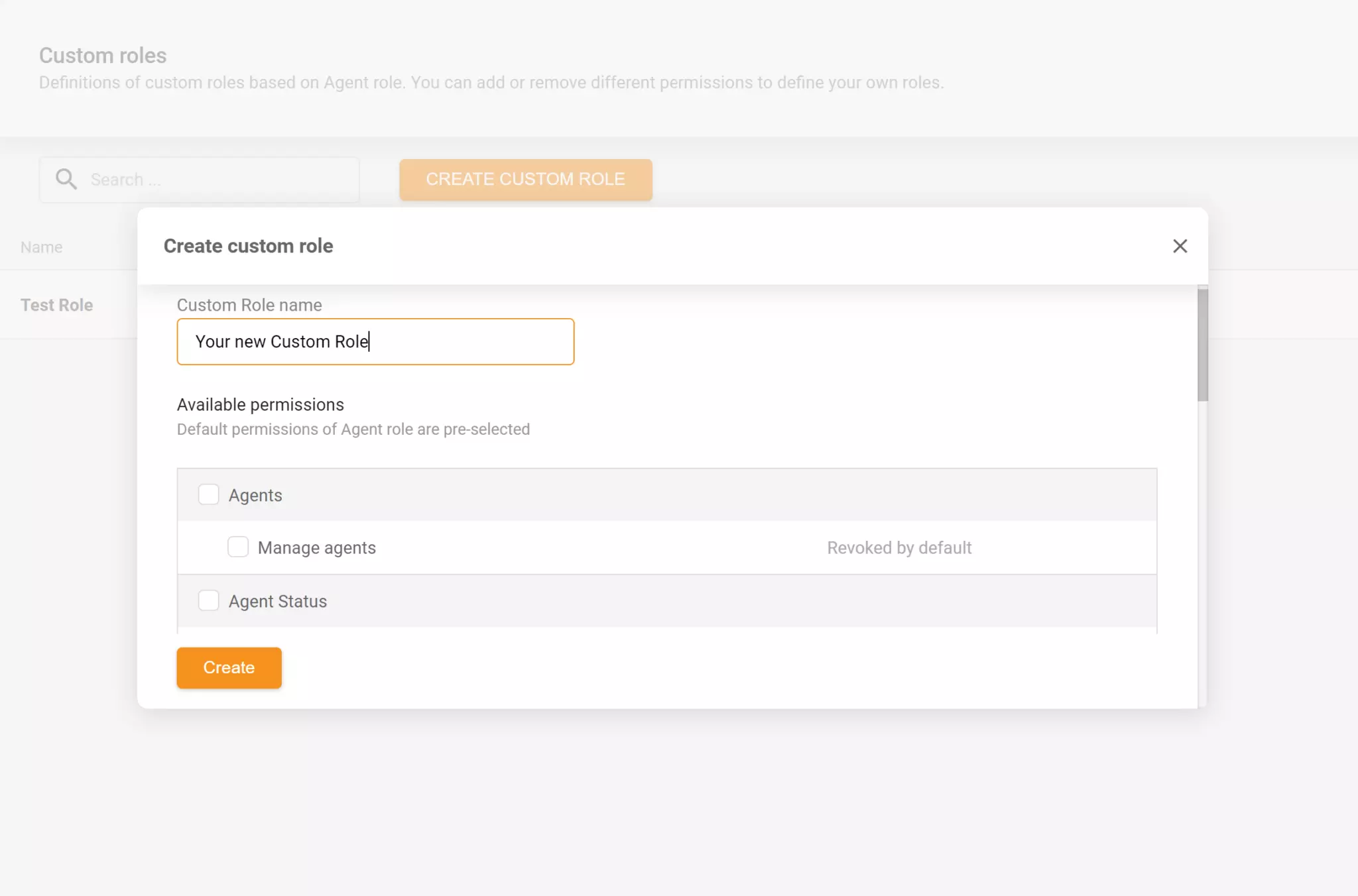
However, some customer service teams deal with more specific customer issues, so it is necessary for them to have an individual, custom role along with basic roles. You can add 3 more custom roles to the default ones. After you assign custom roles to your agents, you can further edit and even remove them, so your system configuration always suits your needs.
Different organizations may benefit from different custom roles based on their specific needs:
When you clearly define roles for all your agents, it eliminates confusion and increases productivity in your organization. Agents understand their responsibilities and can focus on their specific areas of expertise without being distracted by tasks outside their scope.
You can use routing options to assign tickets to agents with specialized roles. These agents can then quickly and efficiently resolve customer issues as it is their area of expertise. By matching the right agent to the right ticket, you significantly reduce the time needed to resolve customer problems.
Defining roles for your specialized teams of agents ensures that they stay efficient and utilize their unique skills. This allows them to perform better in their jobs and, therefore, increases their employee satisfaction. Agents who work within their area of expertise tend to be more engaged and motivated.
Having groups or individual agents that specialize in particular areas allows them to provide better customer service. They can resolve tickets more efficiently with a high level of expertise. Customers benefit from interacting with knowledgeable specialists who can provide accurate, detailed solutions to their specific problems.
Custom roles enable you to allocate your team resources more effectively. You can identify which agents excel in specific areas and assign them accordingly, ensuring optimal use of your team’s capabilities.
Specialized roles make it easier to implement quality control measures specific to each role. You can set different standards, monitoring criteria, and training requirements for different types of support.
Create detailed descriptions for each custom role that outline:
Ensure your custom roles directly support your business objectives. Don’t create roles just for the sake of having them—each role should serve a specific purpose.
When you introduce new custom roles, ensure that agents assigned to those roles receive proper training on:
Periodically review your custom roles to ensure they still align with your business needs. As your organization grows and changes, your role structure may need to evolve as well.
Maintain clear documentation of:
Combine custom roles with LiveAgent’s routing capabilities to automatically direct tickets to the most appropriate agent based on their role and expertise.
LiveAgent allows you to create up to 3 custom roles in addition to the default roles. Plan your role structure carefully to make the most of this limitation.
As you add more custom roles, managing permissions can become more complex. Document your permission structure clearly to avoid confusion.
Each new custom role requires training for the agents assigned to it. Factor in training time when implementing new roles.
| Aspect | Default Roles | Custom Roles |
|---|---|---|
| Number Available | 3 (User, Admin, Owner) | Up to 3 additional |
| Customization | Limited | Highly customizable |
| Flexibility | Fixed permissions | Tailored permissions |
| Use Case | General organization | Specialized functions |
| Setup Time | Minimal | Requires planning |
Custom agent roles work seamlessly with other LiveAgent features:
Custom agent roles are a powerful feature in LiveAgent that allows you to optimize your customer support operations. By creating specialized roles tailored to your team’s needs, you can increase productivity, reduce resolution times, improve agent satisfaction, and ultimately deliver a better customer experience.
Whether you’re managing a small support team or a large contact center, custom agent roles help you organize your team effectively and ensure that each agent is working in their area of expertise. Start by identifying the key specializations in your organization, then create custom roles that support those specializations.
Ready to improve your customer service with custom agent roles? Try LiveAgent for free today and discover how you can optimize your team’s performance!
Create specialized agent roles, set custom permissions, and route tickets efficiently with LiveAgent's flexible role management system.
Custom roles in LiveAgent enable the creation of tailored agent roles with specific permissions, enhancing productivity and workload management. This feature is...

Define roles for agents in LiveAgent to boost productivity and optimize service. Explore agent, admin, and owner roles. Try free now!
Call center technology includes tools for inbound and outbound calls, featuring trends like cloud solutions, omnichannel communication, self-service, and AI. It...
Join our community of happy clients and provide excellent customer support with LiveAgent.
