



Call Button Features
LiveAgent's call buttons enable easy in-browser calls, enhancing the customer experience by reducing effort. By placing a customer service button on your websit...
6 min read
Call Button
Call Center
+2

Call to action (CTA) buttons are crucial for guiding website visitors to take specific actions, boosting conversions. They should be strategically placed, designed to stand out with the right color, contrast, size, and shape, and have clear, actionable text.

Call to action buttons (also known as CTA buttons) are clickable buttons that inspire your website visitors to perform a specific action (your desired conversion). They should be strategically placed, designed to stand out with the right color, contrast, size, and shape, and have clear, actionable text.
CTA buttons may either aim to instantly convert visitors or serve as valuable steps in the sales funnel for completing secondary conversion goals. CTA buttons can typically be found on homepages, landing pages, product pages, pricing pages, sales emails, newsletters, at the end of articles or blog posts, and in online ads. They can also be placed nearly anywhere where you want to catch your visitors’ attention, engage and entice them to take the desired action, and improve your conversion rate. This is why call to action buttons are usually the biggest, the brightest, and take up the most prominent position on the page they are placed.
The success of your website is determined by how well it can convert visitors and prospects into paying customers. Whenever visitors land on your website, they do expect some guidance on what they should do next. Otherwise, they might get confused and bounce off your page without ever taking further action.
However, according to a study by Small Biz Trends, around 70% of small business B2B websites lack a call-to-action.
Strategically placed call to action buttons create a better user experience for visitors, grab their attention, encourage them to take the next steps, and increase engagement. They also help you improve your goal conversions, and contribute to your overall website conversion rates. Specifically, when it comes to your landing pages, a visually appealing, well-placed CTA button can ultimately mean the difference between a conversion and a bounce. The success of your email marketing campaigns also greatly depends on the efficiency of your email CTAs.

When adding call to action buttons on your website, there are three important factors to consider to ensure they are efficiently engaging visitors and driving conversions. CTA buttons need to be placed correctly, designed to be easily and effortlessly spotted.
Think of the most appropriate positions for your CTA buttons. They should be placed in headers, side panels, and at the bottom of pages.
Choose the right CTA button design – consider the form of buttons, size, and color, so that they look visually appealing. Test various button options to see what gets the most clicks.
Write the copy that is short, straight to the point, and actionable. It should provide a clear indication of what happens when visitors click the button.
Your call to action button design plays a key role in improving your website conversion rates. An attention-grabbing CTA button is a sum of various critical elements (color, contrast, shape, size, and copy). Here are some best practices on how to make your call to action buttons stand out on your website:
Though there is no one-size-fits-all approach as to what color works best for CTA buttons – bright colors like red, green, yellow, and orange are reported to perform better, while black, white, grey, and brown are advised to be avoided in most cases. For example, HubSpot once tested red and green CTA buttons and found that the red CTA button outperformed the green by 21%.
In general, it’s recommended to use colors with high contrast against the background color and the surrounding elements to ensure your CTA buttons can easily catch user attention. That said, the color should still blend in with your overall website design and its color scheme.
While a call to action button needs to be big enough to read easily on both desktops and mobiles, it shouldn’t be significantly bigger than the rest of the website elements. Make sure to also add enough white space around the button to make it stand out.
When it comes to your CTA button shape, you may want to go with either sharp or rounded edges. Though both options are quite common, call to action buttons with rounded edges are considered to be more appealing to the human eye.

Action verbs (like Join, Order, Get, Claim, Download), paired with ‘Now’ or other words that convey the sense of urgency are known to improve the efficiency of CTA buttons. One study found that using the first-person language (‘Get my free template’ instead of ‘Get your free template’) can improve your CTR rate by 90%.
There is no unified benchmark on what is considered a good click-through rate for call to action buttons. However, according to the Vye research, the average click-through rate for various types of call-to-action elements (buttons, texts, and images) is 4,23% across all industries, while the average CTR for call to action buttons specifically is 5,31% (compared to 2,06% for text-only CTAs and 3,53% for designed, image-based CTAs).
The research also revealed that the average CTA click-through rates may significantly vary by industry. Thus, the financial, e-commerce, logistics, and real estate industries have the highest CTA click-through rates, while electrical, medical/healthcare, and technology are among the lowest.
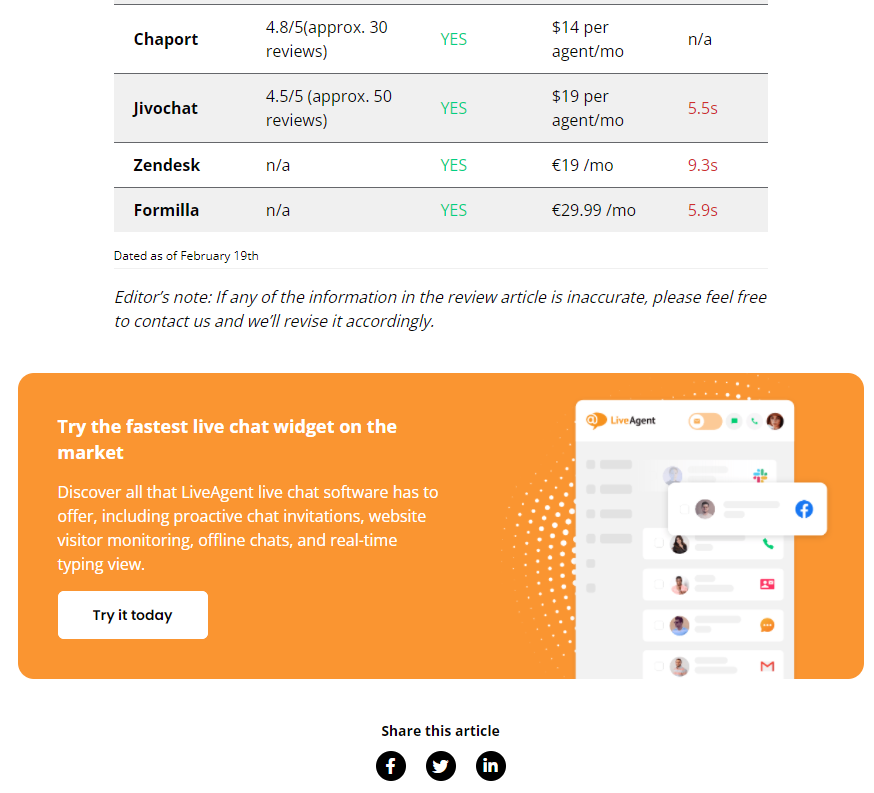
LiveAgent's call buttons enable easy in-browser calls, enhancing the customer experience by reducing effort. By placing a customer service button on your websit...

Boost customer satisfaction with LiveAgent's customizable chat button for real-time support. Learn about features, implementation, and best practices.

Discover 21 proven strategies to boost conversion rates, including audience analysis, clear website copy, personalized experiences, social proof, and streamline...
Cookie Consent
We use cookies to enhance your browsing experience and analyze our traffic. See our privacy policy.