



Agent Interface
Explore LiveAgent's agent interface for streamlined customer service management with features like ticket handling, reporting, and more!
3 min read
Customer support
Help desk
+2


Agent ticket scope in LiveAgent defines which tickets and information agents can access, crucial for managing access in customer service software. Administrators can set and check scopes via the configuration tab, tailoring access per agent and department.

Agent ticket scope in LiveAgent defines which tickets and information agents can access, crucial for managing access in customer service software. Administrators can set and check scopes via the configuration tab, tailoring access per agent and department.
Agent ticket scope refers to the boundaries set within ticketing software that define which tickets an agent can access and what actions they can perform. It serves as a permission layer, ensuring that agents have access to the necessary information and tools to resolve customer issues while maintaining security and confidentiality.
Usually, in smaller companies, every agent is able to see all information. In big corporations, on the other hand, there is much secret information. Agent ticket scope helps to define what tickets and information agents are able to see. Every agent is assigned to a ticket scope with different accesses. Another part of the agent ticket scope is the actions an agent can take within the system. Some agents can, for example, perform bulk imports and read all the internal notes, whereas others can only view ticket updates. Admins can define to which departments an agent will have access.
Determines the extent of ticket visibility an agent has. Access levels can be global, group-level, or restricted, allowing agents to see all tickets, tickets within their group, or only tickets assigned to them, respectively.
While the scope defines what tickets an agent can view, roles define what actions they can perform on those tickets. This can include responding to tickets, adding notes, or escalating issues.
Administrators can configure agent ticket scopes to align with organizational policies and operational needs. This setup can include assigning agents to specific departments or ticket categories.
By controlling access, agent ticket scope helps maintain the confidentiality of sensitive information, ensuring only authorized personnel can view or interact with certain tickets.
The agent ticket scope is critical for several reasons:
Enhanced Security
By restricting access to sensitive tickets, organizations can prevent unauthorized agents from viewing confidential information.
Improved Efficiency
Agents can focus on tickets relevant to their role or department, reducing distractions and enhancing productivity.
Better Customer Service
With a clear understanding of their scope, agents can provide more accurate and timely responses, improving customer satisfaction.
Streamlined Operations
Administrators can manage and allocate resources more effectively by defining clear scopes, ensuring that tickets are handled by the most appropriate agents.
Establishing a well-defined agent ticket scope is essential to ensure that agents have the right level of access and permissions. This process not only enhances security but also improves efficiency by tailoring access to meet organizational needs. Below are the steps to successfully define and implement agent ticket scopes:
Determine the specific requirements of your organization, including security policies and departmental structures.
Choose appropriate access levels for agents based on their role and departmental needs.
Define the roles for agents, which will dictate their actions on accessible tickets.
Use the ticketing software’s configuration options to set up the agent ticket scopes, ensuring alignment with organizational goals.
Regularly review the effectiveness of the agent ticket scopes and make necessary adjustments based on evolving business needs.
Many ticketing systems, such as Freshdesk and LiveAgent, offer robust configuration options for setting up agent ticket scopes. These systems allow administrators to:
Agent ticket scope is a fundamental feature in modern ticketing systems that enables organizations to maintain security, improve efficiency, and deliver better customer service. By properly implementing and managing agent ticket scopes, you create a structured environment where agents have the right access to perform their duties effectively while protecting sensitive information. Whether you’re managing a small support team or a large enterprise operation, understanding and implementing appropriate agent ticket scopes is crucial for success in customer support operations.
Enhance security and efficiency with LiveAgent's granular ticket scope settings that define agent visibility and action permissions strategically.
Explore LiveAgent's agent interface for streamlined customer service management with features like ticket handling, reporting, and more!
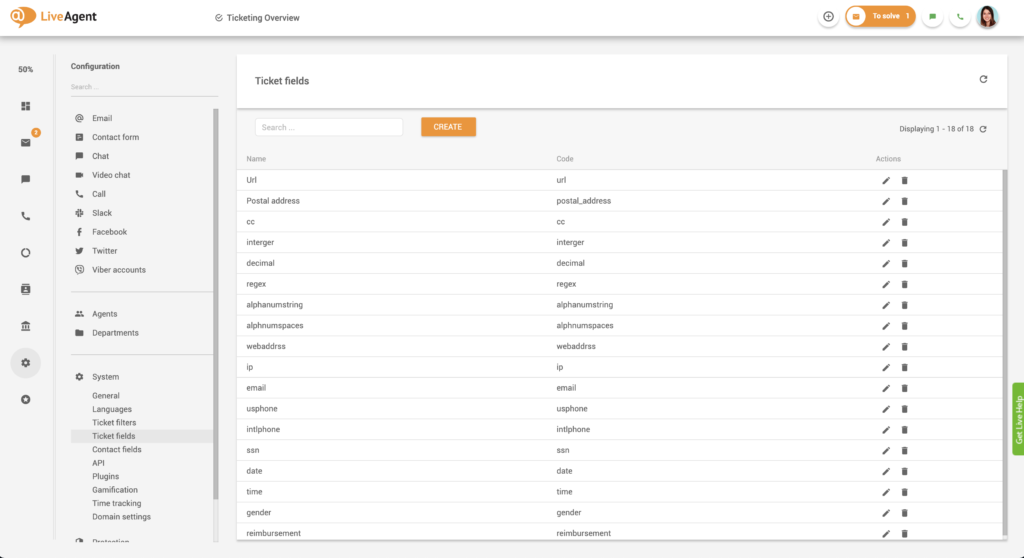
LiveAgent's custom ticket fields enhance customer support by storing essential data, speeding response times, and improving service quality. Create unlimited fi...

Discover the benefits of help desk notes with LiveAgent! Explore different types, learn how to use them effectively, and enhance your customer service team's ef...
Join our community of happy clients and provide excellent customer support with LiveAgent.
