



Digitalization has opened up many business opportunities. Businesses can reach customers more efficiently than ever and market online through different channels. Delivering exceptional customer experiences is the cornerstone of any successful service strategy, ensuring long-term customer loyalty. However, some traditional business standards, like customer service, must catch up. At the same time, 69% of customers expect personalized customer service.
By analyzing customer data, businesses can create personalized experiences that resonate with individual preferences. Luckily, the development of digital technologies has introduced exceptional customer service software solutions that help establish outstanding communication with customers, gather relevant data, and utilize proper tools to provide relevant information.
Today, we’ll introduce the best customer service software options and provide information on how they work, their key features, their main types, and their benefits. Selecting the right customer support solution ensures seamless integration of automation tools and analytics features.
Top Customer Service Software Solutions Ranked by Experts
Understanding the types of customer service, such as proactive and reactive support, helps businesses design effective strategies. Before we share all the relevant information about the best customer service software on our list, here’s a quick overview of how our experts ranked them:
- LiveAgent
- Zendesk
- Freshdesk
- HubSpot Service Hub
- Zoho Desk
- Help Scout
- Front
- Salesforce Service Cloud
- HelpDesk
- Intercom
Here’s an extensive list of the best customer support software available. We’ve compiled this list with comprehensive information about their functionalities, features, uses, pricing, and other essential details. Customer service solutions have evolved to include comprehensive features like omnichannel support and predictive analytics.
1. LiveAgent
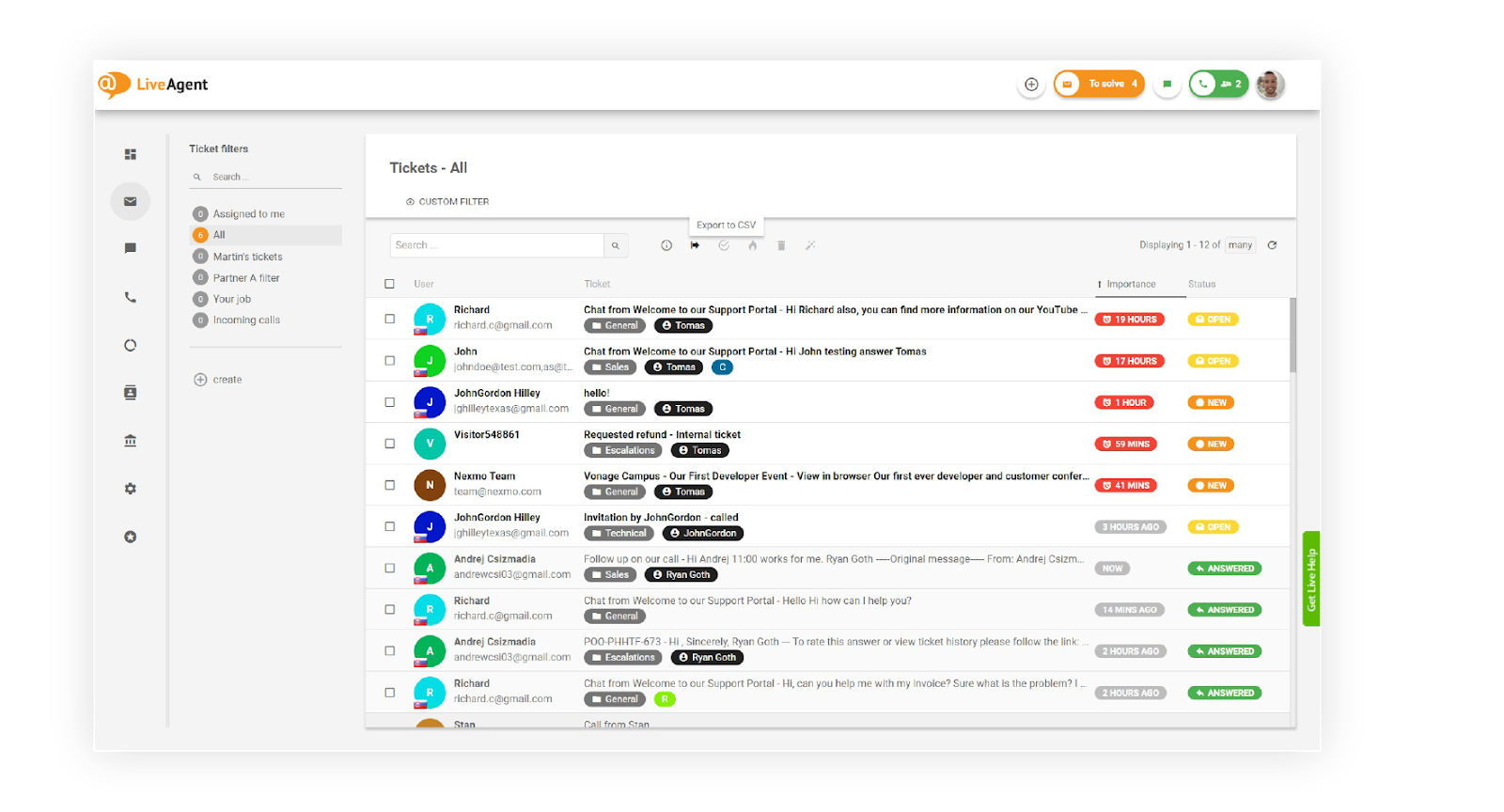
LiveAgent is an omnichannel help desk customer service software focused on live chat. Leveraging customer support tools like AI chatbots and real-time dashboards can help businesses stay ahead in competitive markets. Although its core function is live chat, it integrates other communication channels, including social media, calls, and email. It offers call center functionalities, ticketing, chat monitoring, real-time typing overview, etc.
This customer service software allows organizations to provide customer support with features like chatbots, analytics, message previews, and structured chat overviews. LiveAgent has multiple live dashboards integrated into a single platform, allowing agents to communicate with customers seamlessly. Streamlining responses to customer queries is vital for maintaining a high standard of service and building trust.
LiveAgent allows businesses to record calls, set up IVR flows, and monitor all essential activity. Recording and analyzing customer conversations allows businesses to identify recurring issues and improve service protocols. Customers can also make callback requests without waiting for someone to answer. Effective collaboration within customer support teams can be achieved by integrating unified communication dashboards. LiveAgent users can use different workflow automation tools to automate resolution, tagging, and routing. It’s a customizable tool with many integrations.

Key Features
- File sharing
- Chat history
- Transcripts
- Support ticket management
- Live notifications
- SLA management
- Live chat
- Routing/transferring calls
- Call/queue indicator
- Agent pause
- Chat invitations
- Chat button customization
- Contact forms
- Many integrations
- Reporting features
- Filters
- Multiple ticket exporting options
- AI co-pilot
- Automation tools
AI Functions
LiveAgent offers standard AI assistance, making the lives of your customer support staff easier. In terms of functionality, you can choose from 3 tones of voice: casual, neutral, and business. You can adjust the AI to suit your preferences.
Besides that, the AI assistant can simplify or rewrite your answer, and you can instruct it to prompt random questions until you find a suitable answer. It is helpful in several ways.
Using LiveAgent
Even though LiveAgent has over 180 features, it’s pretty simple to use. The user interface is very intuitive and easy to navigate. It’s a unified platform that puts all your customer support channels in a single dashboard.
The simple ticket management process lets agents quickly take over queries and track upcoming tickets. At the same time, the platform constantly updates its interface, guided by user feedback. It takes a little time to get used to the platform, but it’s intuitive and easy to use, considering its many features.
Pricing
- Free Plan: $0
- Small Business Plan: $15 per agent per month
- Medium Business Plan: $35 per agent per month
- Large Business Plan: $59 per agent per month
- Enterprise Plan: $85 per agent per month
Best For
Startups, Best Price to Performance
LiveAgent is a budget-friendly option for startups that want to implement a robust multi-channel customer support system emphasizing live chat. Startups can benefit from our Startup deal (6 months free from our Large plan and an additional six months with 50% off).
LiveAgent is also very useful for organizations that utilize social media to boost interactions because it unifies all channels into a single dashboard. It’s designed for chat-focused teams that want to unify other customer support channels while including gamification to boost engagement.
Our Experts’ Experience
LiveAgent is a stellar customer service software solution. There’s no setup fee, customer support is available 24/7, and the free trial doesn’t require credit card information.
You can even use the 30-day free trial with a free email or get a 30-day free trial with a corporate email. You can schedule a demo for the next day, and the customer support staff is super helpful and responsive. It’s a powerful live chat/ticketing/helpdesk solution with capable AI features.
Pros
- Omnichannel support: Social media, calls, chat, and email – all in one place
- Comprehensive Features: Includes call center functionalities, ticketing, chat monitoring, real-time typing overview, file sharing, chat history, and more
- User-Friendly Interface: Intuitive and easy to navigate, even with over 180 features
- Multiple Pricing Plans: Offers a range of pricing plans to fit startups and larger organizations
- Startup Deal: Special deals for startups, including six months free with the Large plan and an additional six months at 50% off
- Free Trial: A 30-day free trial
Cons
- Learning Curve: Despite being intuitive, the platform’s vast number of features may take some time to get used to
- Customization Needs: Extensive customization options might require additional time and expertise to set up effectively
- Potential Overload: The unified dashboard, while efficient, could become cluttered with information from various channels
2. Zendesk
Zendesk is a versatile help desk support software known for its many features. It offers live chat, phone support, self-service functionalities, and ticketing tools. Zendesk’s straightforward interface and customization functions make it suitable for any business, regardless of industry or size.
One of Zendesk’s significant advantages is its over 1,000 integrations. Social media platforms are integral to customer support strategies, offering direct channels for engagement and issue resolution. Organizations using apps like Slack, Salesforce, Microsoft Teams, and Trello can instantly integrate them with Zendesk to improve team cooperation and communication. Zendesk is generic but has many different uses regardless of the business model.
It’s highly customizable, meaning any organization can adapt it to its needs with effort. However, customization requires knowledge, time, and additional payments. Setting up this platform requires time and costs, and that’s why it’s commonly used by larger organizations, even though there are low-cost plans designed for smaller organizations.
Key Features
- Helpdesk support
- Live chat
- Ticketing system
- Multi-channel support
- Knowledge base
- Phone support
- Dashboards and analytics
- Macros, workflows, and automation
- CRM capabilities
- Over 1000 integrations
AI Functions
Zendesk offers capable AI functions that can support any customer support process. If an organization has too many customers, it uses AI agents to resolve simple interactions and direct customers to human agents.
On the other hand, Zendesk AI can also offer valuable guidance and context to agents, helping them approach interactions and resolve them successfully. Meeting customer expectations involves adopting tools that ensure prompt responses and consistent service quality. Zendesk’s AI can also help you optimize customer support operations by providing useful insights and streamlining workflows.
Real-time dashboards and analytics provide managers with insights into agent performance, enabling quick adjustments to optimize workflows.
Using Zendesk
Zendesk has multiple interfaces depending on the product or plan you’re using. This can further complicate things, especially if you’ve looked at the wrong user resources or guides. However, Zendesk generally has a straightforward interface that delivers relevant information without much clutter.
It takes time to get used to Zendesk, and experienced users might need a couple of hours to get a handle on it. Luckily, Zendesk offers a lot of documentation, tutorials, and guides you can go through to learn how to use the software.
Pricing
- Custom Small Business Plan: Starting at $19 per agent per month
- Suite Team Plan: $55 per agent per month
- Suite Growth Plan: $89 per agent per month
- Suite Professional Plan: $115 per agent per month
- Suite Enterprise: Custom pricing
Best For
Enterprise, Best for Demanding Customer Support
Zendesk is best for large customer service teams. Its strengths are also its weaknesses. Organizations can get many customization options and flexible upgrades. This requires extensive assessment and setup, which requires dedicated experts who understand an organization’s needs.
At the same time, advanced features are only available with more expensive plans, and only larger organizations can afford these costs.
Our Experts’ Experience
Not only does Zendesk offer fully functional and equipped chatbots, but it also has advanced AI capabilities that deliver valuable insights to agents. We loved that multiple types of advanced bots with intelligent triage, valuable insights, and macro suggestions were available.
The trial process is straightforward, and the setup only takes a few seconds. Advanced analytics tools can help businesses monitor ticket volume trends, enabling proactive adjustments to staffing and workflows. When you log in, you get initial walkthroughs and tutorials, with useful explanations on the side—a hassle-free experience.
Pros
- Versatile Customer Support Features: Offers comprehensive functionalities like helpdesk support, live chat, ticketing system, multi-channel support, knowledge base, phone support, dashboards, and analytics
- Integrations: Over 1,000 integrations available, including popular apps like Slack, Salesforce, Microsoft Teams, and Trello
- Straightforward Interface: A generally clear and uncluttered interface that delivers relevant information efficiently
- Documentation and Resources: Extensive documentation, tutorials, and guides are available for users to learn and navigate the software
Cons
- Customization Complexity: Customization requires knowledge, time, and additional payments, which can be daunting for some organizations
- Setup Time and Costs: Setting up the platform requires time and financial investment, making it more suitable for larger organizations
- Complex Assessment and Setup: Understanding and implementing the system according to an organization’s needs requires extensive assessment and setup and dedicated experts
3. Freshdesk

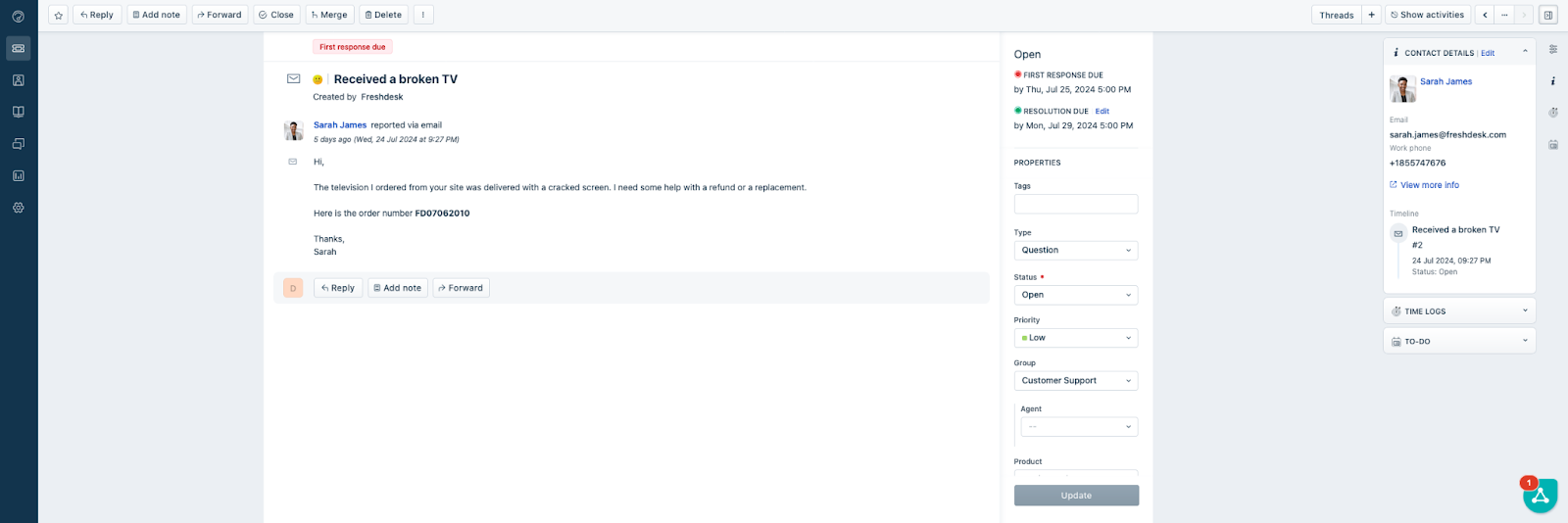
Freshdesk is customer service software for prioritizing, managing, and responding to customer inquiries. All tasks are unified in a single platform. Its ticketing system sends messages required by teams from different channels. A practical trend report feature allows teams to analyze ticket activity quickly. Managing high ticket volume requires a robust system that can prioritize and distribute inquiries efficiently.
Freshdesk lets users configure ticket fields to prioritize, categorize, and route incoming requests. Unified communication channels ensure that customers can reach support teams through their preferred methods, such as chat, email, or social media. The platform can detect when customers end conversations, ensuring the same ticket isn’t reopened. Freshdesk has a simple-to-use interface with powerful features that allow companies to improve their services.
One of the best things about Freshdesk is its free plan with unlimited users. However, this plan doesn’t have any advanced features. Freshdesk gives organizations complete control and streamlines the customer service process while delivering fantastic customer experiences.
Key Features
- Chat, email, phone, and website support
- Canned responses
- Customizable help desk
- Merge tickets
- Ticket activity monitoring
- Knowledge base
- Analytics
- AI and automation
- Integrations
- Security and compliance features
AI Functions
Freshdesk has multiple AI integrations that allow organizations to utilize intelligent third-party tools in customer service. It also has its ‘Freddy AI" feature, which can generate solution articles, draft responses, improve messages, adjust tone, and summarize tickets. Artificial intelligence in customer service software enhances decision-making through real-time insights and automated workflows.
Freddy AI can also work as an AI copilot to help agents with their work and provide valuable information for better responses. Automation tools help reduce repetitive tasks, freeing up agents to focus on complex customer issues. You can also use this feature to auto-generate email responses. You can also use an email bot to auto-solve customer tickets and generate automated responses. AI-powered tools free up agents to focus on complex issues that require a personalized and human approach.
Using Freshdesk
Freshdesk’s user interface is relatively easy to navigate, even for beginners. Its straightforward onboarding process guides businesses through organizing and setting up the customer service software. However, it has many customization options and features that can overwhelm inexperienced users.
Once you’ve created an account, you can use Freshdesk immediately. It doesn’t require any additional setup. Some templates and samples can help you start using the platform. In addition, Freshdesk offers many useful resources for learning about its workflows.
Pricing
- Free Plan: $0 for up to 10 agents
- Growth Plan: $15 per agent per month
- Pro Plan: $49 per agent per month
- Enterprise: $79 per agent per month
Best For
Large teams, Best for Retail
Businesses of all sizes can use Freshdesk. However, it comes with several features most small organizations won’t be able to utilize. It’s an excellent option for enterprise businesses that want omnichannel and versatile customer support software.
Some of Freshdesk’s most loyal users operate in industries where efficient and quick customer service is crucial, including tech, e-commerce, and retail companies. It’s an excellent option for large teams that utilize analytics and need advanced customer service tools.
Our Experts’ Experience
We loved Freshdesk’s advanced AI capabilities. The Freddy AI assistant constantly summarizes tickets and calls using non-intrusive notes. Freshdesk also offers a capable AI chatbot that will assist you along the way.
However, the demo process requires many steps. You must complete a contact form, schedule a call via email, and wait until you get a demo presentation. Even though Freshdesk has so many features, it sometimes feels like they’ve added them for no reason, making things overcomplicated.
Pros
- User-Friendly Interface: Simple to use, even for beginners
- AI and Automation: Freddy AI for generating articles, drafting responses, and more
- Industry-Specific Utility: Effective for tech, e-commerce, and retail
- Free Plan: Unlimited users on the free plan
Cons
- Limited Free Plan: Lacks advanced features
- Overwhelming Customization: This may be daunting for inexperienced users
- Complex Demo Process: Requires multiple steps to access
- Not Ideal for Small Organizations: Many features might go underutilized
4. HubSpot Service Hub
If you’re into digital products or online marketing, you’ve probably heard about HubSpot. This company offers various tools and services, including the HubSpot Service Hub, a platform focused on customer services. It brings typical benefits like reporting dashboards, canned snippets, email templates, live chat, team email, shared inbox, etc.
It integrates perfectly with all other HubSpot products and allows organizations to get relevant contextual data. Organizations get a shared inbox that gives agents queue information, ticket details, and customer history. Integrating customer relationship management tools with service platforms enhances data-driven decision-making for better customer outcomes. It’s optimized for mobile use so that agents can respond to customers while on the move.
HubSpot Service Hub allows businesses to create custom feedback surveys and customer portals. Customers can use the customer portal to open, view, and reply to support tickets. The portal can also be integrated with the knowledge base, allowing customers to find relevant information independently.
Key Features
- Ticketing system
- Dashboards
- Canned snippets and responses
- Email communication
- Email templates
- Live Chat
- Knowledge base
- Shared inbox
- Customer feedback
- Automation
- Analytics and Reporting
- Customer profiles
- Customer Portal
- Custom view
AI Functions
The HubSpot Service Hub has many AI features, including ChatGPT chatbots that offer 24/7 support, conversation summarization and recommended replies. The AI can also provide recommendations after calls or chats and utilize data to guide agents in the right direction. Personalized experiences foster trust and loyalty, making customers feel valued and understood. However, as mentioned earlier, HubSpot has several other products, including different AI capabilities and automation.
Since the HubSpot Service Hub offers integrations with all products from the HubSpot ecosystem, it’s easy to get any AI capabilities. For example, you can use the AI content writer, AI chatbot builder, or the AI assistant that can help you revamp sales outreach.
Using HubSpot Service Hub
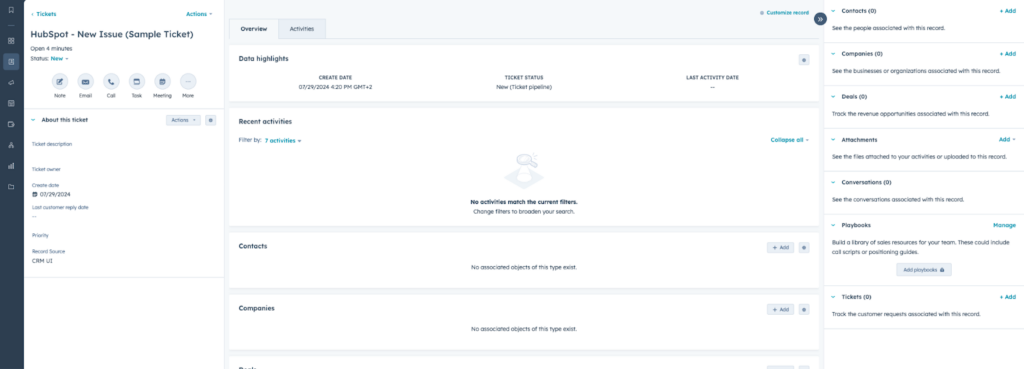
When you create a HubSpot Service Hub account, you also get access to HubSpot CRM, which is neat. You’ll notice many other HubSpot products, but when you log in, many of these options will be disabled because you must pay for them. The tickets listing page offers many ways to filter and sort tickets. Customer service platforms integrated with CRM tools can empower sales teams by providing actionable insights and customer data.
There’s a lot of helpful information about the tickets, and you can see all the actions you want to perform. The dashboard can be slow sometimes, and you’ll quickly notice that some actions require upgrades. Overall, the tool isn’t difficult to use, but there are many features built into the platform that you can’t use by default.
Pricing
- Service Hub Starter Plan: $20 per agent per month
- Service Hub Professional Plan: $100 per agent per month
- Service Hub Enterprise: $150 per agent per month
Best For
Corporations, Best for Ecosystem
Any company that wants to analyze and understand how customers perceive their service, products, and brand seriously should use HubSpot Service Hub. Ideally, if you already use tools from HubSpot’s ecosystem, you should use HubSpot Service Hub because you can integrate your data and products seamlessly for unified customer management.
Instead of importing and exporting data from one platform to another, everything will be synced instantly. HubSpot Service Hub is ideal for organizations that want to scale and streamline customer support. This customer service software excels at gathering, analyzing, and using customer feedback to improve services. Understanding your customer base enables tailored solutions that address specific needs and preferences.
Our Experts’ Experience
The trial process is straightforward. You must create an account and book a call with one of the representatives. Once they’ve learned about your requirements, they will offer a demo call if you want one.
The representatives are beneficial and can help you create the best pricing plan for your needs and even offer potential discounts. The demo is intuitive and full of helpful information.
Pros
- Comprehensive Toolset: Offers a variety of tools, including reporting dashboards, canned snippets, email templates, live chat, team email, shared inbox, and more
- Integration: Perfectly integrates with other HubSpot products, ensuring seamless data flow and unified customer management
- Mobile Optimization: Optimized for mobile use, allowing agents to respond to customers on the go
- Custom Feedback Surveys: Businesses can create custom feedback surveys to gather valuable customer insights
- CRM Access: Comes with access to HubSpot CRM
Cons
- Initial Restrictions: Many features and options are turned off by default and require additional payments to unlock
- Best for HubSpot Ecosystem Users: Ideally suited for those already using HubSpot products, which may not be ideal for businesses using different ecosystems
- Cost: Higher-tier plans can be expensive ($100-$150 per agent per month)
- Feature Limitations on Basic Plans: Many advanced features require upgrades, which can be limiting for those on lower-tier plans
5. Zoho Desk

Zoho Desk is a customer service tool with various tools and automation capabilities for automating agent workflows. For example, Zoho Desk has omnichannel support with a unified dashboard agents can use to see all customer issues. The robust ticket management page allows users to organize tickets by priority, due date, and status.
Other valuable aspects of Zoho Desk include built-in analytics, an advanced response editor, AI capabilities, SLAs, and self-service capabilities. Zoho Desk lets you generate reports and track customer data while looking at key performance indicators. Users can generate different dashboards to monitor and visualize specific ticket metrics. Strong integration capabilities allow customer service platforms to connect seamlessly with CRM systems, marketing tools, and analytics software.
One of the things that stands out about Zoho Desk is its powerful AI assistant, Zia. It can understand customers’ feelings based on language and route tickets to agents when necessary. This AI assistant can notify agents about different activities and automatically tag tickets.
Key Features
- Ticket management system
- Customer contacts and accounts with customized fields
- Social integration features
- Contracts and agreements
- Notifications and alerts
- Knowledge base
- Dashboards
- Reports and analytics
- Product catalog management
- Customer Portal
- AI capabilities
- Live chat
AI Functions
Zoho Desk’s primary AI capability is its AI assistant, Zia. You can deploy it with live chat and let customers talk with Zia on your website or via a mobile app. Zia can process customer questions and recommend helpful information from the knowledge base. The AI assistant also notifies agents and managers about resources that weren’t helpful to customers, ensuring no gaps.
Zia can recognize the sentiment behind the tickets and provide more context so that agents can respond appropriately and prioritize tickets accordingly. Empowering customers with self-service options like knowledge bases and automated chatbots can significantly reduce support workloads. Issues that haven’t been resolved successfully are also tagged so that organizations can understand what needs to be improved.
Using Zoho Desk
Zoho Desk is generally easy to use regardless of business size. This customer service software comes with many intuitive features and tools that are easy to find and use. The platform has a simple, intuitive user interface with simple access.
Automation features like workflow management and ticket prioritization help streamline daily operations. Zoho Desk supports new users with extensive resources and documentation, including a community forum, video tutorials, and a knowledge base. Efficient resolution of customer queries builds trust and positions businesses as reliable problem-solvers. Overall, Zoho Desk is a customizable and flexible customer service platform that can be tailored for most business needs.
Pricing
- Standard Plan: $14 per agent per month
- Professional Plan: $23 per agent per month
- Enterprise Plan: $40 per agent per month
Best For
SMBs, Best on Budget
Zoho Desk is best for small and mid-sized organizations that want to get powerful customer service features for a fraction of the price. All of its features do a great job and aren’t lacking behind its competitors.
However, it’s important to mention that some features, like live chat, are limited to the most expensive version. Even so, this is a feature-packed platform with unique functionalities usually reserved for larger organizations only.
Our Experts’ Experience
We liked the general suggestions from the bot and other stream sources. It’s easy to get a demo, although we didn’t get any follow-ups for questions. You get an introductory presentation and some valuable resources. We don’t know how long you must wait for a live follow-up.
What surprised us about Zoho Desk are the graphics and visuals. They look elegant and fun.
Pros
- Robust Ticket Management: Allows organizing tickets by priority, due date, and status
- Built-in Analytics: Provides valuable insights and tracking of key performance indicators
- Comprehensive Reporting: Generate detailed reports and track customer data
- Product Catalog Management: Manage and organize product information
Cons
- Limited Features in Lower Plans: Some features, like live chat, are only available in the most expensive version
- Lack of Follow-Up: No follow-up for questions after a demo presentation
- Potential Wait for Live Support: Unclear waiting time for live follow-up support
- Pricing: While affordable for SMBs, costs can add up with higher-tier plans at $40 per agent per month
6. Help Scout

Help Scout is customer service and care software that consolidates customer data, history, and interactions into a centralized inbox. The platform provides relevant context to agents for every request. The inbox feature also has tools like private notes, which help agents collaborate internally.
On the other hand, there’s also a collision detection tool that ensures agents aren’t working on the same issue independently. Help Scout is a help desk platform designed and focused on email. It has a simple user interface, and agents can easily manage requests using an integrated database to help customers and provide the correct information.
Help Scout can create short surveys and gather customer satisfaction information through a mobile app or website. This platform also has many apps and third-party integrations related to analytics, CRM, communication, e-commerce, and marketing.
Key Features
- Over 100 integrations
- Mobile apps
- Live chat
- Email management
- Customizable help center
- AI features
- Customer profiles
- Customer feedback
- Reports and analytics
- Shared inbox
- Customer profiles
AI Functions
Help Scout has two primary AI functions: AI Assist and AI Summarize. AI Assist recommends using AI-generated text agents within conversations to help them quickly generate relevant responses. This AI function can also translate text content, change the tone, or improve it.
On the other hand, AI Summarize automatically condenses emails into essential bullet points. AI tools can summarize customer conversations to provide agents with actionable insights for faster resolutions. Apart from helping with responses, Help Scout lets users create relevant content for the knowledge base. In other words, organizations can generate content more quickly and offer valuable resources internally or to their customers.
Using Help Scout
Help Scout is focused on email use. The platform has an email-style interface, a chat widget, and a knowledge base. All of its main components are clear and logical. In other words, for people who use email regularly, finding their way around Help Scout is a breeze.
However, organizations just starting by offering customer service via email, such as Help Scout, can be challenging. Users can expect accuracy issues with reports because the platform tends to count the data twice, and reloading the page is necessary.
Pricing
- Standard Plan: $22 per agent per month
- Plus Plan: $44 per agent per month
- Pro Plan: $65 per agent per month
Best For
E-commerce, Best for Email integration
Help Scout is a versatile tool that various teams can use. E-commerce organizations can get timely support for orders, FAQs, and returns queries, enhancing customer loyalty and satisfaction. Many SaaS organizations use this platform because it helps with product guidance and troubleshooting, ensuring users can get the highest value from software solutions.
Education organizations can use Help Scout to streamline communication between administrative staff, faculty, and students while promptly addressing concerns. Overall, it’s customer service software focused on organizations that prioritize email.
Our Experts’ Experience
We didn’t get a response after submitting a demo request. We tried contacting the company through various channels but couldn’t get live communications. On the other hand, helpful guides let you set up your account. The design is smooth, but we’ve encountered difficulties changing existing setups or reverting to previous changes.
Pros
- Centralized Inbox: Consolidates customer data, history, and interactions into a single inbox
- Contextual Information: Provides relevant context to agents for every request
- Internal Collaboration: Tools like private notes help agents collaborate internally
- Enhanced Customer Loyalty: Timely support for orders, queries, and returns
Cons
- Accuracy Issues: Reports may count data twice, requiring page reloads
- Setup Difficulties: Encountered issues when changing existing setups or reverting to previous changes
- Email-Centric: Primarily focused on email, which might be limiting for organizations needing multi-channel support
7. Front

Front is a customer service software that enables organizations to integrate multiple channels within a shared inbox and set up automated workflows. Front’s shared inbox organizes customer inquiries in a centralized location. All inquiries are automatically consolidated across all channels, and messages are routed to the best agent.
All customer interactions are logged, allowing agents to assess the customer history for future support and understand which steps were taken in the past. Collaboration tools like shared inboxes and real-time messaging enhance teamwork and improve customer support efficiency. Front has helpful collaboration features that enable teams to communicate on tickets. Combined with unified reporting and analytics on customer satisfaction and team performance, Front gives organizations all the tools to improve customer satisfaction.
Organizations can use Front to build a help center for customer self-service. The administrators can control and manage the knowledge base’s access credentials and determine who can publish, view, create, or edit content. There are various integrations, including a live chat system.
Key Features
- Shared inbox
- Automated workflows
- Integrations
- Customizable templates
- Collaboration features
- Reporting and analytics
- Omnichannel support
- AI assistance and bots
- Knowledge base
- Annotation and screenshot tools
AI Functions
Front has several AI capabilities fueled by ChatGPT’s AI. Users can instantly draft messages using ongoing conversations and create responses. A simple menu allows users to adjust the responses by language or tone easily.
All Front conversations can be summarized using AI, followed by recommended steps and customer happiness evaluation. It’s important to mention that these AI capabilities are limited to email channels. Agents can also use AI to translate messages.
Using Front
There’s an initial learning curve when navigating Front’s user interface, especially for users without experience with shared inbox platforms. Although Front is well-structured and organized, the sheer number of settings, integrations, and features can be overwhelming.
The developers behind Front have an established onboarding process, but mastering this platform’s capabilities requires additional time.
Pricing
- Starter Plan: $19 per user per month
- Growth Plan: $59 per user per month
- Scale Plan: $99 per user per month
- Premier Plan: $229 per user per month
Best For
Service Sector, Best for Centralized Communication & Collaboration
Front is an excellent solution for service-based organizations. It allows them to enhance client interactions using customizable templates with consent follow-ups. Remote teams can also benefit from this tool, with real-time communication and collaboration regardless of location, to ensure seamless service delivery.
Companies also use this platform because it lets them provide personalized service powered by shared drafts, internal notes, and automation. Overall, Front is best for organizations requiring centralized communication and collaboration. It’s suitable for large and mid-size companies.
Our Experts’ Experience
The AI works really well. You can customize it to be funny, friendly, or formal. We also liked its translation capabilities; agents can quickly translate their messages. After submitting a demo request, getting a response and booking a demo took a week.
The tickets are organized into ‘inboxes," which are unique but easy to use. Once we got to the demo call, we got some meaningful help. The agent was really thoughtful and wanted to learn about our needs to get the best plan possible.
Pros
- Automated Workflows: Streamlines processes and routes messages to the best agent
- Customer History Logging: Allows agents to assess past interactions for better support
- Annotation and Screenshot Tools: Helps in documenting and resolving customer issues
- Personalized Service: Offers shared drafts, internal notes, and automation for a personalized customer experience
Cons
- Time-Consuming Mastery: Requires additional time to master the platform’s capabilities fully
- AI Capabilities Limited to Email: AI functions are restricted to email channels
- Response Time for Demo Requests: Getting a response and booking a demo takes about a week
8. Salesforce Service Cloud

Salesforce Service Cloud delivers tools for customer service teams and businesses that help them resolve issues quickly and understand their customers. This customer service software allows agents and organizations to address customer contact points, including messenger apps, live chat, email, and phone calls.
It’s a cloud-based customer service software that can handle many service requirements from various channels with a request distribution system. It’s an omnichannel solution with routing capabilities that can be configured to route service requests, leads, tickets, and cases to the most suitable customer service agent.
Different configuration options for task distribution include competency, skillset, availability, and expertise. Users can update their work status, and everyone else can see the changes in real-time. Tracking agent performance is essential for identifying areas of improvement and providing targeted training opportunities. Salesforce Service Cloud has standard features, including automation, AI, contact management, and account management.
Key Features
- Automated responses
- Dashboards
- Reporting and analytics
- SLA management
- Live chat
- Ticketing system
- Case management
- AI capabilities
- Pre-built integrations
AI Functions
Salesforce Service Cloud offers a built-in integration with the Einstein platform. This integration gives users access to powerful AI capabilities for customer service operations. It provides accessibility and a user-friendly design, enabling users to utilize AI without much knowledge.
This opens up many AI capabilities, including automated case routing, classification knowledge recommendations, predictive resolution, personalized engagement, real-time analytics, and AI-powered assistance. Even though these AI capabilities aren’t something we haven’t seen before, they’re readily available and accessible for any organization.
Using Salesforce Service Cloud
Salesforce Service Cloud has one of the most intuitive and best-designed interfaces of all customer service platforms. The customizable workspace window allows agents to tailor the user interface according to their needs to establish effective workflows. Comprehensive reporting capabilities allow managers to track service metrics and identify trends to enhance decision-making. Various shortcuts, macros, and templates make everyone’s lives easier.
Every agent gets cases in a separate window, and they can instantly respond to customers, view past interactions, and check notes or feedback. Salesforce also gives agents information about real-time interactions to ensure there’s no duplicate work.
Pricing
- Starter Plan: $25 per user per month
- Professional Plan: $80 per user per month
- Enterprise: $165 per user per month
- Unlimited Plan: $330 per user per month
Best For
Companies using Slack, Best for Cloud Infrastructure
Although Salesforce Service Cloud offers multiple integrations, it integrates natively with Slack. That’s why getting this customer service software is a natural step for many organizations that rely on Slack for project management and organizing tasks.
On the other hand, it’s an excellent option for organizations that want to utilize as much AI as possible without putting in much effort. However, it’s important to mention that these AI capabilities aren’t the best in the industry. Generally speaking, this platform can be helpful for smaller and large organizations.
Our Experts’ Experience
Salesforce Service Cloud lets you see everything from leads to where your customers are today. It also offers some neat customizations that can be done quickly when needed. The automation tools and workflow rules work great.
One of the great things about it is the console, which lets agents easily open multiple cases and switch between them. All the critical information is displayed together, and the platform is straightforward.
Pros
- Cloud-Based: Accessible from anywhere, eliminating the need for on-premises infrastructure
- Advanced Routing Capabilities: Configurable to route service requests, leads, tickets, and cases based on competency, skillset, availability, and expertise
- Feature-Rich: Includes automation, AI, contact management, account management, automated responses, dashboards, reporting and analytics, SLA management, live chat, ticketing system, case management, and pre-built integrations
- Console Feature: Allows agents to open multiple cases and switch between them quickly
- Comprehensive View: It lets you see everything from leads to current customer status
Cons
- Cost: Pricing can be high, especially for the Enterprise ($165 per user per month) and Unlimited Plans ($330 per user per month)
- Overdependence on Salesforce Ecosystem: Best suited for organizations already using Salesforce or integrated tools like Slack, which might not be ideal for all companies
- Potential Overkill for Small Businesses: Smaller businesses might find it too comprehensive or expensive for their needs
9. HelpDesk

HelpDesk is a customer service platform designed for effective ticketing. It offers support management and customer communication for remote applications. It’s a web-based solution that can be accessed anywhere from any device. Its effortless setup and interface allow support teams to use it instantly.
We loved its ability to process customer-facing requests quickly through the app or website. This platform is lower priced than most other options and can be started immediately. HelpDesk has various automation tools, AI features, and integrations. A robust customer support solution can unify workflows, reduce response times, and enhance the overall customer experience.
It offers multichannel communication through messaging apps, live chats, social media, and email. Social media customer service has become a key strategy for engaging with customers directly and resolving issues in real-time. HelpDesk also integrates and customizes CRM solutions and other crucial management platforms, allowing organizations to establish a robust customer service hub.
Key Features
- Omnichannel communication (chats, social media, and email)
- Unified dashboard
- Ticketing, tags, priority, and status tracking
- Automation templates
- Many integrations
- Reporting and analytics
AI Functions
HelpDesk’s automation is effortless to use because AI powers it. Customer requests handled through automation can significantly reduce response times and improve overall efficiency. Users can utilize many pre-designed workflows to create or model automation from scratch. Advanced automation features can predict customer needs and proactively resolve issues before they escalate. HelpDesk has an AI ticket summary feature that delivers critical ticket information, including recommended steps, solution status, key issues, and subjects.
Organizations can also use AI to customize message tone and create a unique style. Agents can improve their grammar using AI proofreading and ask AI to expand on their thoughts when they don’t have the necessary inspiration.
Using HelpDesk
HelpDesk is simple to use. It’s an entirely web-based platform, meaning that it might not work for some organizations that want in-house solutions. The interface is self-explanatory, smooth, and easy to understand. Even beginners can quickly navigate this platform and perform tasks successfully.
The platform has a ‘free view" mode, which lets organizations display their ticketing system to stakeholders and viewers over the web while preventing them from making changes. Advanced collaboration tools enable agents and managers to work together on resolving complex issues efficiently. It offers seamless automation, and a 14-day free trial lets organizations check out its workflows and learn how to use it.
Pricing
- Team Plan: $29 per agent per month
- Business Plan: $50 per agent per month
- Enterprise Plan: custom pricing
Best For
Beginners & Small Teams, Best for Easy Setup
HelpDesk is best for smaller teams and organizations that want to unify all customer service efforts while on the go. It’s an ideal solution for remote teams, startups, SMBs, and even larger organizations that don’t focus heavily on customer service tasks. Beginners seeking a full-blown customer service platform should start with HelpDesk because it’s intuitive and affordable.
Our Experts’ Experience
HelpDesk has an AI chatbot with text enhancement features that can offer summaries, give answers, tag automatically, rephrase sentences, and adjust the overall mood of the message. It saves a lot of time and makes the agent’s job easier.
Only businesses can get a demo, and the process is straightforward. The email HelpDesk version is very user-friendly, but it lacks call center functionalities like LiveAgent. However, it does have some useful features, like screen recording and ticket follow-ups.
Pros
- Accessibility: Completely web-based platform accessible from anywhere on any device. ‘Free view" mode allows stakeholders to display the ticketing system without making changes
- Unified dashboard: Easily streamlines operations
- Customization: Customizable workflows and message tones
Cons
- Web-based limitation: No standalone version
- Limited features: Some features, like screen recording and ticket follow-ups, are available but may not be comprehensive for all needs
- Call Center Functionality: Lacks comprehensive call center features
10. Intercom

Intercom customer service software provides messaging and automation to help customer service teams. It’s an AI-first platform that is a messenger and a support tool for existing service solutions. It offers intelligent routing for directing inquiries to suitable agents based on customer history, availability, and skills.
Intercom generates tickets through various communication channels, including email, messenger apps, and live chat. All tickets are sent to a shared box that is available to all agents. Support can be provided through live chat or self-service options. Offering self-service options improves customer satisfaction by enabling users to resolve issues independently at their convenience.
Intercom has a larger marketplace with over 350 integrations and is best known for its live chat. This platform is based on operational efficiency, chatbots, and AI that help teams easily handle inquiries and perform repetitive tasks.
Key Features
- Chatbots
- Shared inbox
- Messenger and live chat
- Automated response
- AI capabilities
- Case and ticket management
- 350+ integrations
AI Functions
Intercom offers multiple out-of-the-box AI features. It’s marketed as an AI messenger, and it makes sense that it can perform specific tasks. Intercom has the Fin AI Copilot integrated into the user’s inbox, which gives instant answers gathered from external content, public articles, internal articles, and conversation history.
Agents can use AI capabilities to rephrase or expand their text or change the tone of the message to align it with your brand’s voice. Furthermore, this AI can also translate messages and fix any grammar mistakes. Intercom lets you populate ticket descriptions and titles with AI autofill and summarize conversations.
Using Intercom
Intercom has a bespoke interface that offers different customizations. Organizations can check how the platform looks and works based on customer and employee needs. Previewing any UI changes you’ve made before saving them to see if they make sense is possible.
Intercom is available to mobile users, but you must install the mobile SDK. Some people have found this platform challenging, but overall, it offers nothing unexpected.
Pricing
- Essential Plan: $39 per agent per month
- Advanced Plan: $99 per agent per month
- Expert Plan: $139 per agent per month
Best For
Small businesses with a single customer service agent, Best for Chat
Intercom is best for small businesses with a limited support team. It can also be utilized by medium-sized companies that use chat communication as customer service. Even though larger enterprises can use these solutions, it doesn’t make sense to go for it since it’s essentially a chat platform with added capabilities.
In other words, it doesn’t offer the features and functionalities of robust customer service software solutions.
Our Experts’ Experience
When you open Intercom, it instantly reminds you of Facebook. It’s intuitive and straightforward, but some might find the design underwhelming.
However, the free trial starts in 5 seconds, and you can quickly navigate around. It seems designed for smaller organizations that don’t want to get into specifics and want simple customer service workflows.
Pros
- Chatbot Functionalities: Robust chatbot capabilities for handling routine inquiries
- User Onboarding Features: Excellent tools for customer onboarding and engagement
- Seamless Communication: Intuitive interface for customer interactions
- Comprehensive Customer Data Tracking: Detailed customer profiles and interaction history
Cons
- Prohibitive Pricing Structure: Higher costs compared to some competitors
- Limited Customization: Fewer customization options than some alternatives
- Technical Setup Requirements: May require technical knowledge for full implementation
- API Integration Challenges: Some users report difficulties with API integrations
Comparing the Top 5 Customer Service Software
| Customer Service Software | LiveAgent | Zendesk | Freshdesk | HubSpot Service Hub | Zoho Desk |
|---|---|---|---|---|---|
| Capterra Rating | 4.7/5 (1.6k reviews) | 4.4/5 (4k reviews) | 4.5/5 (3.3k reviews) | 4.4/5 (160 reviews) | 4.5/5 (2.2k reviews) |
| Number of Integrations | 200+ | 1000+ | 1000+ | 100+ | 400+ |
| Free Trial | 30-day free trial | 14-day free trial | 14-day free trial | 14-day free trial | 15-day free trial |
| Free Version | Yes | No | Yes | No | Yes |
| Price Range | $0 – $85 | $19 – $115 | $0 – $79 | $20 – $150 | $0 – $40 |
Things to Look for When Choosing Customer Service Software
Knowledge Base: A knowledge base is a centralized information repository that can be used as an external self-service portal for customers to find essential information. Customer support platforms are essential for businesses looking to streamline interactions and improve service quality. You can also use one internally as a source of information for your agents.
SLA Management: This feature is essential because it allows you to set and enforce Service Level Agreements to ensure quick resolution and timely response to customer inquiries.
Analytics and Reporting: Analytics can give businesses valuable insights and key performance metrics to measure customer service success and improve where possible. Analytics tools help organizations monitor agent performance, customer satisfaction, and overall service efficiency. Generating reports also allows you to share analytics with crucial stakeholders. Investing in scalable customer service platforms is essential for supporting business growth and maintaining high service standards.
Integrations: Businesses use various tools related to customer service. Integrating them into your customer service software is vital to getting real-time data, syncing information, and simplifying service workflows.
Ticket Management: Customer support ticketing is essential for establishing an effective process. Effective ticket management ensures that customer requests are resolved promptly, enhancing satisfaction levels. It’s crucial to assign tickets evenly, manage them, prioritize, and resolve them successfully while keeping all data for future use.
AI Capabilities: AI is a must in any modern software because it allows you to automate tasks, eliminate repetitive tasks, improve efficiency, and let your agents handle more complex tasks that require human work. Automation simplifies routine tasks, allowing agents to focus on delivering personalized experiences.
Conclusion
Embracing the latest technologies means creating a customer-centric environment that can help you improve efficiency, drive growth, and foster customer loyalty. To ensure you don’t get locked in, take the time to test different customer service platforms and assess your needs before committing.
To stay competitive, it’s important to keep up with the latest customer service technology trends when selecting software.
Are you ready to reinvent your customer service process? Take action today and try LiveAgent’s free version with no strings attached!
