





Help desk checklist
Enhance your customer support with a thorough help desk checklist, covering goals, agent organization, communication channels, workflow automation, and more. Es...
24 min read


The IT help desk audit checklist provides guidelines for reviewing audit results, financials, staff, ticket systems, and GDPR compliance. It aims to enhance customer support and IT operations through best practices, ensuring high-quality service delivery.
An IT help desk can be a make or break for your business. If you want to make sure that it works well, then use our IT help desk audit checklist.
Here we have compiled a list of the best practices and easy solutions to enhance the user experience of your support service. Any internal or external auditor can use it to ensure their IT help desk functions correctly.
It is imperative for businesses that rely on IT support to determine whether or not their help desk provider is performing as expected. Your help desk team can discover if they are meeting the required levels and providing the expected quality of service for all users.
An audit also gives you a baseline when evaluating performance over time. This process also identifies problem areas so they can be dealt with early on.
Anyone who wants to improve the quality of their help desk operations can use this checklist. In particular:
The best way to improve your skills is to constantly review and analyze your work. This checklist gives a framework for improving your help desk operations so you can provide better service to your customers.
Although this might not always be possible, you need to know what areas have been troublesome in the past.
Why is it important to analyze prior audit results?
With the right analysis, you’ll be able to identify major improvements or declines in service. Without analyzing your prior audit results, it would be difficult to determine how effective are your operations performing. You can use this data to make informed decisions about your help desk’s future.
How to analyze prior audit results?
You should analyze the results of past audits to see how they relate to your current process. For example, if there was a problem in one department, it might be worth looking into further training or education for those employees.

Which tools to use for analyzing prior audit results?
Reviewing your company’s financial results helps you determine how well it is performing against its budget and if there are still resources available for making adjustments.
Why is it important to review recent financial information?
The more information is available about costs versus revenue, the better equipped you will be able to manage them effectively.
How to analyze recent financial information?
Always analyze your help desk’s revenue and costs by looking at how much profit you make per month or year, etc.
Also, look at how much you spent on your IT help desk, including the utilization of IT help desk software, and compare that to your revenue. The analysis will help you gauge the value that your IT help desk brings to your business. Use this data to forecast upcoming costs and revenue so you can make better decisions about the future of your business.

Which tools to use for analyzing recent financial information?
You should have that information already, so this shouldn’t be too hard. If the list isn’t updated, address it immediately.
Why is it important to have a list of all devices and software?
You can ensure your team is always using the latest tools and applications. You can also identify any potential security risks associated with outdated software.
How to access a list of all the devices and software used?
Use your organization’s asset management system to track all of the devices and software used in your office. Conduct a network scan to identify all of the devices connected to your network, as well as their operating systems and applications.
Which tools to use for making a list of all the devices and software?
With such a complex and ever-changing field, your IT help desk audit must reflect the current state of your organization’s structure.
Why is it important to have an IT organizational structure?
An efficient IT organizational structure is critical for a smooth-running help desk. Agents should be able to easily report up the chain of command and get the support they need from other departments.
How to work on IT organizational structure?
First, identify the different areas of responsibility for your help desk and create clear job descriptions for each role. Next, establish formal lines of communication between departments.
Which tools to use for documenting IT organizational structure?
Verify that the staff in your IT department have the necessary skills and knowledge. These include:
Why is it important to verify IT department staff?
It ensures that sensitive information and systems can only be accessed by authorized personnel. As well as protecting your organization from security breaches, it reduces the risk of identity theft.
How to verify IT department staff?
Review your staff’s clearance levels. Next, create clear policies for granting or removing access based on employee roles within the organization. Finally, establish a formal review process to ensure that the correct policies are being followed at all times.

Which tools to use for IT department staff verification?
Having effective IT problem resolution procedures can have a significant impact on your organization’s productivity.
Why is it important to have IT problem resolution procedures?
They help improve the efficiency of your organization’s IT operations. By having a well-documented process, you make all members of your team aware of the steps they need to take to resolve issues.
How to work on IT problem resolution procedures?
Identify the different types of problems your team is likely to encounter. Create clear step-by-step procedures for resolving each type of problem and test them to determine their effectiveness.
Which tools to use for IT problem resolution procedures?
Tickets are a critical component of an IT help desk, but they must be managed efficiently. By using ticket management software, you can check ticket status, assign them to specific staff, and track progress.
Why is it important to test a ticket management system?
If you do not test your ticket management software, you risk that the tickets will not be managed properly. Check that the software you use is well-suited to your help desk operations and whether or not you can improve its efficiency.
How to test a ticket management system?
To test out the ticket system, create a trial case for each type of problem you typically encounter. Simulate the resolution of these issues and evaluate how well the system performed, i.e. if it met expectations.
By auditing your IT help desk ticket management system you can check if it’s functioning properly and meeting your needs (or if it’s time for a change).
Tip: if you’re looking for a great tool to help you manage your ticketing system, check out LiveAgent. It’s a great solution for tracking all of your customer inquiries and support requests. Plus, it’s very user-friendly and easy to set up, so you’ll be able to get started using it right away.
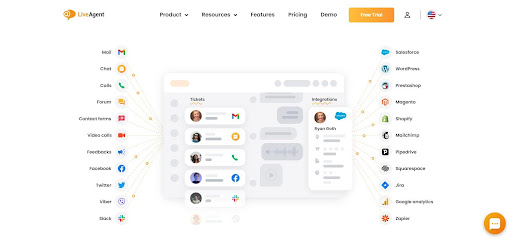
Which tools to use for updating a ticket management system?
To monitor all the activities on your premises, you need a configuration management system.
Why is it important to check the configuration?
You can ensure that all devices are properly configured and that they are working together as intended. Furthermore, you can identify any potential problems with your system and address them before they get out of hand.
How to work on the configuration?
Verify the accuracy of the information in the database, then check for inconsistencies between devices and data. You should ensure that all devices have been installed and configured properly.
Evaluate the settings of each device and compare them to the desired configuration. Verify that all devices are communicating with each other as intended.
Which tools to use for checking the configuration?
With customization, you can change the way your IT systems work to better meet the needs of your organization.
Why is it important to customize IT systems?
Customization can help you meet your organization’s specific needs. By tailoring your IT systems to match your unique requirements, you can optimize their performance to get the most out of them.
How to work on customization?
Identify the areas that need improvement, then evaluate the available options for customization. Once you’ve selected the right options, make the necessary changes and test them out. Deploy this customization and observe how it works in practice, making adjustments if necessary.
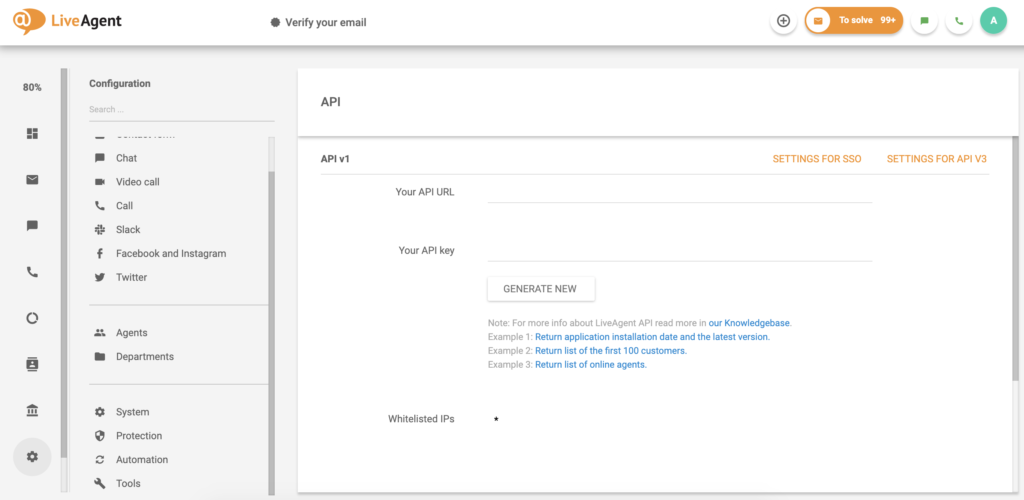
Which tools to use for customization?
With multi-lingual support, you can provide customer service in multiple languages and deliver a flawless customer experience no matter where your customers are from.
Why is it important to offer multi-lingual support?
By offering this feature, you can connect with a larger audience and improve your business’s reach. Additionally, multi-lingual support can also help you better serve your customers and improve their overall experience.
How to work on multi-lingual support?
Identify the languages that your organization supports. To do that, you can use tools such as Google Analytics to see which countries your customers come from. Translate all content into the relevant languages and train your team in providing customer service in those languages.
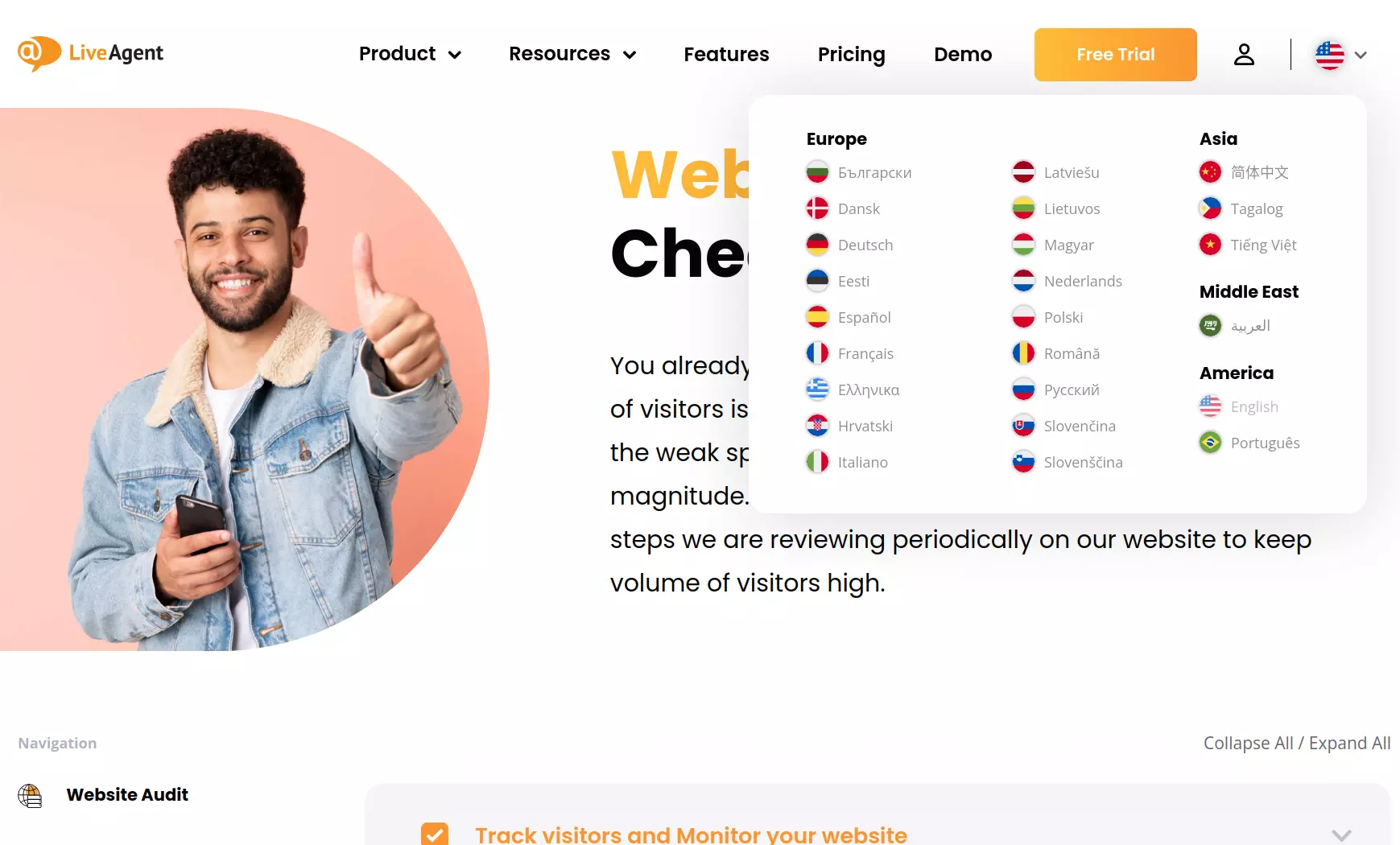
Which tools to use for multi-lingual support?
With automation, you can speed up the process of completing routine tasks. This can save your organization time and money.
Why is it important to verify automation?
It allows you to complete routine tasks quickly and efficiently. You can free up your team’s time and resources so that they can focus on more demanding tasks.

How to work on automation?
It’s crucial that you properly test automation before implementing it to ensure the help desk audit process is smooth and error-free. Once it is in place, monitor it closely so that any issues can be addressed promptly.
Which tools to use for automation?
Help desk staff are required to follow various rules and procedures to ensure efficient and effective service.
Why is it important to have rules in your IT help desk?
They are crucial to ensure that your IT help desk software is working properly. Having clearly defined procedures helps staff know what is expected of them and how they should go about solving problems or addressing requests.
How to work on rules in your IT help desk?
Make sure that the rules are clear, concise, easy to understand, and can be easily followed by staff. Test the rules out to ensure they work as intended.
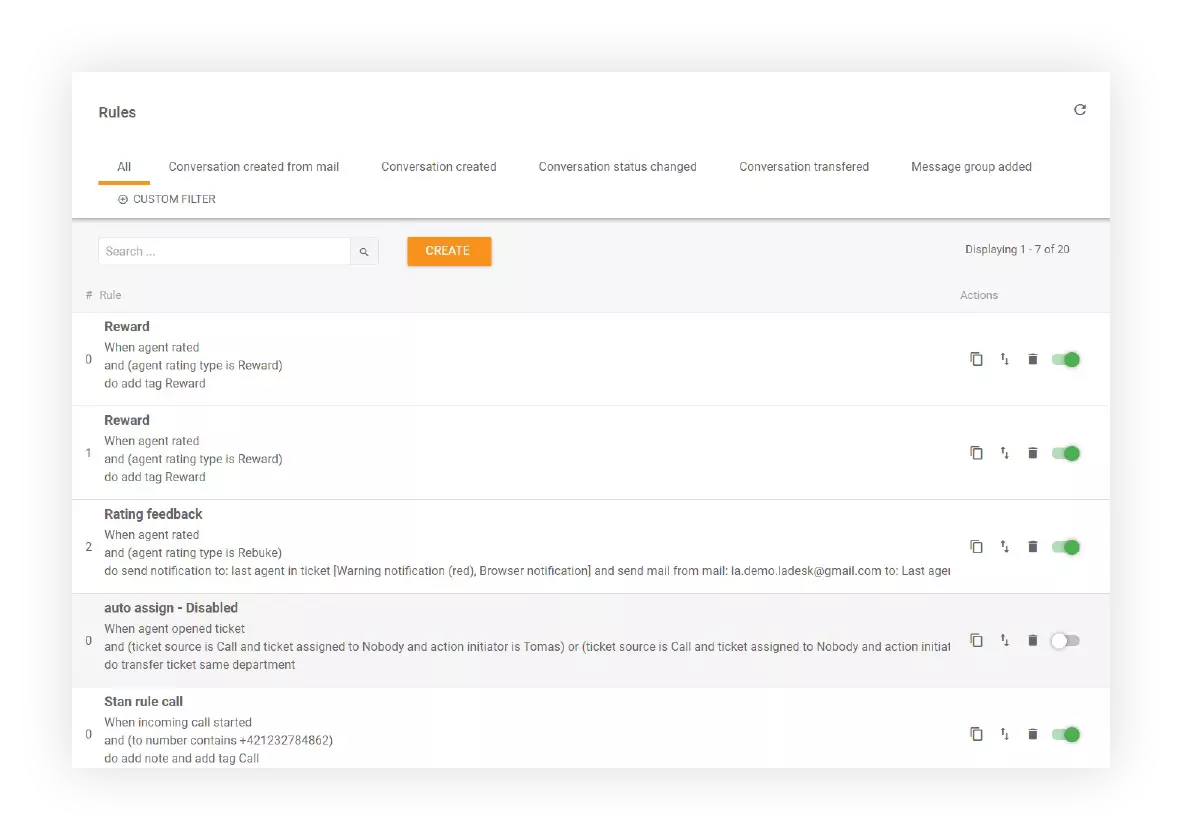
Which tools to use for reviewing the rules?
Integrating your help desk with third-party tools can improve the productivity of your team and the overall effectiveness of your IT help desk.
Why is it important to integrate an IT help desk with other systems?
It helps improve communication and coordination between departments, as well as allowing staff to share information more easily, and complete tasks quickly and efficiently.
How to work on integrations in an IT help desk?
Check whether your current solutions are compatible with the systems you want to connect with. If they are, integrate them according to the provider’s instructions.
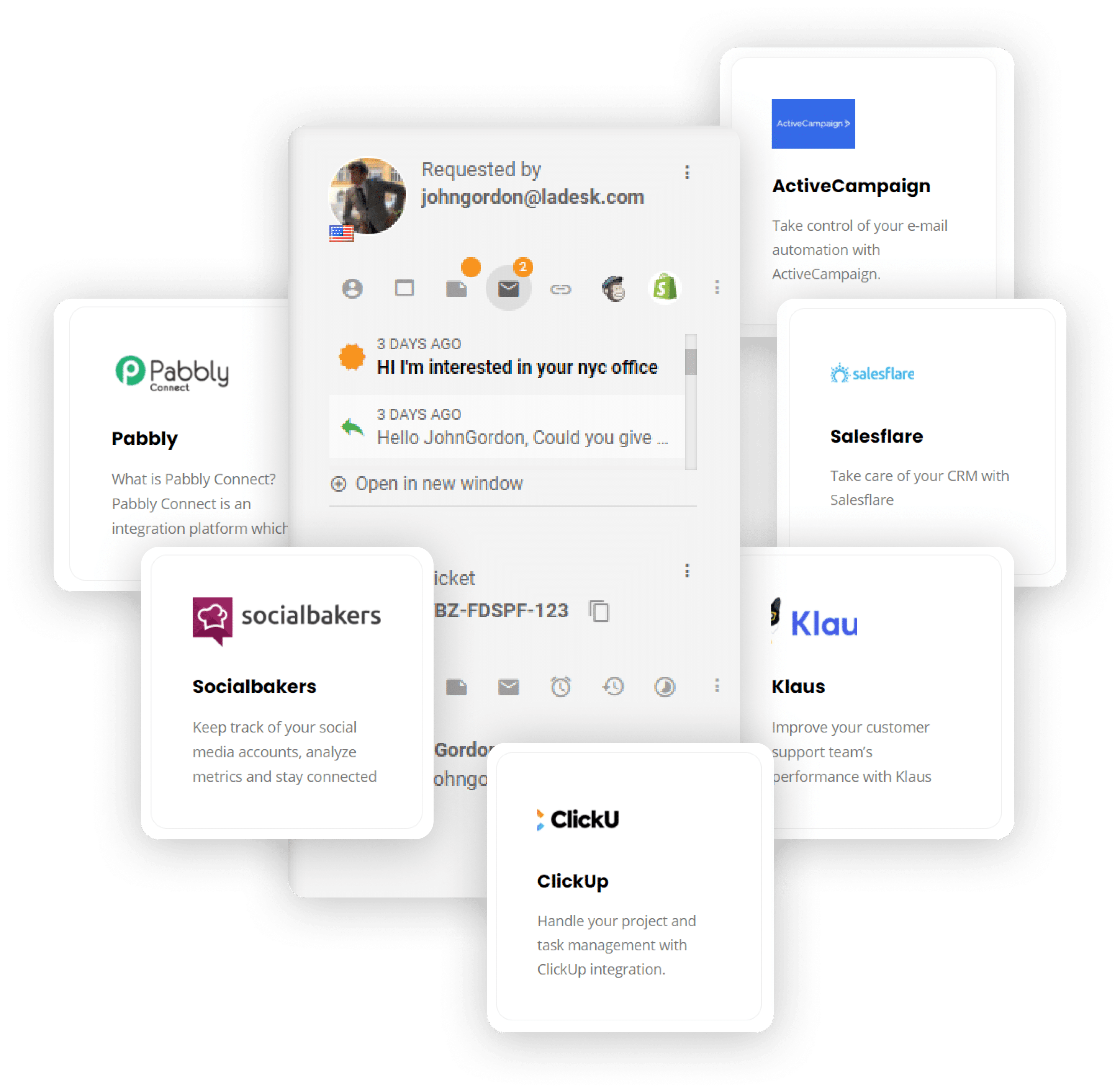
Which tools to use for integrating your IT help desk?
You should have service level agreements (SLAs) in place to hold your staff accountable. They must be specific and detailed enough to define service delivery expectations.
Why is it important to have SLA goals?
It helps ensure that your IT help desk is working properly, improving customer satisfaction and reducing the number of support tickets.
How to work on SLA goals?
Identify what level of service you want to provide and set specific goals that staff can strive to reach. Don’t forget to measure the results of your SLA goals to see what impact they have on customer satisfaction and support ticket volumes.
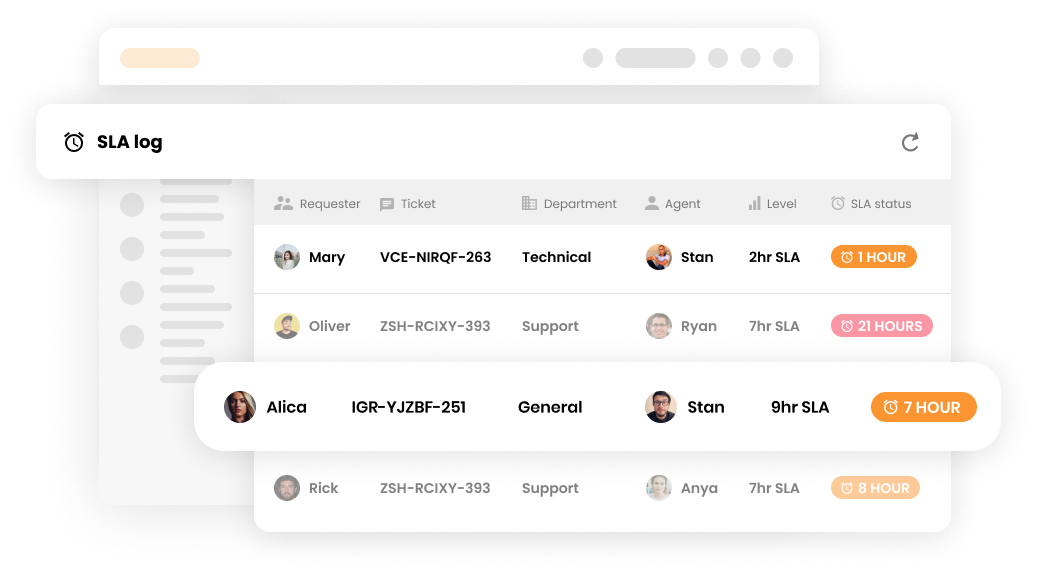
Which tools to use for measuring SLA goals?
The IT help desk should also have and offer a mobile app so that staff can address requests and solve problems while on the go.
Why is it important to have a mobile app?
It allows staff to be proactive in addressing requests and solving problems. This can help reduce the time it takes to address issues, improving customer satisfaction. A mobile app also gives staff the flexibility to work from anywhere.
How to offer a mobile app for the IT help desk?
Identify the features you want the app to have, design and develop it, and check that everything is working correctly. When handing off the mobile app to staff, be sure to provide training on how to use it.
Tip: look for a help desk that already offers a mobile app such as LiveAgent, saving you time and money.
Which tools to use for creating and optimizing a mobile app?
Create a knowledge base so that staff can find solutions to common problems. It should be updated frequently, otherwise, support staff might refer to incorrect information.
Why is it important to have a knowledge base in the IT help desk?
A knowledge base allows staff to find solutions quickly and easily. This can save time and improve customer satisfaction.
How to work on a knowledge base for the IT help desk?
Research and compile information on how to best address your employees’ needs, including articles, blog posts, video tutorials, or any other resources.
Work to improve and update the knowledge base as needed. Keep your knowledge base up to date as new technologies emerge and changes are made to your support processes.

Which tools to use for maintaining a knowledge base for your IT help desk?
CSAT stands for customer satisfaction score and can be used for measuring the effectiveness of an IT help desk.
Why is it important to gather CSAT feedback from customers?
Gathering CSAT feedback helps you identify areas where your team needs to improve. It can also show you which processes or services are most valued by your customers, which can help you make decisions about how to best allocate resources and improve customer support.
How to gather CSAT feedback from customers in an IT help desk?
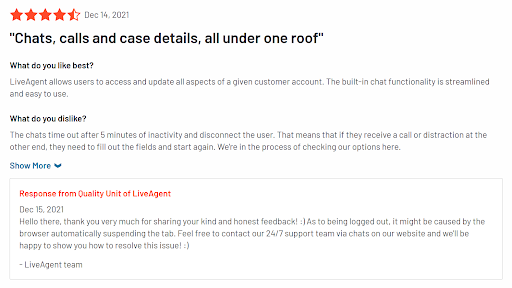
Make the questions simple so people will want to fill out the surveys.
Which tools to use for verifying CSAT feedback from customers?
The main goal of this report is to find out how many customers were satisfied with your IT help desk’s services and what could be improved.
Why is it important to generate customer satisfaction reports?
Customer satisfaction reports can help identify areas where the IT help desk needs to improve. Additionally, they can be used to generate marketing materials that promote the benefits of using the IT help desk.
How to generate customer satisfaction reports?
After gathering all the data, you can manually generate reports by creating graphs and visualizations. To simplify your work, you can also use customer satisfaction report templates.
Another option is to employ the analytics built into the help desk software. LiveAgent, for example, provides a complete overview of customer service efforts and 180+ advanced help desk features that can help you monitor your customers’ satisfaction.

Which tools to use for generating customer satisfaction reports?
By tracking metrics, you can ensure that your IT help desk is providing quality service to your customers.
Why is it important to track metrics?
Tracking metrics allows you to measure the performance of the IT help desk, which can identify areas for improvement. Additionally, tracking metrics can be used to generate reports that show the impact of the IT help desk on business outcomes.
How to track metrics?
Start by identifying the metrics you want to track. Next, design and implement a system that will collect data from those metrics. Finally, analyze the data and take action based on the results.
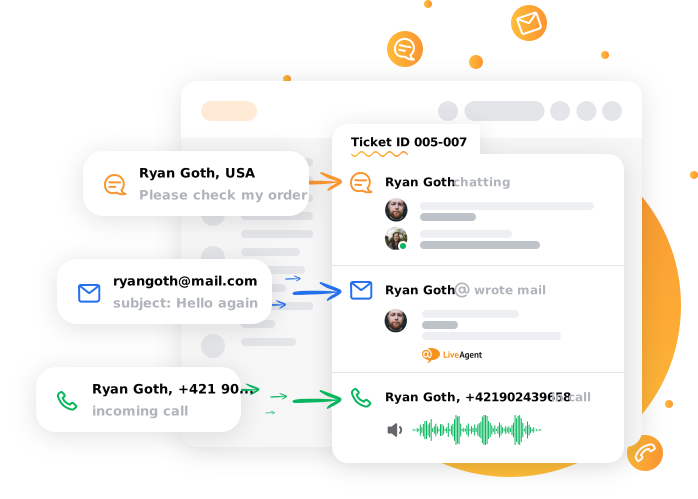
Which tools to use for tracking metrics?
Internal communication is a pillar of your help desk operations, helping align your team and get them working towards the same goals.
Why is it important to have internal communication?
Internal communication allows staff to share information and ideas as well as simplify information flow.
How to improve internal communication?
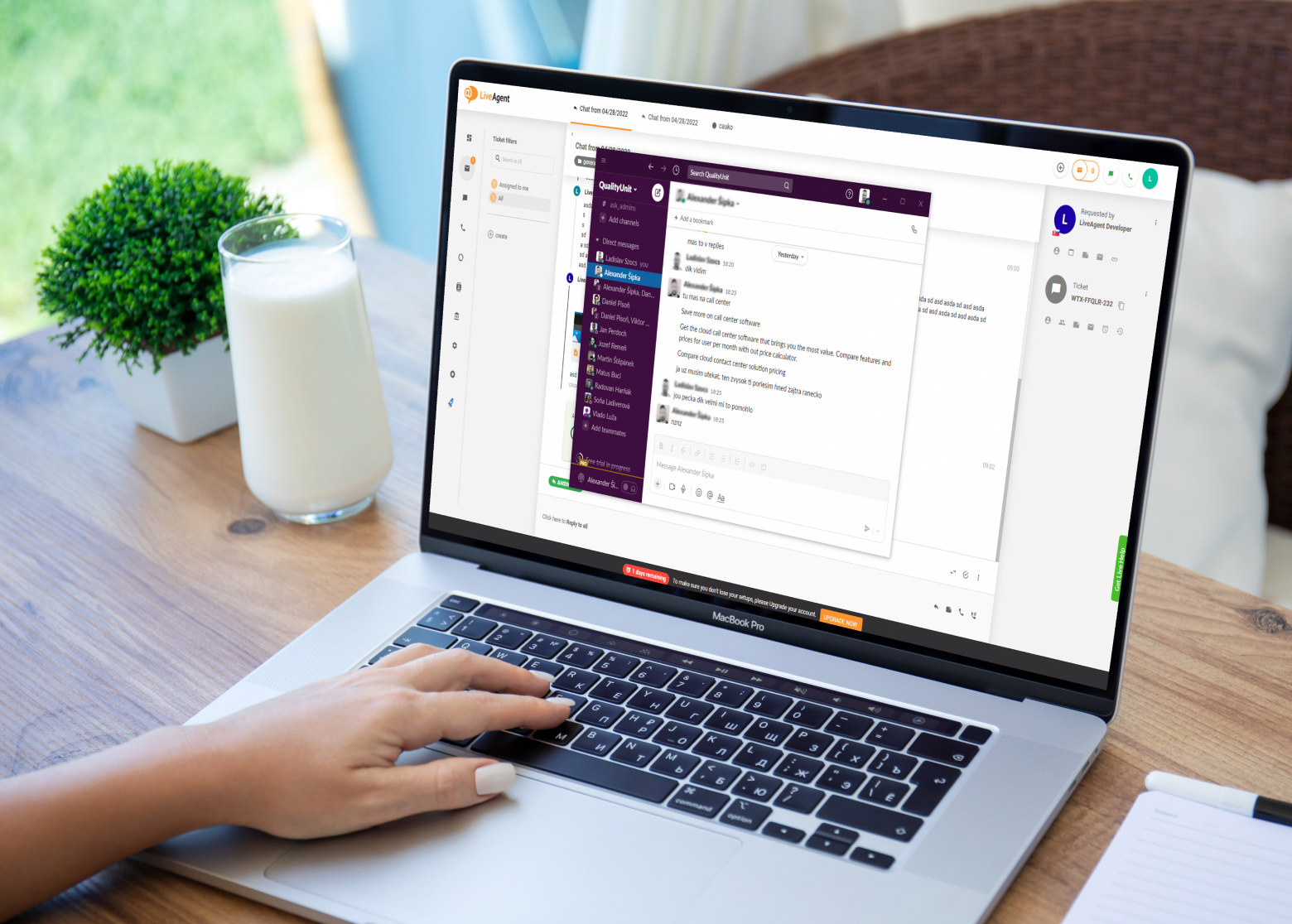
Which tools to use for improving internal communication?
An incident is defined as an event that disrupts normal service operations and requires the intervention of the IT help desk.
Why is it important to have a well-defined incident workflow?
You can handle incidents more effectively by defining the incident process. This can increase customer satisfaction and reduce the number of open tickets.
How to create a well-defined incident workflow?
Define the incident types and priorities and set up an escalation matrix so the most critical incidents are handled first, then create a process for initial incident triage and classification. This will help you determine the urgency of incidents and assign them to the appropriate support group.
Establish standard operating procedures for responding to and resolving incidents. This includes defining roles and responsibilities, setting up workflows, and training IT help desk staff on new procedures.
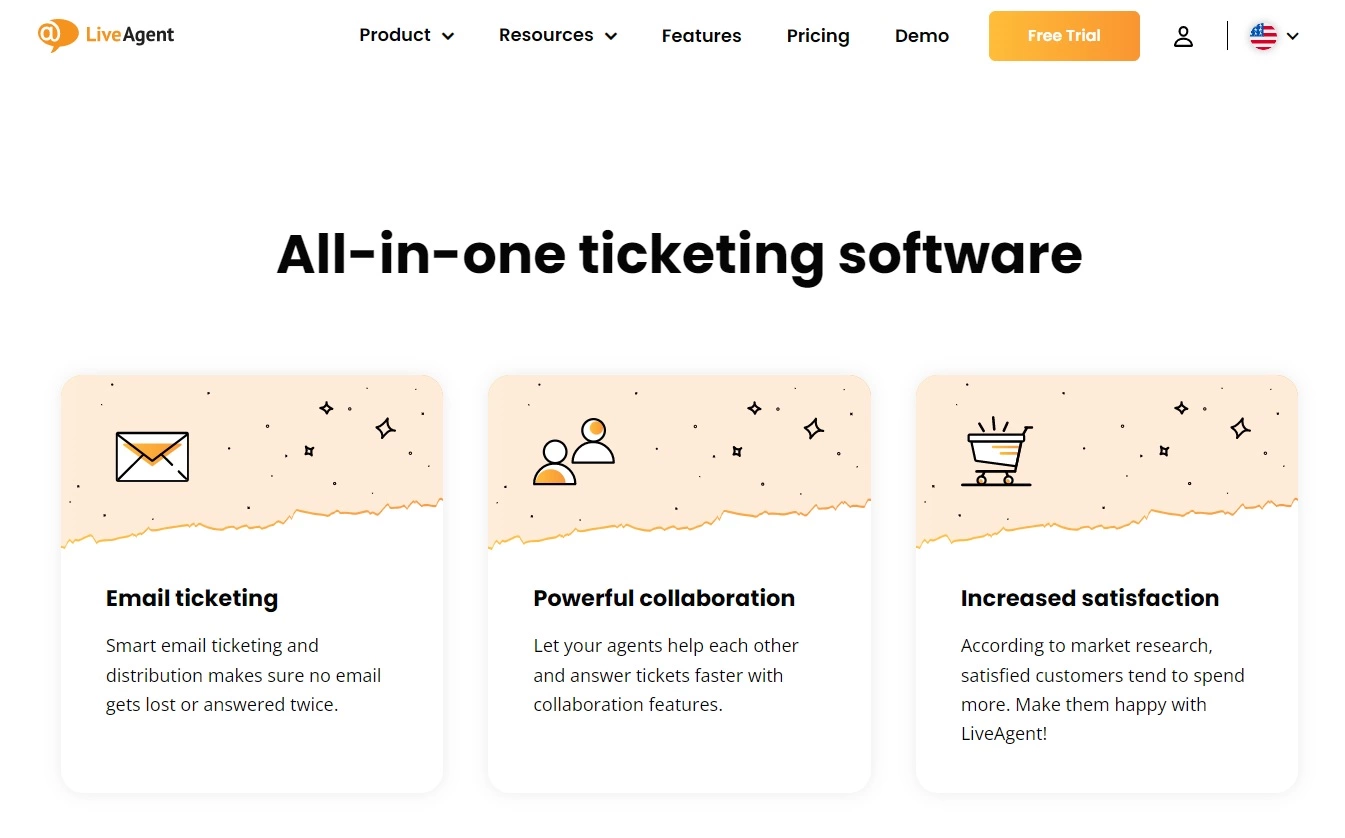
Which tools to use for taking care of incident workflow?
The educational materials you use can play a huge role in training your IT help desk staff, and they should be regularly evaluated.
Why is it important to have updated educational materials?
If help desk staff are not well-informed about the latest changes and updates, it can lead to difficulties when resolving tickets.
How to verify your educational materials?
Make sure that all of your educational materials are current and accurate, verify that the help desk procedures are up to date and compliant with regulations, then evaluate the help desk’s training and support materials.

Which tools to use for verifying and creating educational materials?
With regular data backups, you can be confident that your data is safe in the event of a system failure or disaster.
Why is it important to perform regular data backups?
A data backup plan protects your organization’s information. By verifying that your help desk is performing regular data backups, you can minimize the risk of losing critical data.
How to perform regular data backups?
Check the backup schedule to ensure that it meets your organization’s needs. Use automated backup software to automatically send data to external storage.
Which tools to use for performing regular data backups?
GDPR applies to all organizations, regardless of size or location. Businesses are required by GDPR to protect the personal information of their employees, customers, and partners.
Why is it important to verify that a help desk is GDPR compliant?
Privacy laws protect individuals from having their personal information misused.
How to verify that a help desk is GDPR compliant?
GDPR policy compliance verification for a help desk can be conducted through a review of processes and procedures.
If you answered “no” to any of the questions, your help desk is not compliant with GDPR requirements and this needs to be addressed.
Which tools to use for verifying GDPR compliance?
To help secure your company’s and clients’ information, provide your team with the necessary data protection training.
Why is it important to provide data protection?
If your organization doesn’t have the proper security measures in place, your data could be at risk. Cybercriminals are always looking for ways to exploit vulnerabilities, so your organization needs to take precautions to prevent that from happening.

How to verify data protection?
The help desk should verify that data is protected through the use of passwords, encryption, and access controls. Passwords should be strong and changed regularly, encryption used where required by GDPR (e.g. storing or transmitting data), and access controls in place to restrict access to unauthorized personnel.
Which tools to use for verifying data protection?
Confirm that the help desk can be up and running within a short time.
Why is it important to check the possibility of a quick start?
A quick start with the help desk means that your organization can get started using the help desk right away. This saves time and money, as well as helps to improve your organization’s productivity.
How to verify the possibility of a help desk quick start?
Check that the setup process is easy to follow. Even if so, you should test the help desk software to make sure that it is working properly. Also, check that the help desk’s manuals and tutorials are clear and easy to follow.
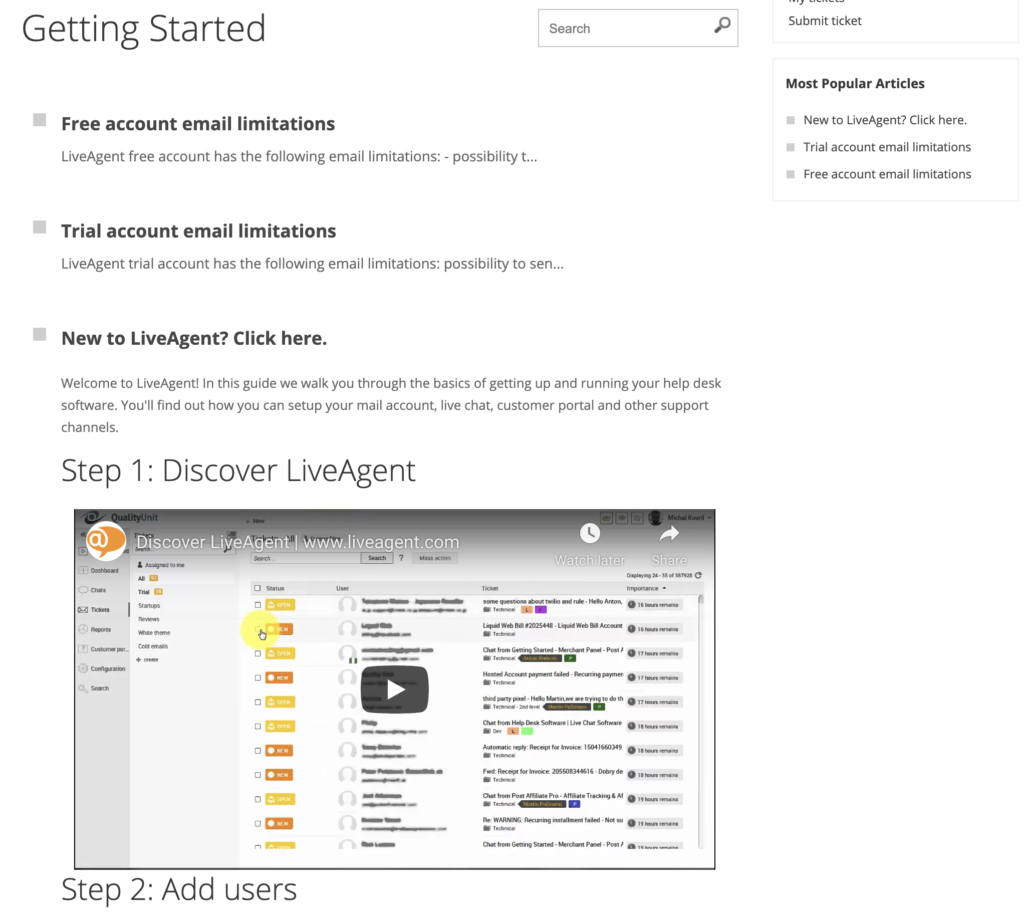
Which tools to use for verifying the quick start of an IT help desk?
One of the most important aspects of a help desk is its ability to provide callbacks, and you need to verify that this is working correctly in your IT help desk audit.
Why is it important to verify callbacks?
By not providing callbacks, the help desk might be causing customers to wait longer than necessary for their issues to be resolved.
How to check the quality of callbacks?
You can review the help desk’s call logs since they can provide information on the number of callbacks that were made and their results. Additionally, you can check customer satisfaction surveys to see if customers are happy with the help desk’s callback service.
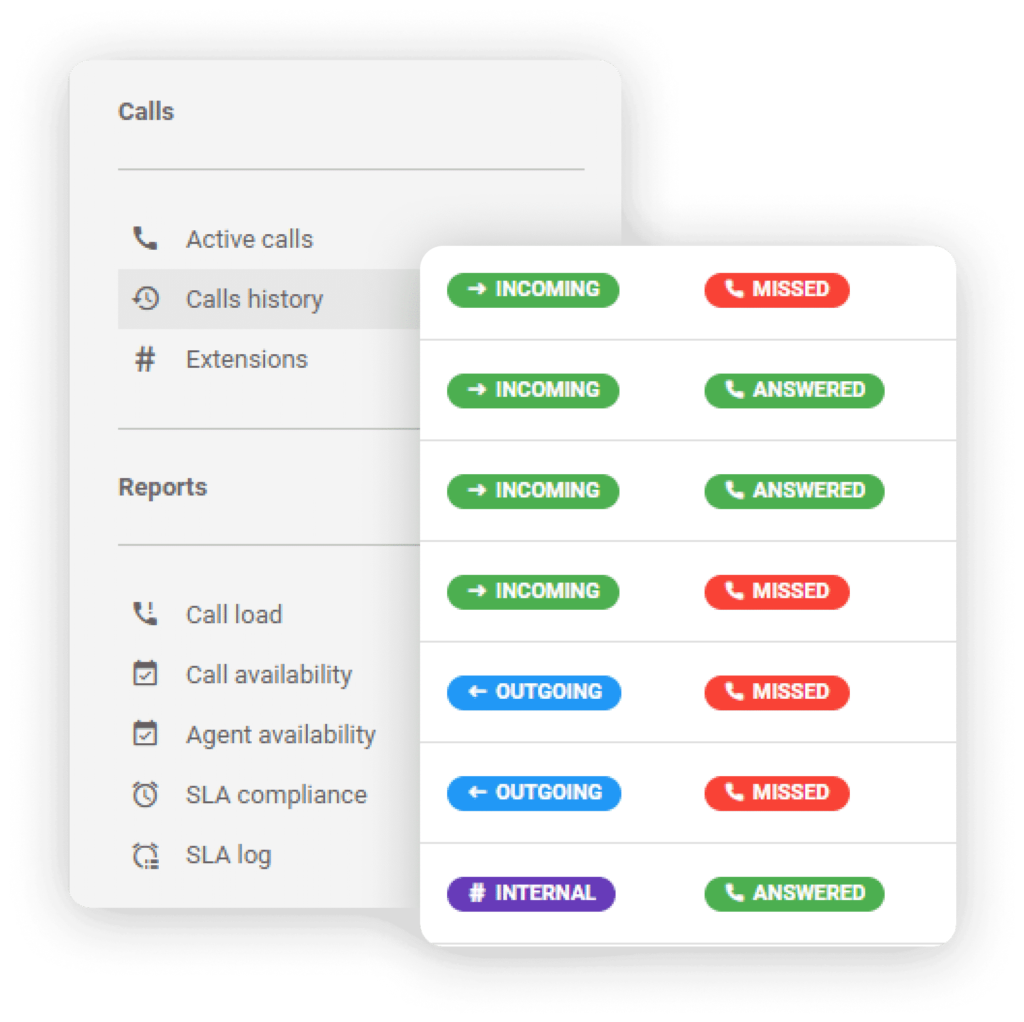
Which tools to use for verifying callbacks?
Ensure that all monitoring activities are performing as intended.
Why is it important to monitor employee performance?
By monitoring employee performance, organizations can ensure that their agents are following best practices and providing quality service to customers.
How to monitor employee performance?
Monitoring is much easier with LiveAgent. Your agents’ performance is tracked in real-time, with strengths and weaknesses being identified quicker. Additionally, you can set goals and objectives for your team and track their progress over time.
You might want to consider gamification as a way of motivating your agents even more. With such features as badges, ranking, benchmarks, and rewards, LiveAgent helps agents perform at their very best.

Which tools to use for employee performance monitoring?
This process is not a one-off. The procedures and rules of an IT help desk will change and evolve as required, so it’s important to have a process in place for handling these updates.
Why is it important to handle updating procedures?
It ensures that the help desk is running smoothly and efficiently. By not updating procedures, you could be causing confusion and chaos within your help desk.
How to handle updating procedures?
You need to start with the actual development of the process to handle updates in a document which should include the steps that need to be followed, as well as who is responsible for each one. Once the process has been developed you need to implement and test it, then you must ensure that everyone involved in the update process follows it correctly.
Which tools to use for updating IT help desk procedures?
Enhance your customer support with a thorough help desk checklist, covering goals, agent organization, communication channels, workflow automation, and more. Es...

Boost customer satisfaction with a help desk QA checklist! Ensure top-notch service with clear responses, empathy, and timely solutions.

Enhance your customer service with our comprehensive audit checklist. Evaluate quality, identify improvement gaps, gather data, and track KPIs. Train staff, opt...
Join our community of happy clients and provide excellent customer support with LiveAgent.
