



AI Answer Composer
Transform customer support with LiveAgent AI Answer Composer—generate perfect, context-aware replies. Try it free for 30 days!
5 min read
AI features
Response generator
+2

Explore LiveAgent’s September 2025 updates featuring AI Draft Composer, enhanced chat experience, improved ticket filters, and more.
In September our team introduced a range of smart improvements designed to make support faster, easier, and more efficient. From AI-powered ticket drafting to smarter chat handling, improved ticket filters, and ticket header enhancements, LiveAgent delivers meaningful improvements that empower both agents and customers.
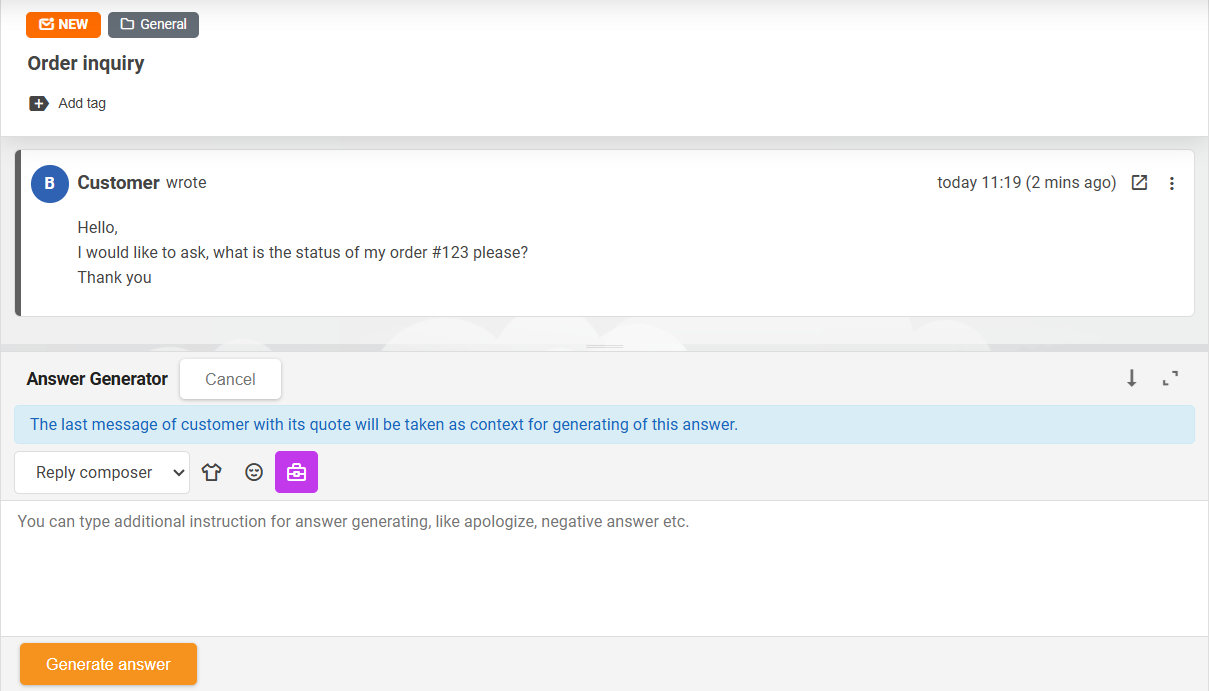
As mentioned in our previous post, this new feature is an evolution of our Answer Assistant feature, allowing you to generate ticket responses based on ticket context using AI. AI Draft Composer incorporates the last message from the customer and its quote into the context to ensure the AI understands the case and responds appropriately.
Once an AI-generated draft answer is composed, the editor seamlessly switches and utilizes the AI Answer Assistant feature, enabling agents to refine the draft even further!
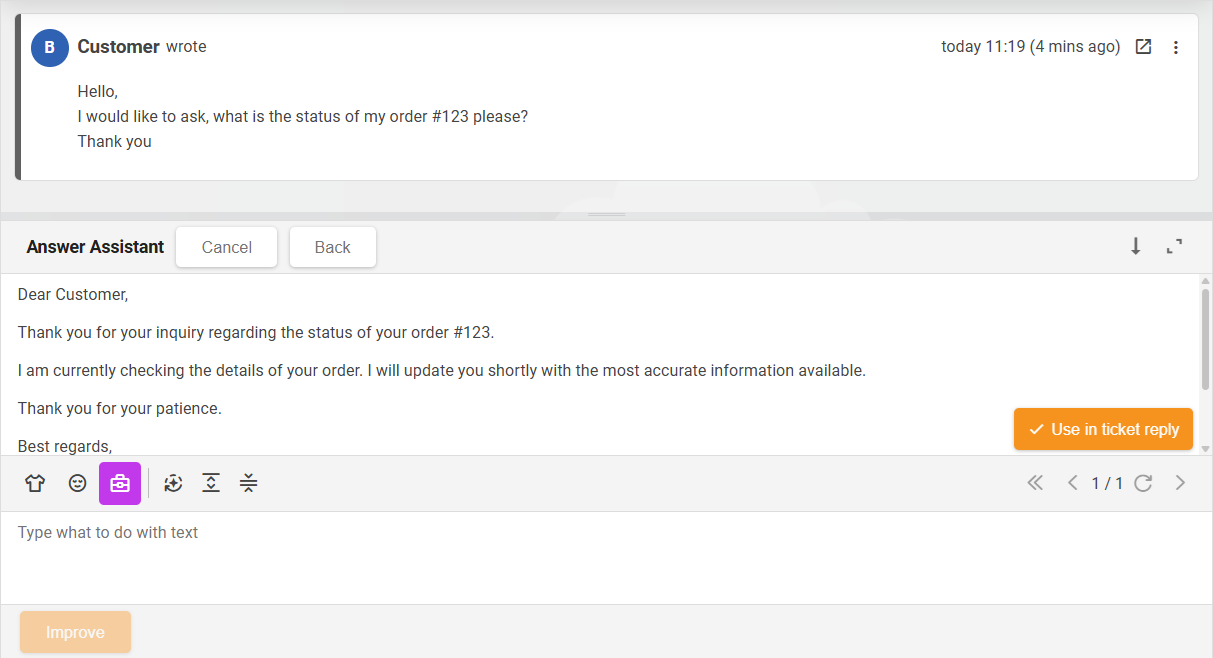
The AI Draft Composer feature requires integration with another product, FlowHunt, which provides the flexibility to utilize various LLM models and tailor the workflow details specifically to your needs. The feature is available from version 5.59, adding a new function to the ticket answer editor next to the Answer Assistant.

Our dedicated team of developers have been working to elevate the chat experience. In the latest upgrade, we’ve enhanced the functionality of inactive chats – when restored after being minimized or dormant (e.g., due to switching between applications or browser tabs). From version 5.59 onwards, the chat will notify the system of the latest received message and solicit all omitted messages to account for those the user might have missed. This advanced feature replaces the previous fixed 190-second window, providing us with the opportunity to make future improvements.
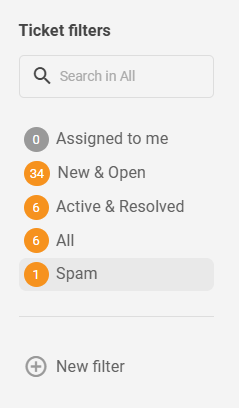
To increase clarity and facilitate agents’ ticket management, we have overhauled our default ticket filters, transforming them into a more informative and useful state.
Listening to our customers’ valuable feedback, we’ve introduced the capability to view closed tickets in the ‘My tickets’ section of the customer portal from version 5.58 onwards. Now, customers who are logged in can view all their tickets history, leading to a more holistic customer service experience.
To elevate your LiveAgent experience, we’ve introduced a hassle-free editing feature in version 5.59. Now, you can directly edit the subject of a ticket simply by clicking on it in the ticket header. Additionally, the assigned agent label in the ticket’s header is clickable, enabling users to instantly reach out to the agent using internal chat or a direct call.
Last but not least, the message delivery indicator, which displays whether a WhatsApp message was sent, delivered, and read, has been relocated back to its correct position in version 5.59 after an unintentional shift outside of the visible space.
That wraps up our updates for this month! Our diligent developers are constantly working on the creation of a new call center mobile app along with other thrilling developments. We truly appreciate your loyalty, constructive feedback, and active bug reporting. It’s due to your support that we continue to evolve and deliver exceptional software. Stay tuned for more exciting updates!
Share this article
Lilia is a copywriter at LiveAgent. Passionate about customer support, she crafts engaging content that highlights the power of seamless communication and exceptional AI-powered service.

The AI Draft Composer is an evolution of the Answer Assistant feature that allows agents to generate ticket responses based on ticket context using AI. It incorporates the last message from the customer and its quote into the context to ensure the AI understands the case and responds appropriately. Once generated, the editor switches to the AI Answer Assistant feature for further refinement.
The AI Draft Composer feature requires integration with FlowHunt, which provides the flexibility to utilize various LLM models and tailor the workflow details specifically to your needs. The feature is available from version 5.59.
From version 5.59 onwards, when a chat is restored after being minimized or dormant, the chat will notify the system of the latest received message and solicit all omitted messages. This advanced feature replaces the previous fixed 190-second window, providing opportunities for future improvements.
Yes, from version 5.58 onwards, customers who are logged in can view all their closed tickets in the 'My tickets' section of the customer portal, leading to a more holistic customer service experience.
In version 5.59, you can now directly edit the subject of a ticket by clicking on it in the ticket header. Additionally, the assigned agent label in the ticket's header is clickable, enabling users to instantly reach out to the agent using internal chat or a direct call.
The message delivery indicator, which displays whether a WhatsApp message was sent, delivered, and read, has been relocated back to its correct position in version 5.59 after an unintentional shift outside of the visible space.
Transform customer support with LiveAgent AI Answer Composer—generate perfect, context-aware replies. Try it free for 30 days!
Discover LiveAgent's August updates: new AI Answer Generator, redesigned attachments, bug fixes & a call app in development. Learn more!
Discover LiveAgent's October 2025 updates: enhanced ticket fields, spam controls, easier department management, and Telegram integration!
Join our community of happy clients and provide excellent customer support with LiveAgent.
