



LiveAgent Monthly Updates: August Edition
Explore LiveAgent's August updates including Agent Typing Detection, file attachments in forms, PHP 8.2 compatibility, improved search capabilities, and multipl...
5 min read
Updates
Features
+1

LiveAgent’s October updates bring new error IDs, a refreshed look for contact widgets and customer portals, and a Tag Archiving feature. Look forward to SLA refinement, AI integration, and design improvements for enhanced user experience.
Hey there and welcome to the October edition of our updates! We’re excited to share some recent enhancements at LiveAgent that we think you’ll appreciate. These changes are all about making your experience smoother and more efficient. Without further ado, let’s get into the details!
We all know how cryptic the ‘Something went wrong" error can be. Good news: we’re making it history! Our developers have been tinkering away and added a trace ID to each error message. Now, instead of the message, you’ll see something like this:
‘Something went wrong. Please try again, and if the problem persists, contact our support with this error ID – cf156dCf5041d513x44d1f25cd8Ad8f3x."
This change will help our team identify and resolve issues much faster. The error ID is like a magic key for us, so make sure to store it when reporting an issue and provide it to our support teams to speed up those resolution times!
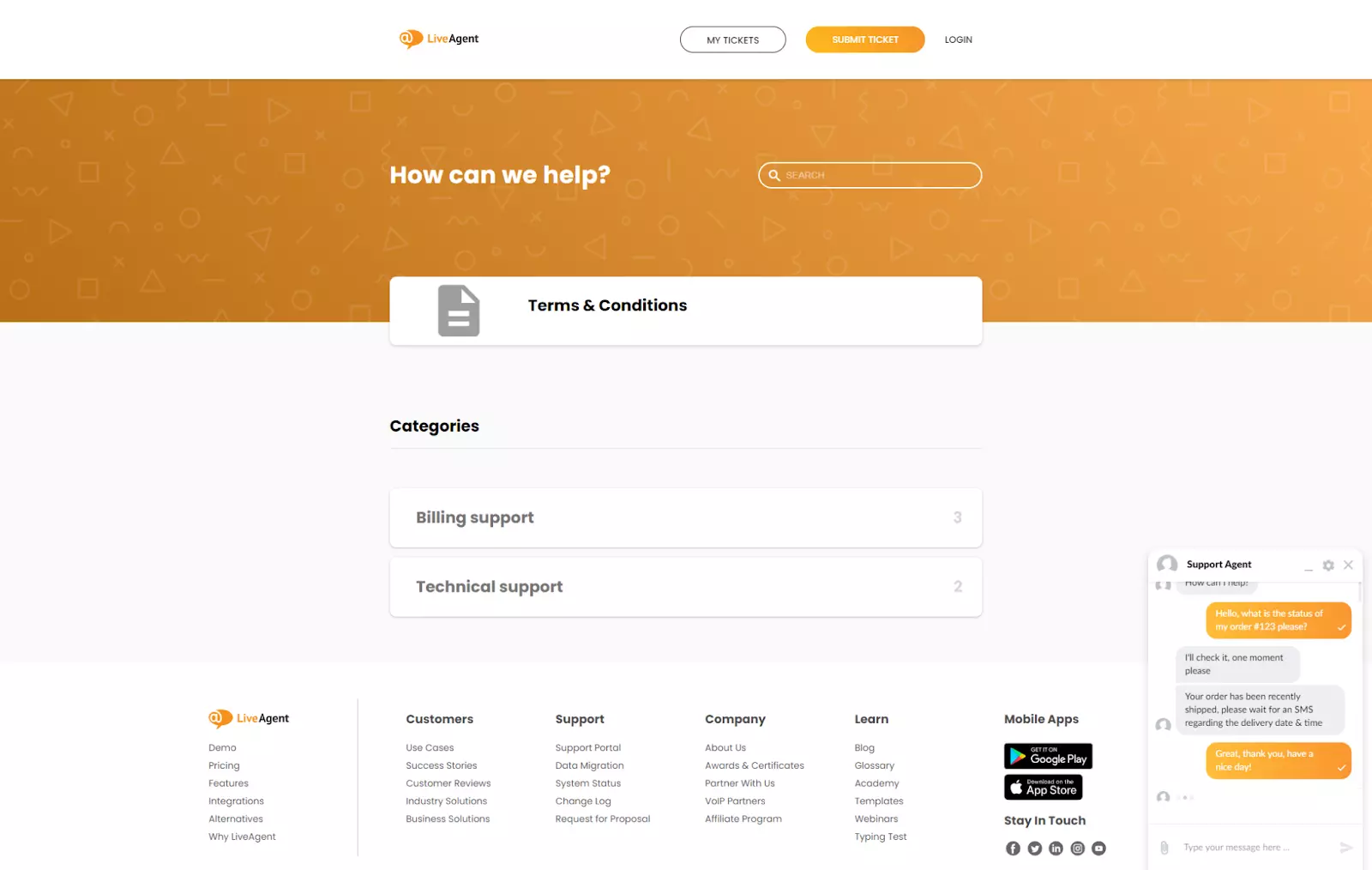
We’re giving our contact widgets and customer portals a new look! The Minimal theme for chat windows and the Material theme for customer portals have been around for some time, and while they have been silently blending into our customization lists, our customers certainly deserve to discover and enjoy these outstanding options. So, we’ve decided to set them as the default for all new widgets and customer portals. If you’re an existing user, why not try these new themes out? Give it a go and let us know how you like it!
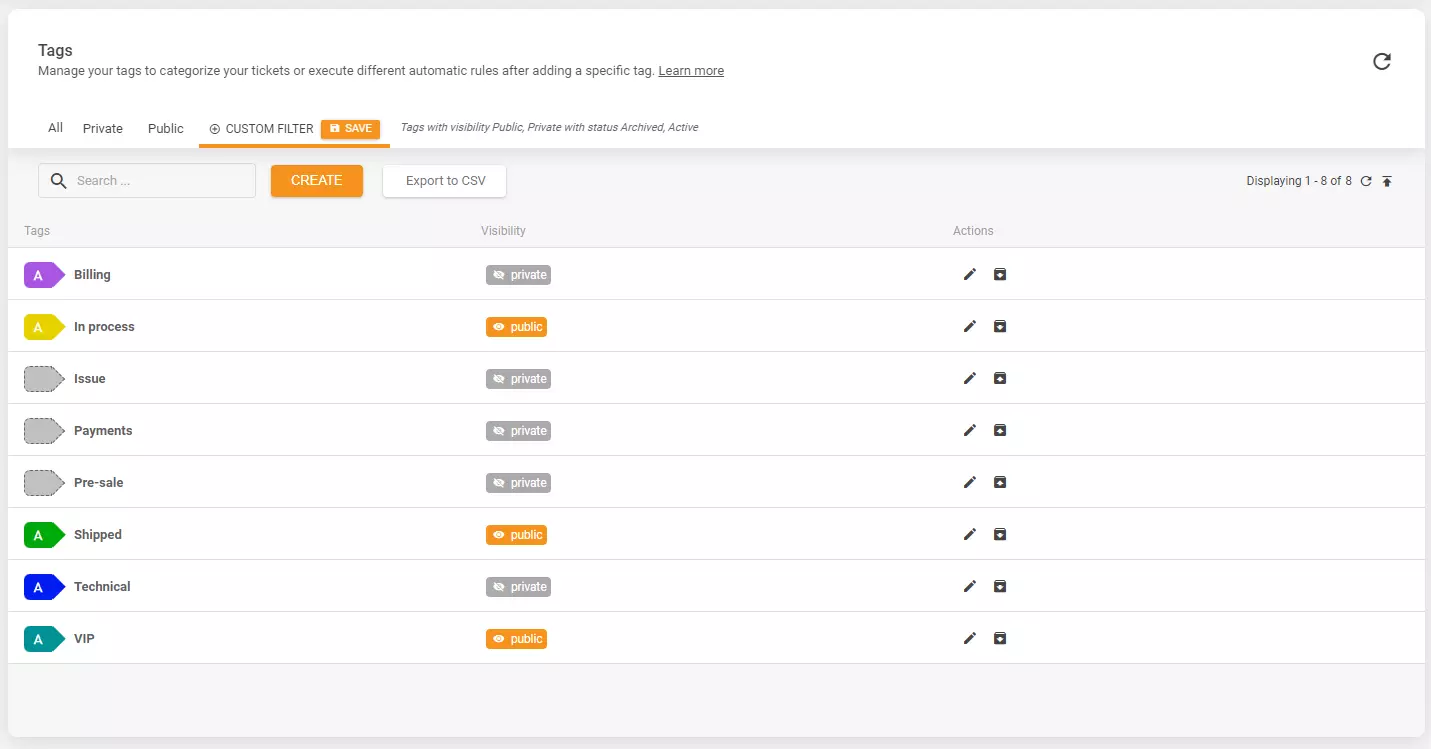
Remember when the only option for unused tags was to delete them? Not anymore! With our new Tag Archiving feature, you can simply archive tags you don’t actively use. It’s like putting them in storage, but still being able to see them in specific places like ticket filters or rules. And if you ever need them again, restoring archived tags is just a click away.
We’ve gone through our tweaks and improvements, but that’s not all! Here’s a quick glimpse into what we’re working on.
First off, our team is busy at work refining our SLA and integrating AI features. While you might have heard that before, rest assured, it’s an ongoing effort. We’ve also been enhancing our Ranking feature and fixing a few minor issues that popped up after its recent update. Your feedback has been incredibly helpful, so we want to thank you for that!
Of course, there’s a lot more on the horizon, including new shortcuts for LiveAgent, particularly for our macOS users who can now use the Command key for shortcuts. Not to forget, we’re always working on design, UI, and UX improvements to ensure LiveAgent is as user-friendly as possible on all devices.
Stay tuned for more updates from LiveAgent, and thanks for being part of our journey!
Share this article
Meet Jana, the distinguished head WordPress content editor spearheading operations at LiveAgent, Post Affiliate Pro, URLsLab and FlowHunt. Armed with an unwavering dedication to excellence, she diligently navigates the intricate landscapes of digital content, ensuring pristine quality and seamless functionality across platforms. She enjoys creative activities even outside of work.

Explore LiveAgent's August updates including Agent Typing Detection, file attachments in forms, PHP 8.2 compatibility, improved search capabilities, and multipl...
Discover LiveAgent's October 2025 updates: enhanced ticket fields, spam controls, easier department management, and Telegram integration!
Discover LiveAgent's December updates: WhatsApp fixes, internal chat upgrades, improved ticket access & AI Chatbot coming soon!
Join our community of happy clients and provide excellent customer support with LiveAgent.
