


LiveAgent 2025 wrap-up: from new functions to AI-first support
Discover LiveAgent's 2025 highlights: new AI chatbot, smarter ticketing, enhanced security & UX. See how support just got better!
6 min read
AI-features
Blog
+3

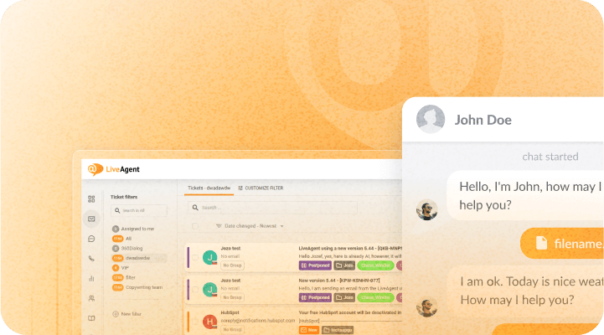
March brings the exciting launch of LiveAgent AI Chatbot, ticket filter improvements, color compatibility fixes, and internal chat enhancements.
March brings the exciting announcement of the launch of the LiveAgent AI Chatbot, delivering on our promise to enhance customer interactions with AI-powered automation. Alongside this major release, we’ve also introduced several improvements, including color compatibility adjustment in ticket responses, user-friendly ticket filters development, refined responsive tickets list view in progress, and internal chat timestamps and unread counter fixes. Let’s delve into the details so you’re up-to-speed with all our latest developments.
Delivered as promised! We’re excited to announce the successful roll-out of the promised new AI chatbot feature, in line with our timeline to release it in the first quarter of this year. Our innovative AI chatbot is now available to all customers on our current pricing plans (legacy plans excluded).
Our AI-powered chatbot, utilizing LLM technology, can be trained on your data to handle frequently asked and advanced questions. It can also escalate complex queries and provide multilingual support. It automates customer interactions, improves response times, reduces agent workload, and enhances your customers’ chat experience by initially connecting them to your AI bot. This not only provides immediate responses but also assists in filtering queries before reaching a human agent.
A chat with your AI chatbot can be initiated from your regular chat button, it is not required to create any new special widgets.
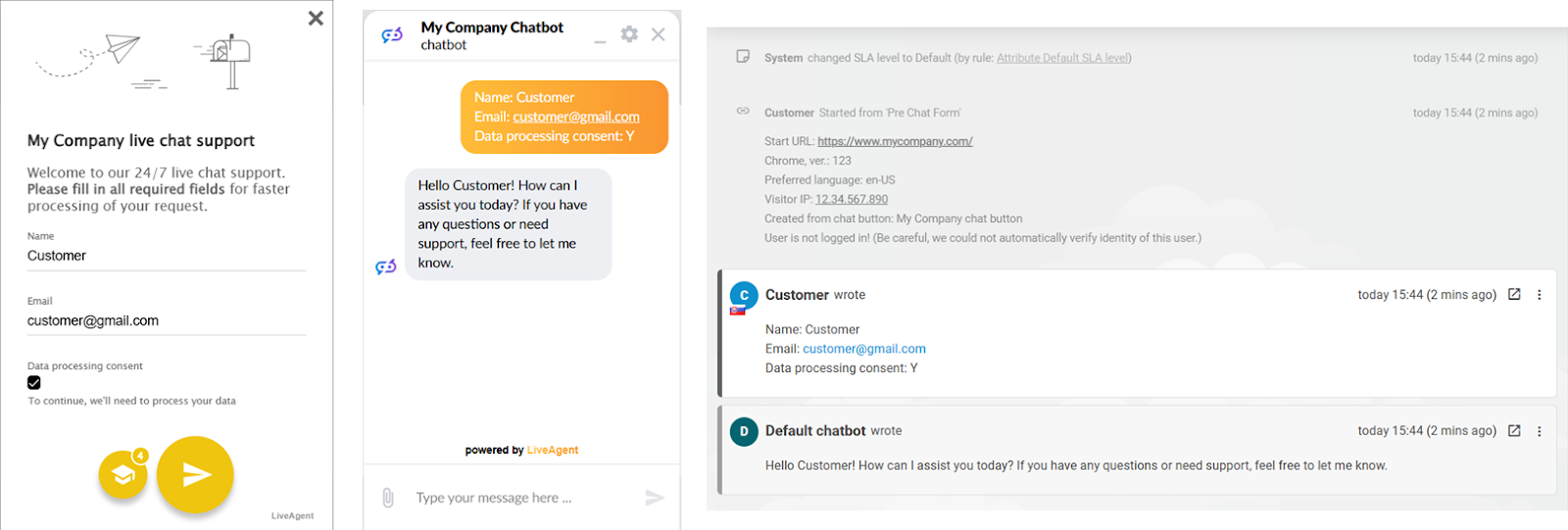
Chats with the chatbot can also be handed over to a human agent. Agents can see & review all chatbot chats and therefore they can intervene whenever required. The visitor also has the option to request a chat with a human agent. The transition of the chat from the chatbot to a human agent is smooth and does not interrupt the chat for the visitor. Both the support agent and the visitor have access to the history of the conversation with the chatbot within the same chat window/ticket.
The configuration window of a chat button has been reworked and improved together with this new feature. Now it allows you to define online & offline scenarios and button’s behavior.
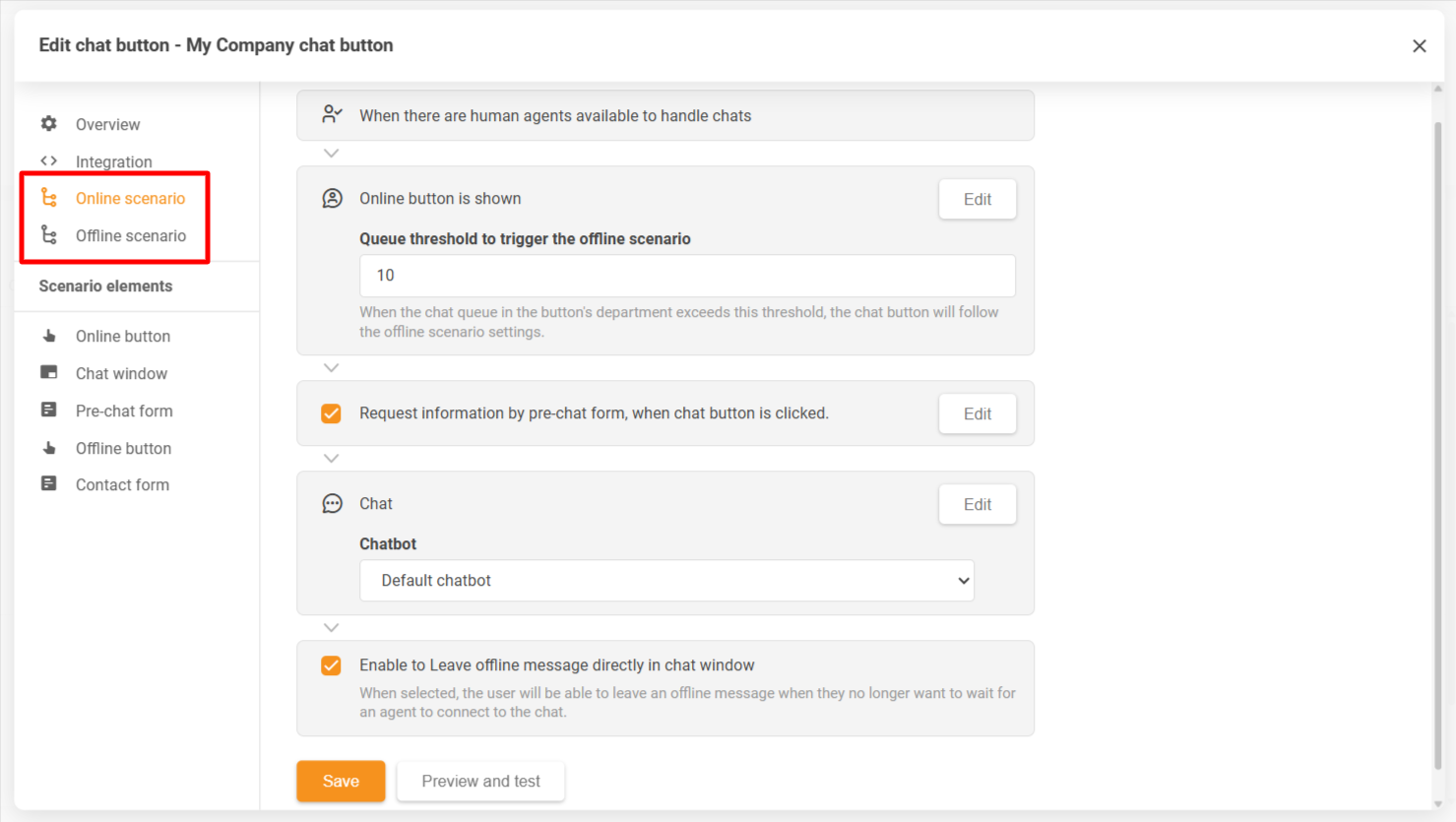
For more insight into our AI chatbot feature, refer to our AI chatbot feature overview knowledge base article, the configuration guide, or the overview of every single chat button’s configuration setting in our support portal.
We have reconciled an issue that emerged after the latest CKEditor update, the editor we use for ticket responses. The problem revolved around the HSL color model, which, while widely recognized, isn’t supported by all browsers and email clients. To cater to this, our diligent team of developers have transitioned from the HSL color model to hexadecimal color code as of version 5.53. This universally accepted model guarantees support across all platforms.
In line with our commitment to enhance user experience and make our pre-set ticket filters more user-friendly, since the version 5.53, tickets in the ‘Closed’ status will no longer appear in the ‘Recent Tickets’ section, replaced instead by ‘Spam’ tickets. Moreover, we are currently developing more pre-set filters for enhanced functionality and ease of use for new users.
Our ongoing responsive tickets list view refinements received tremendous feedback, and we’re grateful for your proactive involvement. As a part of the refinement process, we’ve addressed an issue where the scroll position incorrectly reset after closing a ticket or clicking the Tickets menu item. You can also look forward to more design enhancements being underway.
We’d like to remind you to switch to this new view in your profile settings and try it out. Your feedback is essential in helping us refine the interface before we fully transition from the old view.
Following the refactoring of our internal chat feature, minor inconveniences were reported regarding missing time stamps and persistent unread messages counters. Our developers have successfully resolved these in version 5.54, ensuring a seamless and efficient internal chat experience.
In our next release, we’ve got some exciting updates about the reworked ‘Getting Started’ section and changes to ticket sorting in the tickets list. As always, your unwavering loyalty, prompt bug reporting, and valuable feedback are what drive us to continually strive for excellence. Thank you for your ongoing support, and stay tuned for more exciting updates.
Share this article
Lucia is a talented WordPress content editor who ensures the seamless publication of content across multiple platforms.

The LiveAgent AI Chatbot is an AI-powered feature that can be trained on your data to handle frequently asked and advanced questions. It can escalate complex queries, provide multilingual support, and automate customer interactions. Visitors can initiate chats with the AI chatbot from your regular chat button, and chats can be seamlessly handed over to human agents when needed.
The AI Chatbot can escalate complex queries to human agents. Visitors have the option to request a chat with a human agent at any time. The transition from chatbot to human agent is smooth and doesn't interrupt the chat for the visitor. Both the support agent and visitor have access to the full conversation history with the chatbot within the same chat window/ticket.
After the latest CKEditor update, an issue emerged where the HSL color model used in the editor wasn't supported by all browsers and email clients. The development team transitioned from the HSL color model to hexadecimal color codes as of version 5.53, ensuring universal support across all platforms.
Since version 5.53, tickets in the 'Closed' status no longer appear in the 'Recent Tickets' section and are replaced by 'Spam' tickets. Additionally, more pre-set filters are being developed for enhanced functionality and ease of use for new users.
The responsive tickets list view now retains scroll position after closing a ticket or clicking the Tickets menu item. This addresses an issue where the scroll position would incorrectly reset. Additional design enhancements are also underway.
Following the refactoring of the internal chat feature, missing timestamps and persistent unread messages counters were reported. These issues were successfully resolved in version 5.54, ensuring a seamless and efficient internal chat experience.
Discover LiveAgent's 2025 highlights: new AI chatbot, smarter ticketing, enhanced security & UX. See how support just got better!
Discover LiveAgent's January 2025 updates: AI Chatbot, unified reseller products, API changes & call recording fixes. Explore what's next!
Discover LiveAgent's February 2025 updates featuring AI Chatbot preview, ticket counting fixes, email security enhancements, and refined ticket design.
Join our community of happy clients and provide excellent customer support with LiveAgent.
