



LiveAgent Monthly Updates: February Edition
Explore LiveAgent's February updates featuring revamped ticket control buttons, migration to Amazon servers, streamlined ticket deletion, and enhanced undeliver...
3 min read
Updates
Features
+1

Discover how LiveAgent starts 2026 with design and user experience improvements to make the platform more intuitive and seamless in January.
As 2026 begins, our commitment to consistently improving the LiveAgent software has centered our efforts this month on elevating the design and user experience. The aim is to make your interaction with LiveAgent more intuitive and seamless. Let’s delve into what’s new in January:
Our diligent designers have revamped the design of the ticket layout and the action box. From version 5.60 onward, users are able to switch the docking position or even unpin their action/reply box. These improvements provide users with more flexibility to adjust the interface to their comfort, resolving also difficulties experienced by users with very small or large screen sizes.
The option to change the docking side allows you to choose whether you want your action box at the bottom as usual, or docked to the right side. This update enables users to keep the ticket’s content to which they are reacting and the action box side by side, making the process of responding to customer inquiries more efficient.
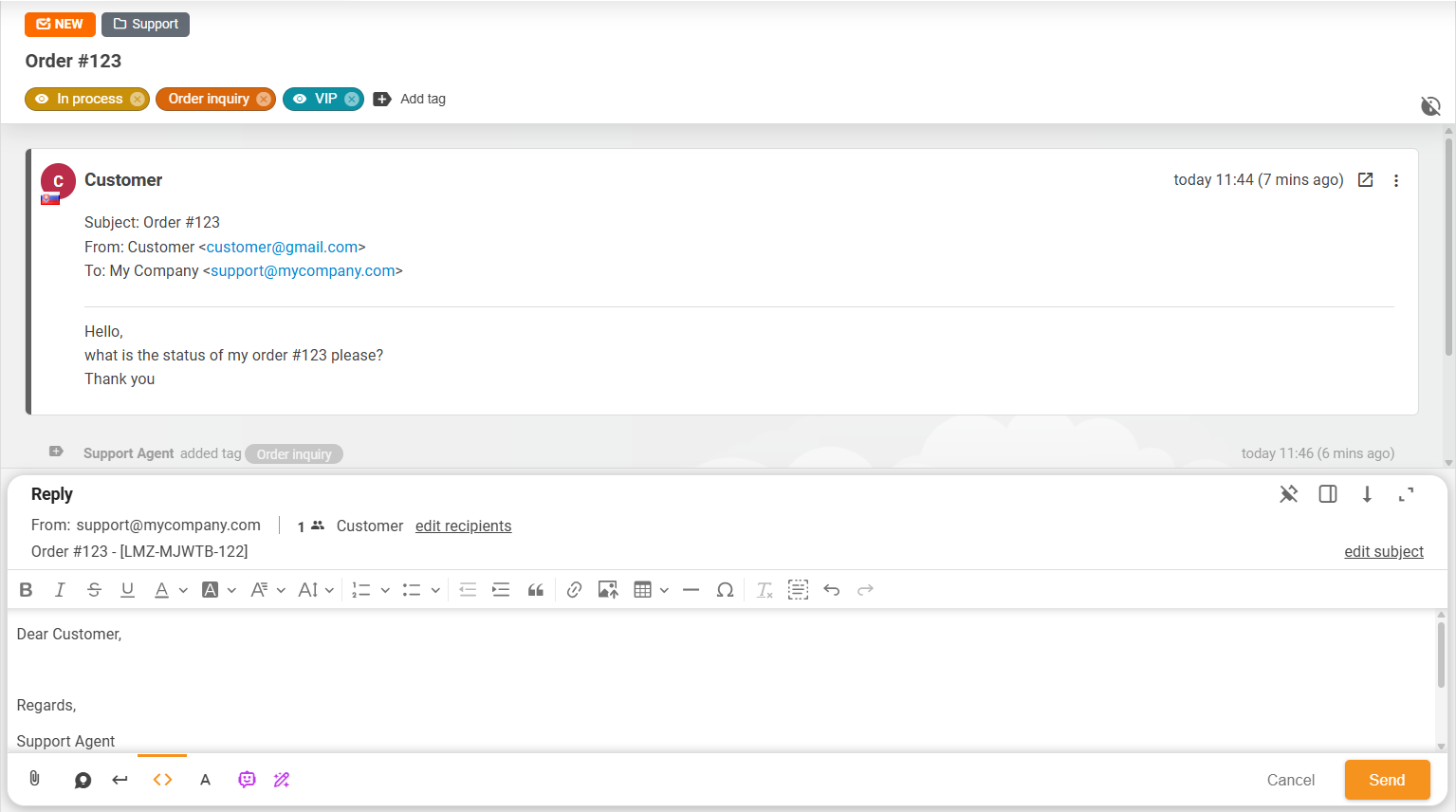
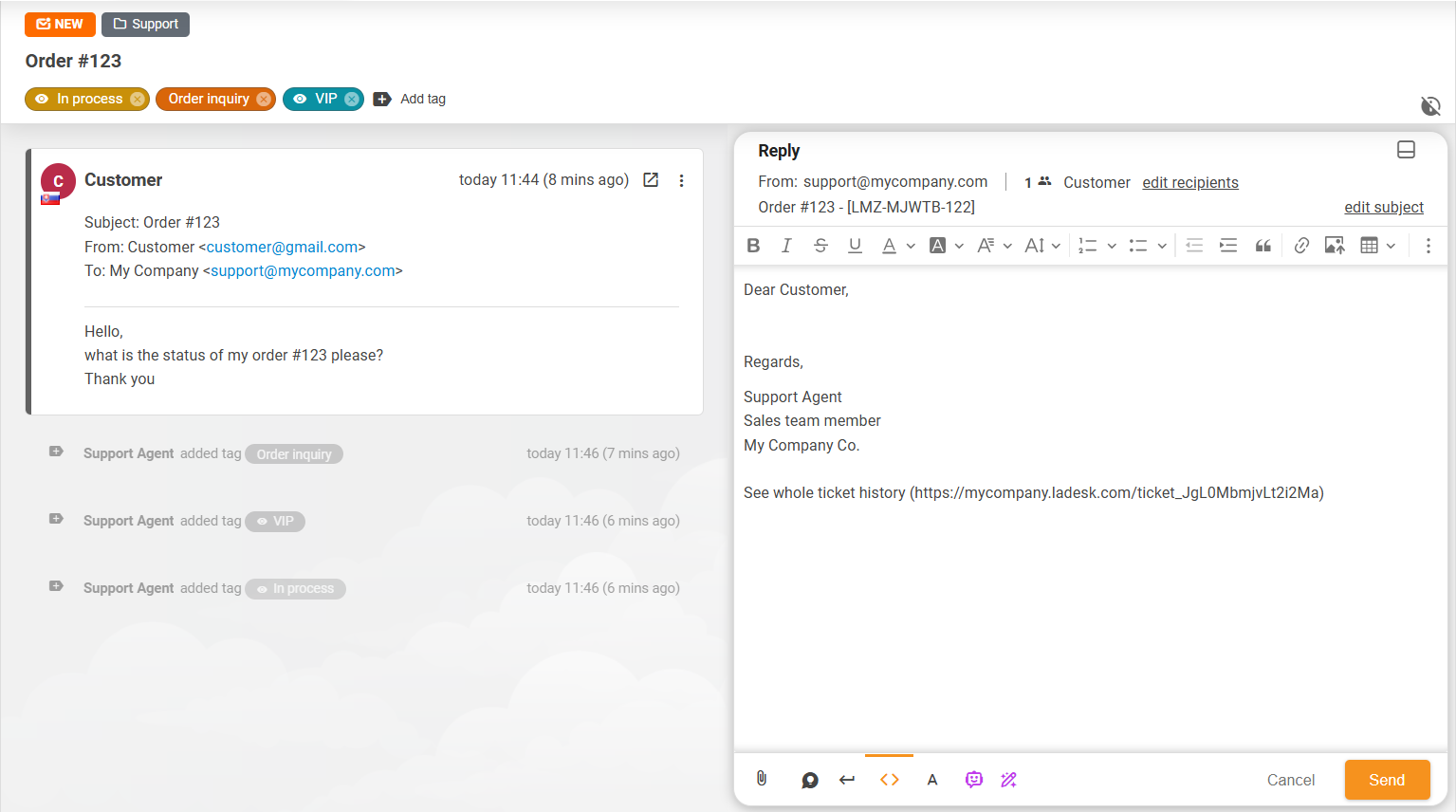
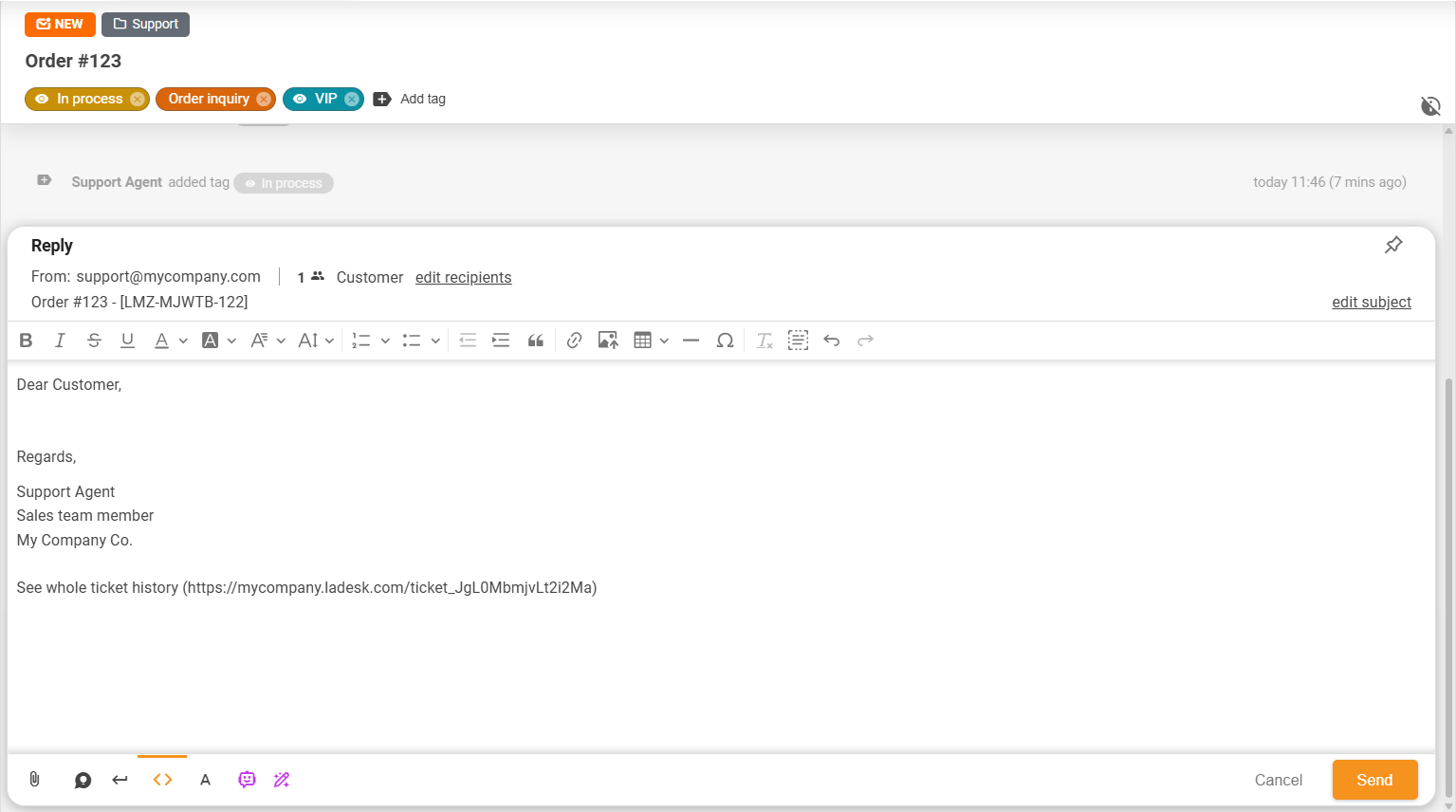
Furthermore, the pin & unpin option for the action box gives users the freedom to either keep their action box permanently visible at the bottom, or allow it to scroll with the ticket’s content. This improvement tailors the scrolling behaviour of the action box, thereby, enhancing your navigation through the ticket’s content.
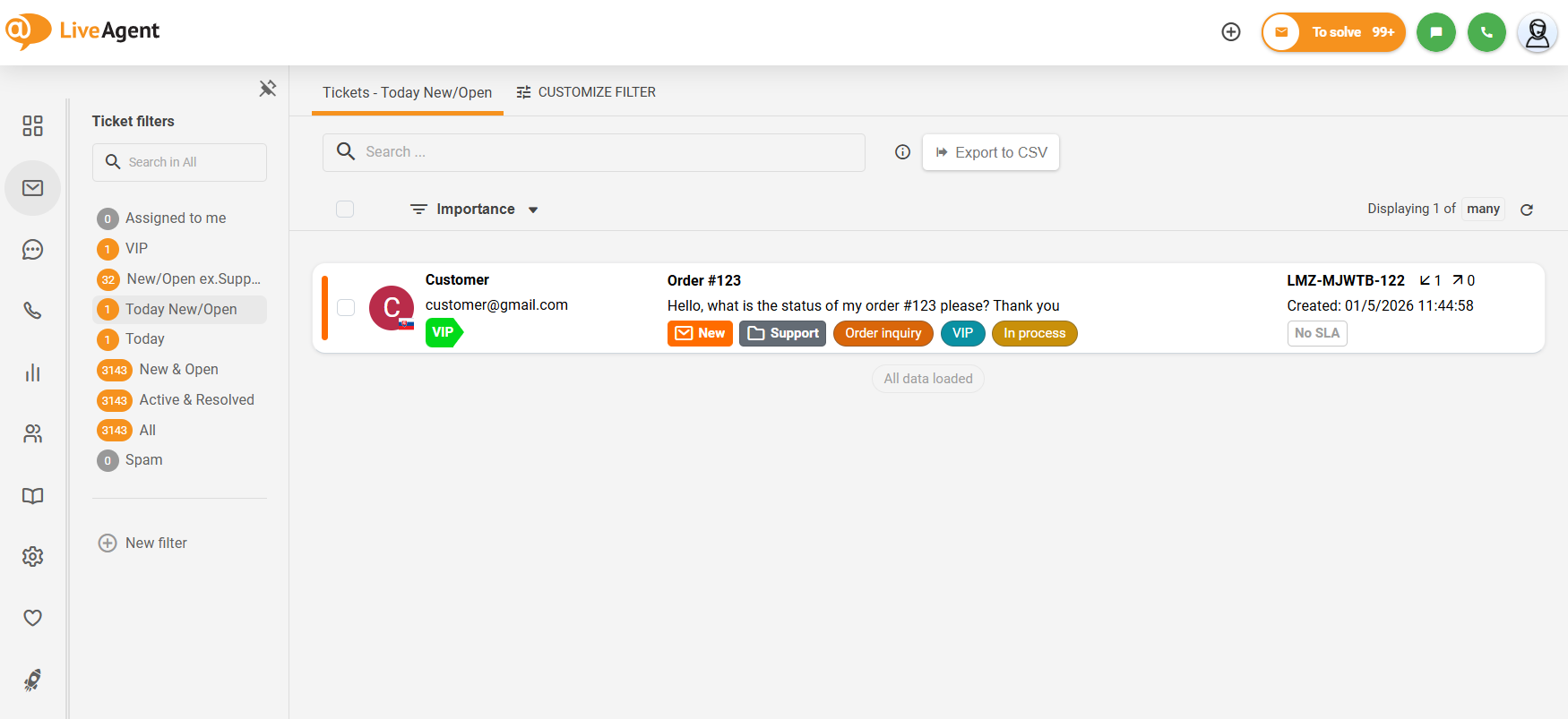
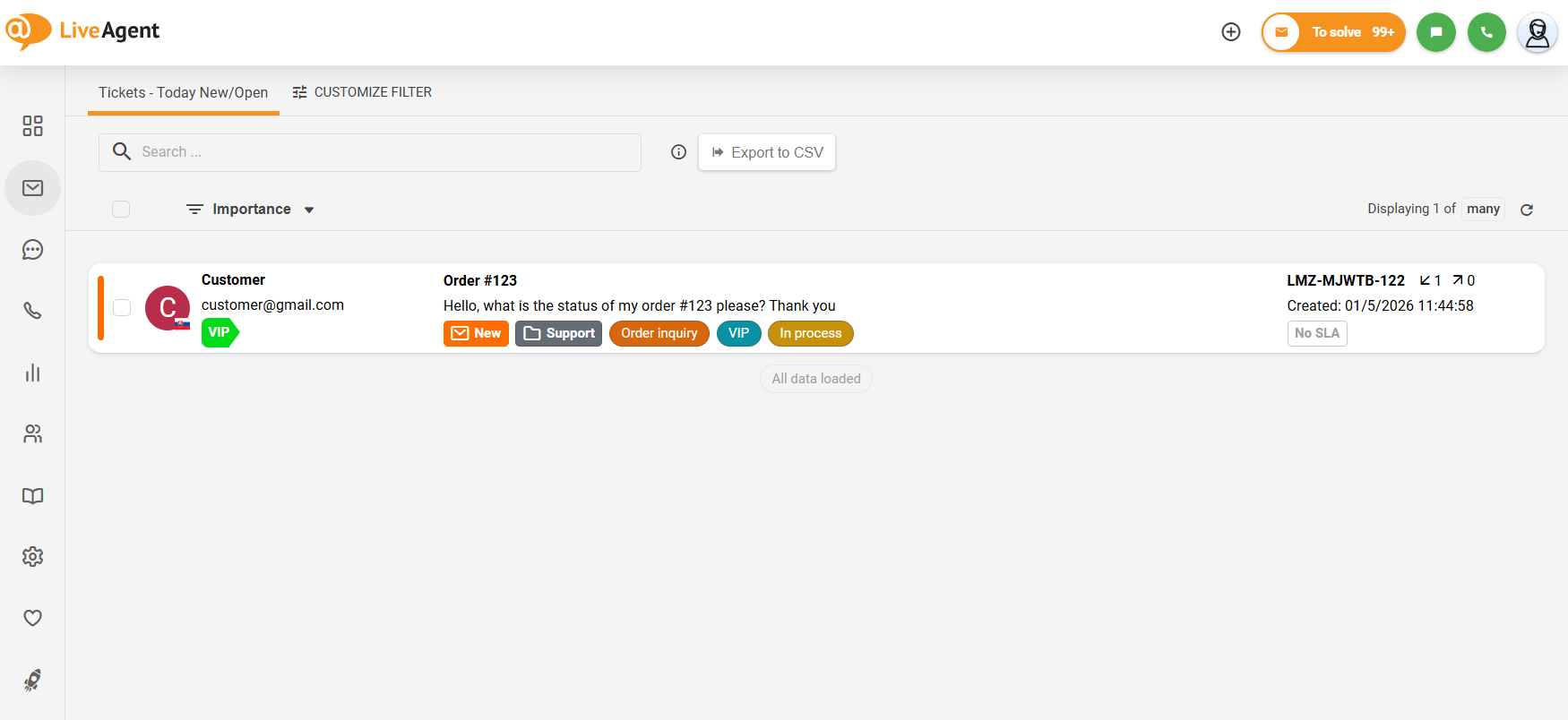
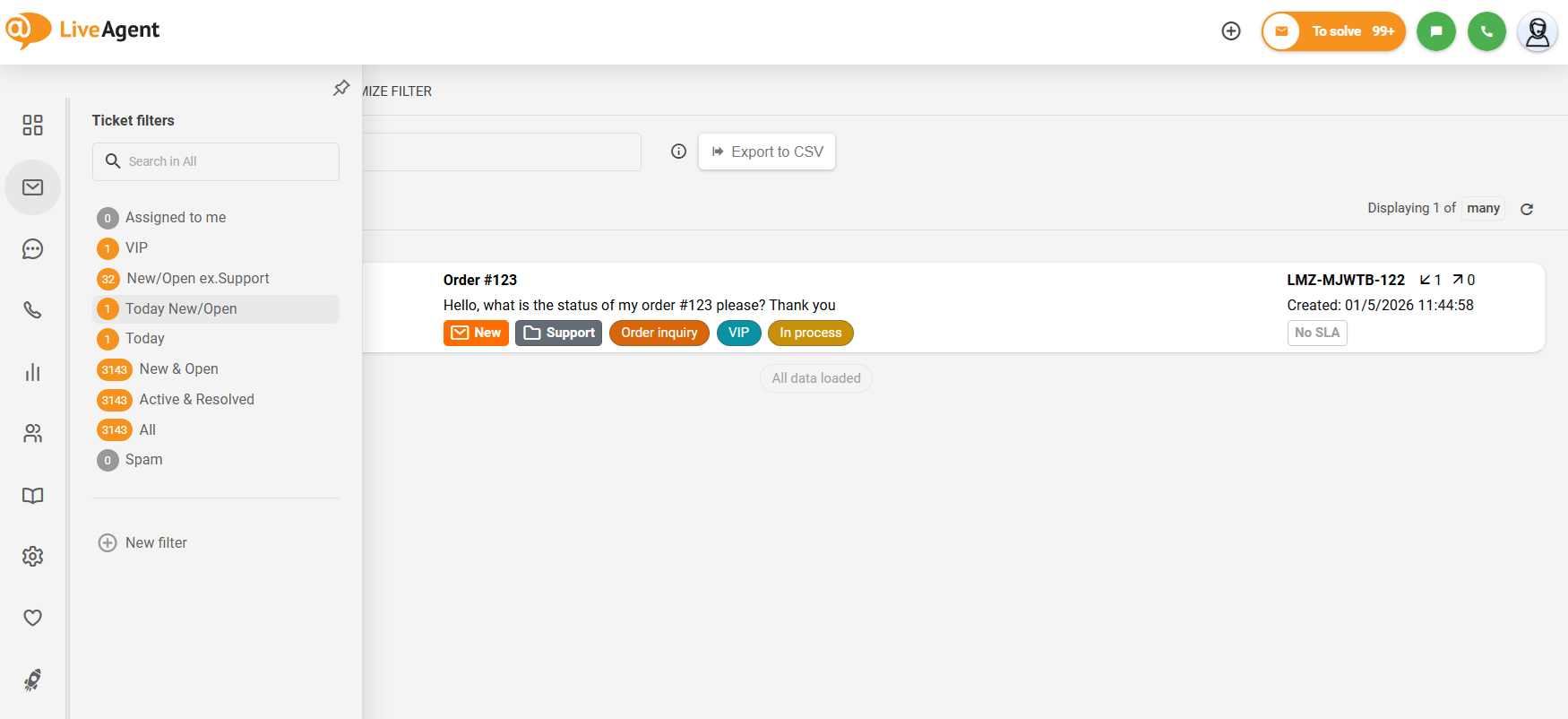
To further enhance our user interface, we now offer the option to collapse the left side submenu. This function keeps the submenu subtly concealed, appearing only when you hover your mouse over it, allowing you to utilize the screen space more effectively. Currently, as a subject to change, the submenu always remains in a collapsible state for users with screen sizes less than 1400px.
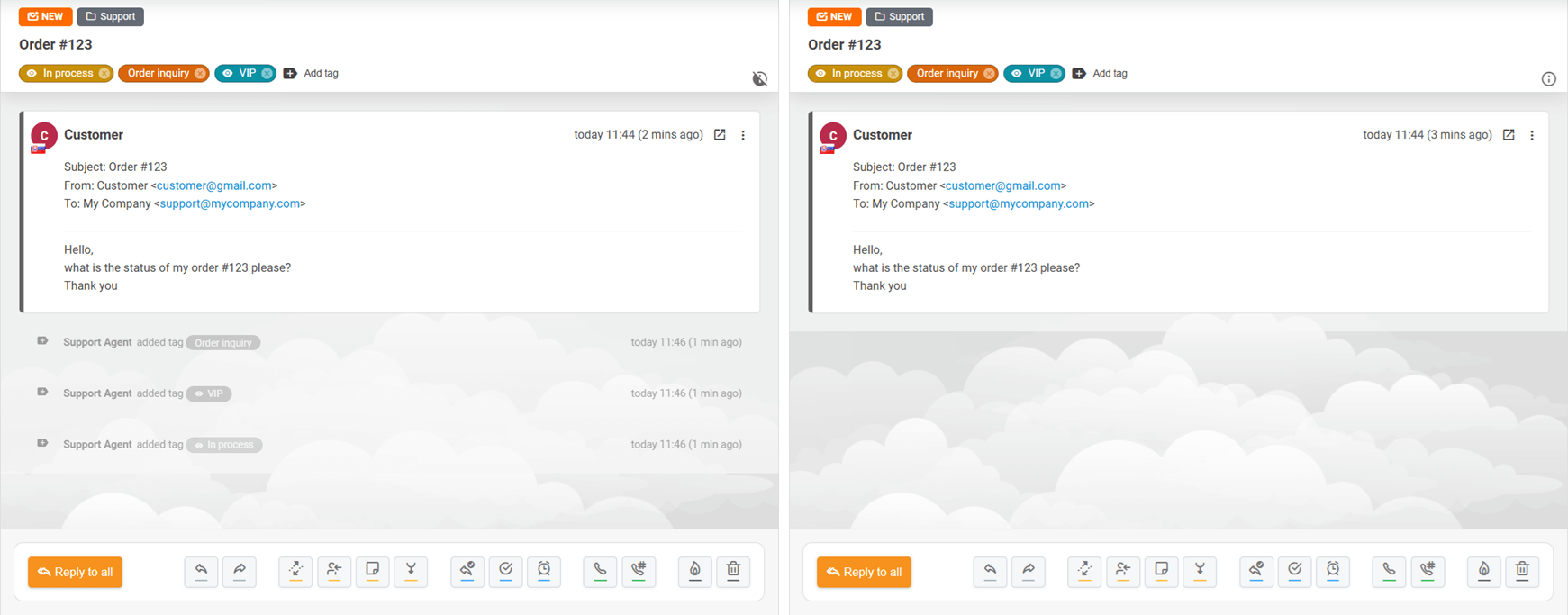
In response to user feedback, we’ve introduced a feature that permits hiding all system messages in a ticket. Accessible via the ⓘ button at the end of the ticket tags panel, this function allows you to hide all ticket timeline events records about triggered rules, added tags, changed SLA levels, among others. This enhancement bolsters your ability to concentrate on ticket messages and notes.
Our dynamic development team is still working on a new mobile app for the call center, a new live call listening feature, and a Telegram integration. As we wrapped up the year 2025, we want to extend our heartfelt appreciation for your unwavering loyalty, helpful feedback, and essential bug reporting. Your continued support empowers us to constantly innovate and improve our software. We can’t wait for you to experience the exciting updates we have in store!
Share this article
Lilia is a copywriter at LiveAgent. Passionate about customer support, she crafts engaging content that highlights the power of seamless communication and exceptional AI-powered service.

Explore LiveAgent's February updates featuring revamped ticket control buttons, migration to Amazon servers, streamlined ticket deletion, and enhanced undeliver...

LiveAgent 5.33 update enhances UI with a new tab design, ticket status indicator, and conversation improvements. It also includes main menu resizing and ticket ...
Discover LiveAgent's October 2025 updates: enhanced ticket fields, spam controls, easier department management, and Telegram integration!
Join our community of happy clients and provide excellent customer support with LiveAgent.
