



LiveAgent 5.34 – Bringing a plethora of improvements
LiveAgent 5.34 update includes custom roles permissions logs, customizable ticket tabs order, improved status messages, automatic expanded ticket view on smalle...
5 min read
News
Updates
+1


LiveAgent 5.33 update enhances UI with a new tab design, ticket status indicator, and conversation improvements. It also includes main menu resizing and ticket action box improvements, plus fixes for bugs like duplicate emails and missing chat text.
The LiveAgent 5.33 update is finally here and it’s bringing a couple of neat changes to our user interface, and as usual a large variety of fixes and tweaks to already existing features. We’ll take a look at the user interface improvements because it brings a lot of significant changes to the design of LiveAgent. These are just the start, our future updates are going to bring a lot more changes for the user interface. Let’s get started.
We added a new responsive design to tabs for your convenience. It uses space a lot smarter than before – the close button and the LiveAgent logo disappear to accommodate more important information for each user. When on the smallest possible size, there’s only one button that serves as a scrollable list of all open tickets. You can also scroll tabs with your mouse wheel.
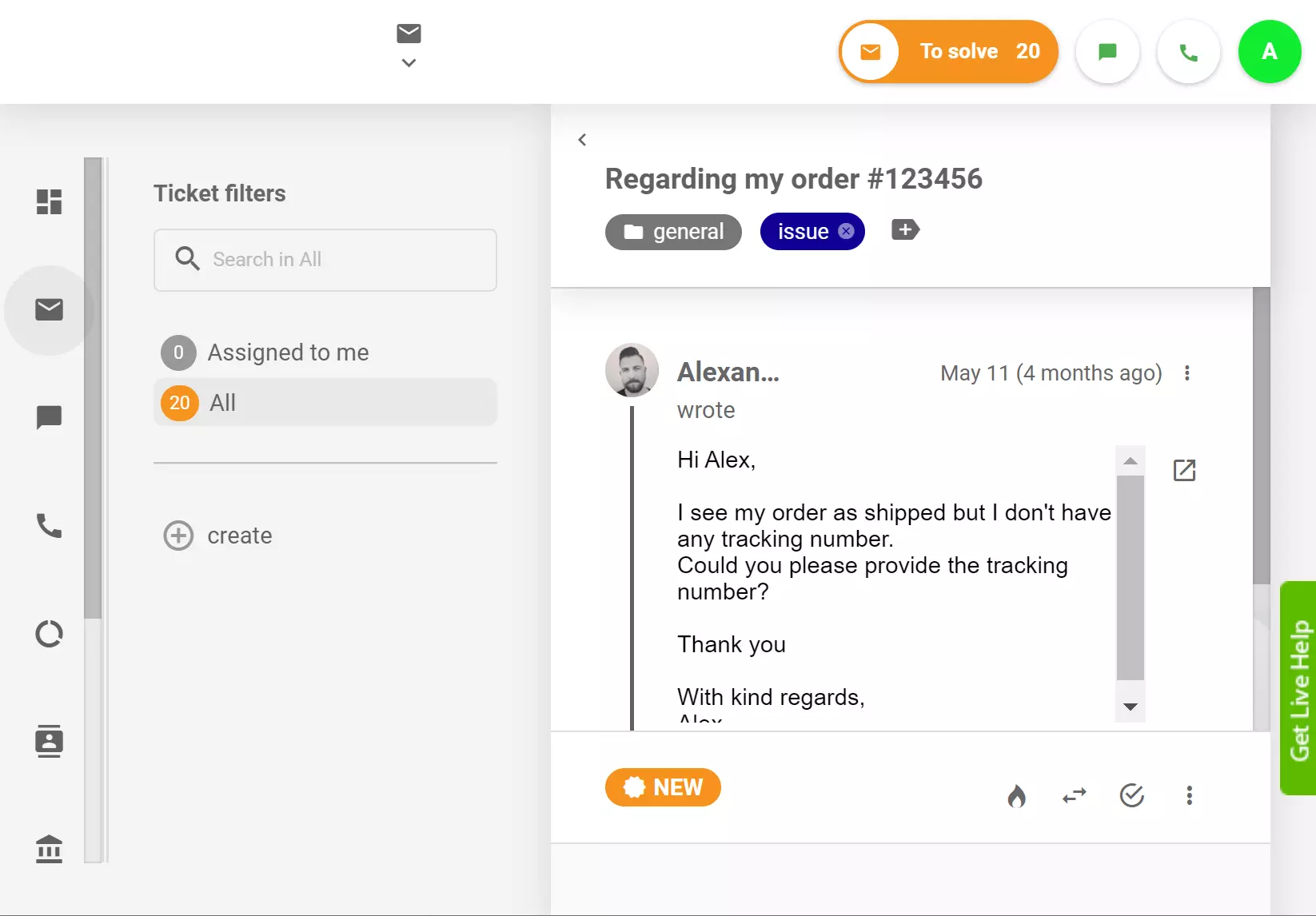
We added a status indicator that shows ticket status into the Material theme. Users who prefer the Obsidian theme are already familiar with it. This allows you to have a much more comprehensive overview of everything happening in your ticketing inbox.
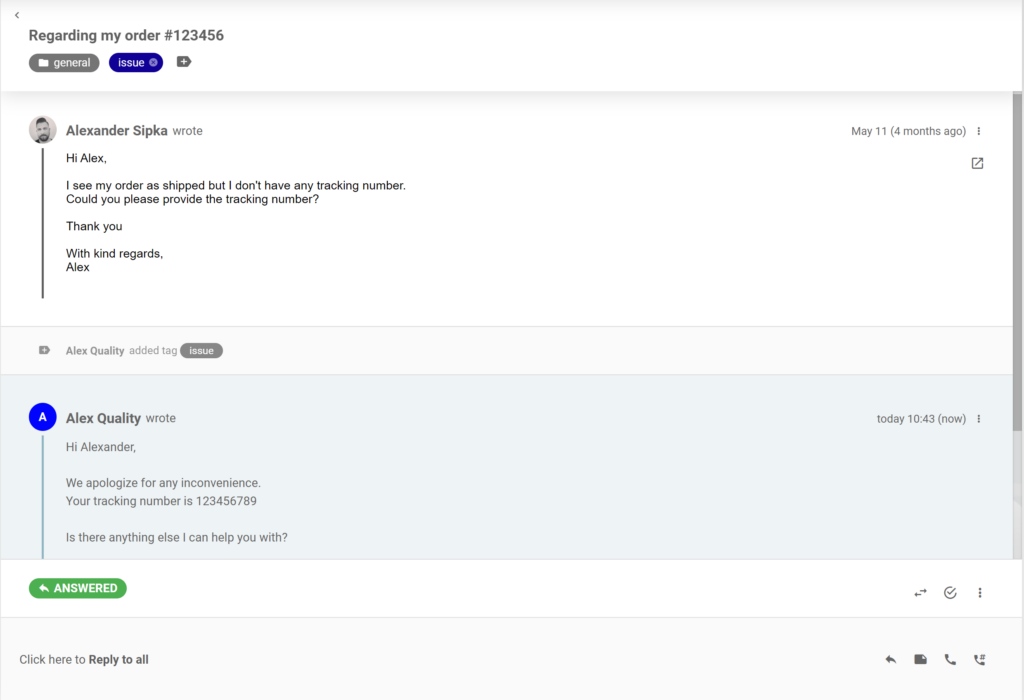
From now on the chat docks at the bottom part of the ticket, and the running live chat has new messages appearing from the bottom up. The agent’s own reply has a light blue color, while the customer’s replies are in a striking white color to help users recognize the sender. In case a different agent replied to a message, the color of their replies is light gray.
The left panel that contains main menu buttons has been resized to a smaller size to allow for more usable screen space.
We added a better resizer for ticket actions, the reply box and note box in the agent panel.
When creating a new department, the system will use a predefined email address for both first answer, and email notification until the user changes the settings. This change will prevent users from entering wrong first configuration details, halting the process of creating a functional department. You can change the settings at any time.
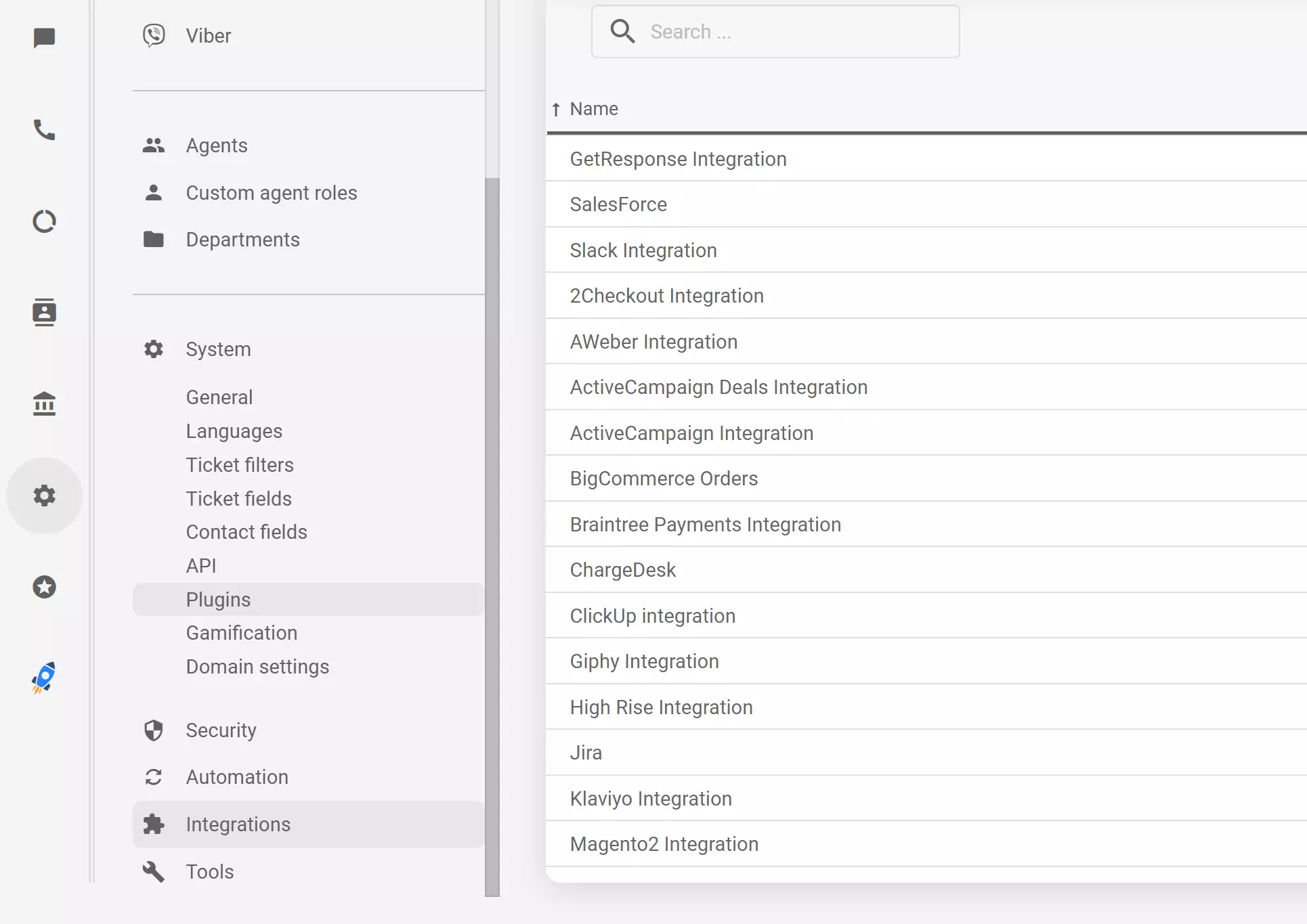
Plugins and integrations are now separate items in the LiveAgent configuration to help you navigate easily in the system. Plugins are under Configuration > System, just like before, while integration can be found directly in the configuration menu as a separate item.
The “Available for list” in the predefined answers options gives users the ability to choose which agents or departments will get access to the answer. However, this list had a bug where it wouldn’t fully load, and it would only show a couple of options instead of the full list of available agents and departments. This bug has been removed in the new version.
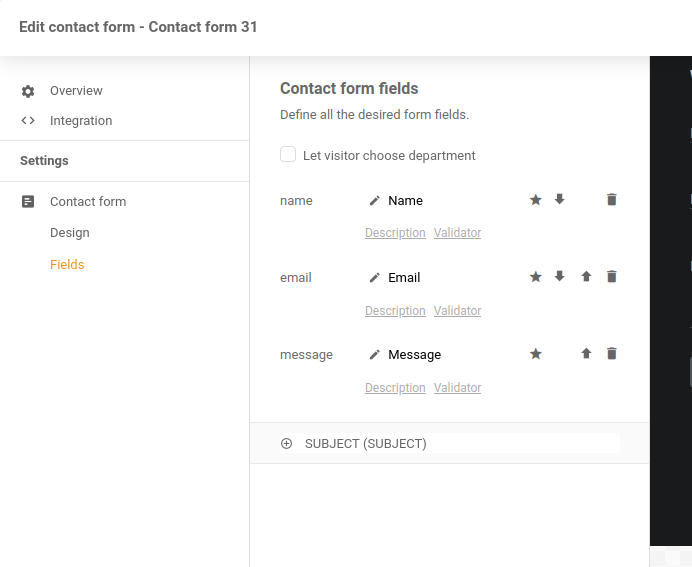
When creating a contact form in LiveAgent, you have the option to add new fields. This option wasn’t functional for some users which halted them from customizing. We have removed this problem in the 5.33 update.
Some users noticed an issue when creating a ticket. The “To” field sometimes duplicated the recipient email address. While this issue didn’t cause any major problems, we have removed it in the new update.
When a Facebook user edits a comment on a post, the change should be also applied in LiveAgent ticketing. A bug prevented this from happening, and the comments wouldn’t be updated accordingly. We have removed this problem and Facebook updates will update as they should.
Some users encountered an issue where the live chat message text wouldn’t appear at all. We have removed this unpleasant issue in the 5.33 update and chat messages will display correctly from now on.
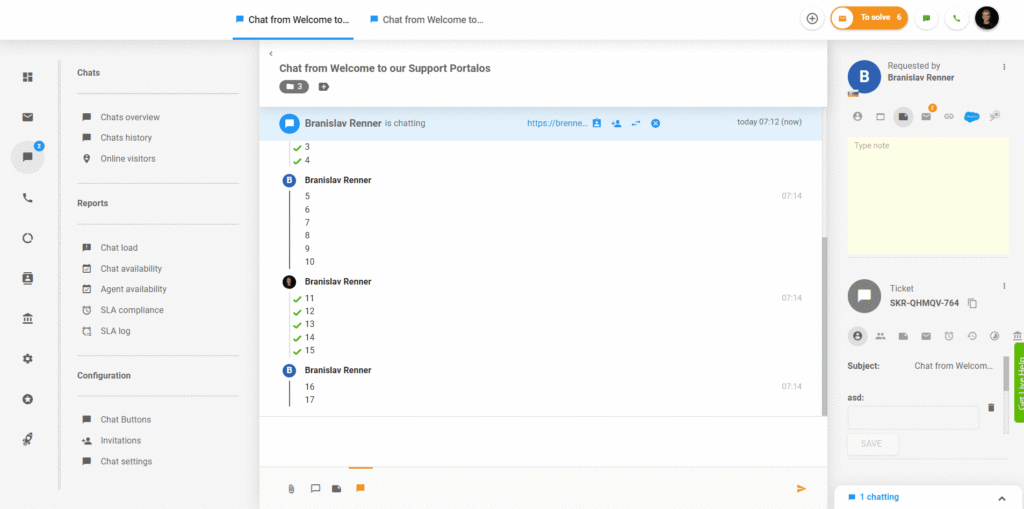
The send button in white and dark theme was invisible for some users, which caused confusion. This issue has been fixed and the button will be visible.
We have noticed a bug that causes calls to still go on for an agent after they have already transferred the call to another agent. This usually happened after a second transfer from the second agent in order to the third agent. We have removed this problem in the 5.33 update.

We have some exciting new stuff coming up in the next few months, so stay tuned for our next LiveAgent blogs to find out what’s new!
Wondering what you missed in the previous update? Explore the list of LiveAgent 5.32 design improvements and other fixes!
Share this article
Meet Jana, the distinguished head WordPress content editor spearheading operations at LiveAgent, Post Affiliate Pro, URLsLab and FlowHunt. Armed with an unwavering dedication to excellence, she diligently navigates the intricate landscapes of digital content, ensuring pristine quality and seamless functionality across platforms. She enjoys creative activities even outside of work.

LiveAgent 5.34 update includes custom roles permissions logs, customizable ticket tabs order, improved status messages, automatic expanded ticket view on smalle...

Explore LiveAgent's February updates featuring revamped ticket control buttons, migration to Amazon servers, streamlined ticket deletion, and enhanced undeliver...
Discover how LiveAgent starts 2026 with design and user experience improvements to make the platform more intuitive and seamless in January.
Join our community of happy clients and provide excellent customer support with LiveAgent.
