



LiveAgent 5.36 – Improvements and fixes
Discover LiveAgent 5.36! Enhanced report permissions, call handling, email setup, and bug fixes for seamless customer support. Learn more now!
3 min read
Product Updates
Features
+1


LiveAgent 5.29 introduces custom roles, phone scheduler, ticket reply enhancements, date format updates, bug fixes, and a migration plugin for Intercom users.
Our latest LiveAgent help desk system update brings new interesting features, a new migration plugin, and another round of fixes and tweaks to existing functionalities. One of the most considerable updates is our new plugin for migration. All customers who wish to migrate their data from Intercom to LiveAgent can do so independently with a simple switch in our configuration. All you have to do is find the Intercom plugin in the Plugins section of LiveAgent configuration, and your data will be migrated to LiveAgent.
Now let’s take a look at other new features and improvements available in the LiveAgent 5.29 update.
Users with an all-inclusive plan are from now on able to create custom roles in the LiveAgent system and better specify the responsibilities of separate agents. The most important benefit of this feature is the ability to manage privileges more specifically. You can restrict or open parts of LiveAgent help desk software to specific agents and effectively direct responsibility for various job duties.
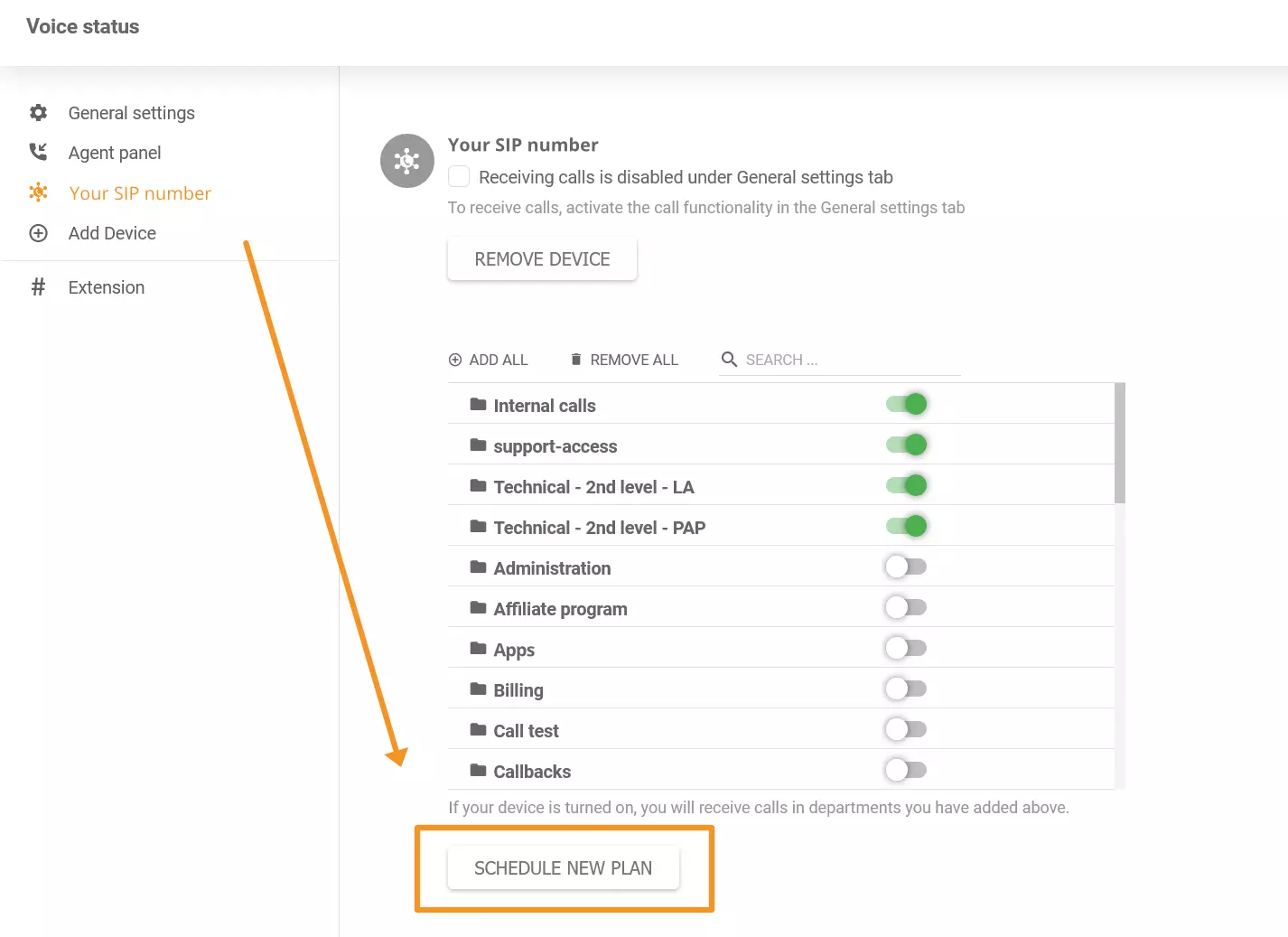
We have currently added a new feature – phone scheduling. You can use it to define times when you’re available for calls on particular devices. You can simply select times and dates in the calendar instead of manually turning calls on and off at the beginning or the end of your shift. Take a look at this new feature in your voice status (the phone icon in the top right corner of your LA account).
We have added the options to “Reply” and “Reply to all” in the context menu of ticket messages in LiveAgent. This improvement will give you better and more flexible communication options in our ticketing system.
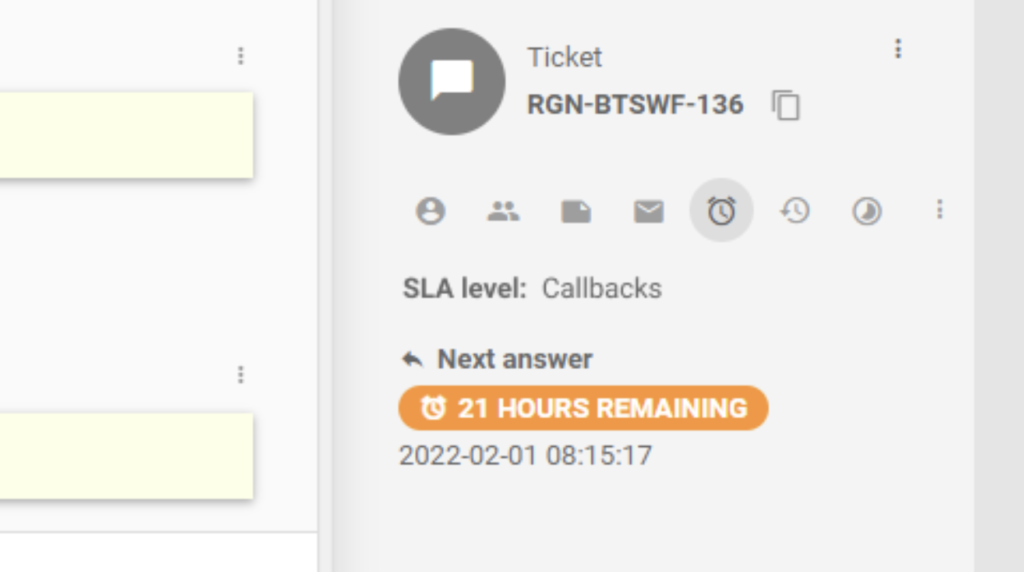
Older versions of LiveAgent forced users to scroll through messages to find which SLA level was applied the latest. We have fixed the SLA level information in the ticketing so you can easily find it. The SLA information can be found within a dedicated tab in the right panel on every ticket you open.
LiveAgent used the American time format (MM/DD/YYYY) in the previous version of LiveAgent in the communication log for email accounts. Since not all of our customers are from countries that use this type of format, we decided to switch to ISO date format (YYYY-MM-DD hh:mm:ss).
Our Salesforce plugin showed an error when trying to load data. We have noticed this issue and promptly removed it in the new version of LiveAgent. The Salesforce plugin will now work correctly.
This issue wasn’t related to functionality but to design. When trying to set the divider between customer and ticket information to the highest possible point, the text with information would get scrambled, rendering it hardly readable or unreadable. This issue has been resolved in the 5.29 update.
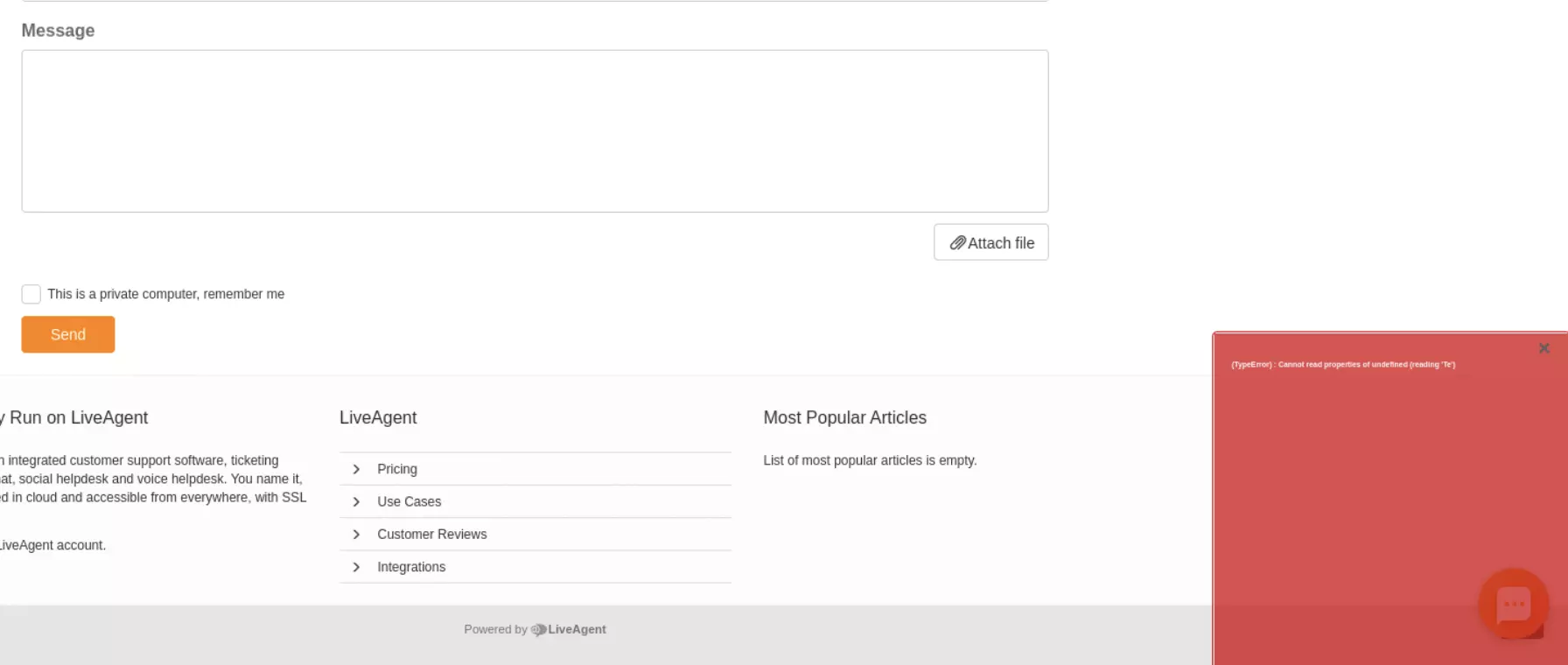
Some of you might’ve experienced an issue when trying to create and submit a ticket using a submit ticket form in the knowledge base. Instead of working correctly, the system would show an error. We have fixed this issue in the new update, and submitting tickets in the knowledge base will work without any trouble.
We have noticed an issue while deleting unused contacts. This functionality didn’t work in specific cases, and the system wouldn’t delete the contacts even if users chose to do so. We have fixed this issue, and deleting contacts will work correctly.
We have noticed a problem with URLs in LiveAgent ticket notes. The system would modify a long URL, especially URLs containing email addresses. This problem rendered the URL incorrectly clickable. We have fixed this problem in the new update.
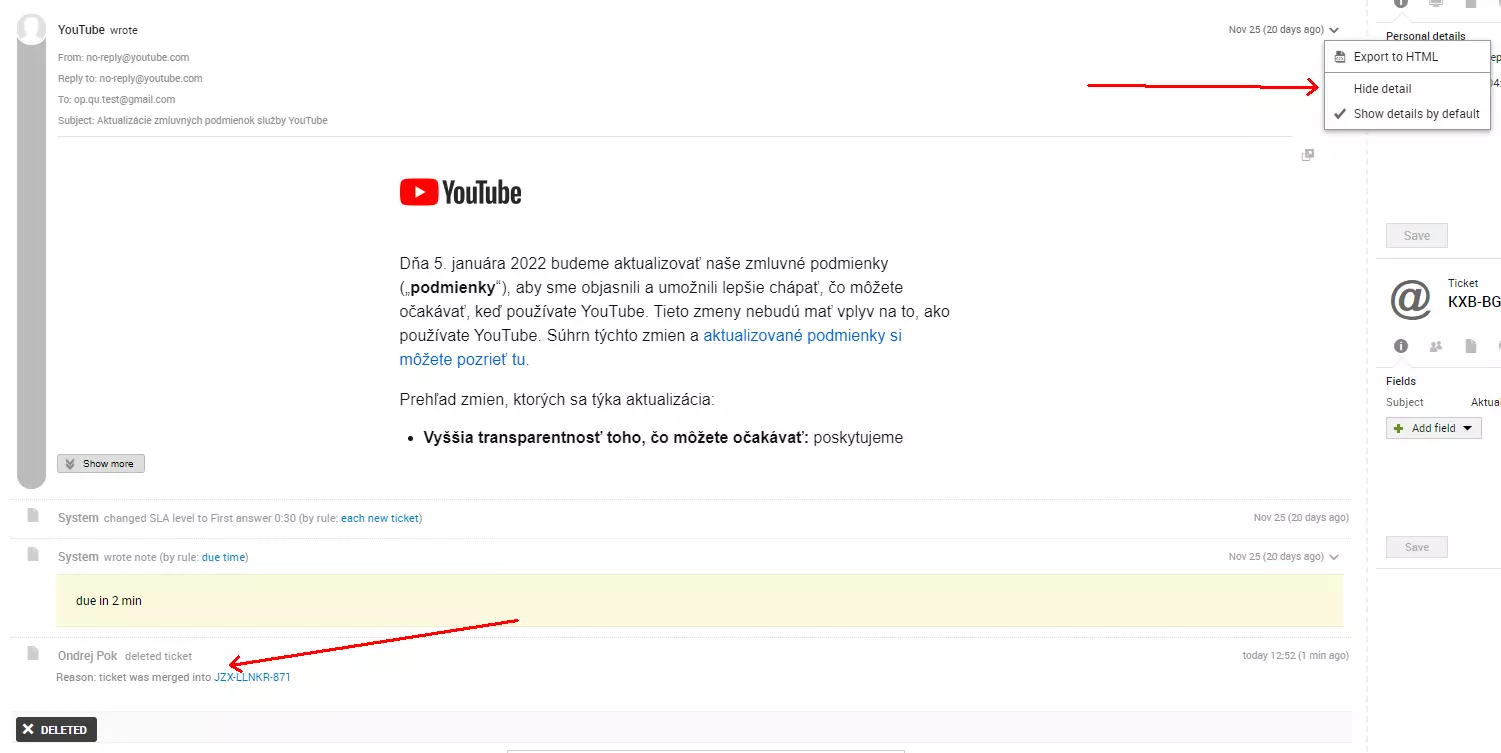
Each ticket in our ticketing system has the option to show the message source in the context menu. We encountered a bug where users couldn’t see the message source after merging two tickets. This issue has been removed in LiveAgent 5.29.
Users of LiveAgent with Dark or White themes could’ve noticed a bug that created a possibility to send a message repeatedly by clicking on the send button multiple times. The system would simply continue to send the message if the user kept clicking the send button. This bug has been removed in LiveAgent 5.29.
We had a design inconsistency between New/Open tickets and Answered tickets. The order of control buttons (Transfer, Resolve, More) wasn’t consistent between tickets with various statuses. We have tweaked this and removed the inconsistency.
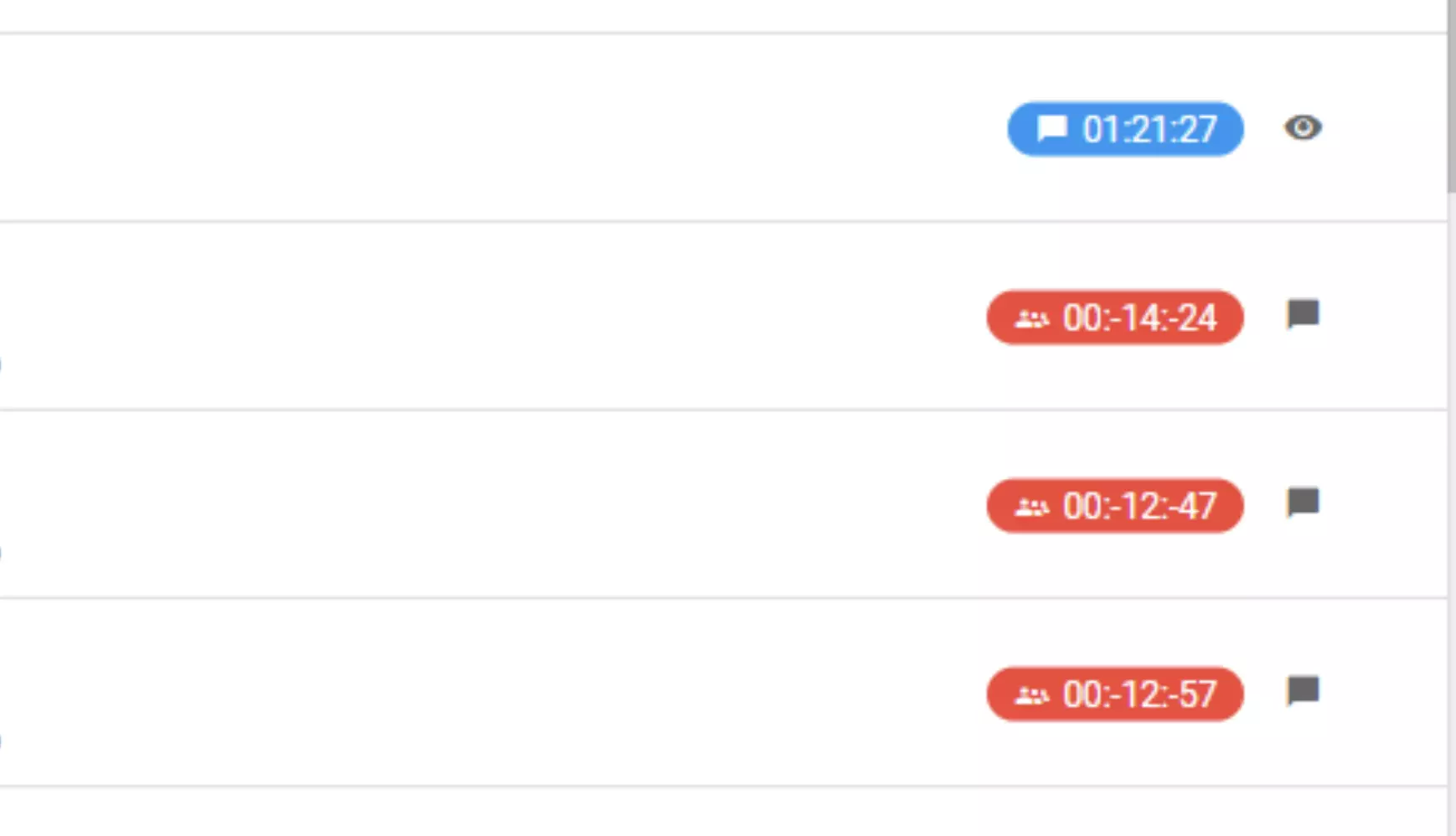
Some LiveAgent users see chat duration with a negative value. This is because the elapsed time depends on the local system time, which could be manually set by the customer. An error occurred when the local system time was less than the time when the conversation was created. This issue has been resolved, and the chat time will no longer be shown with negative values.
When the LiveAgent account admin deleted some email accounts, they might’ve noticed an issue with unsent emails. These emails were stuck in a pending state after deleting an email account from which they were scheduled to be sent but had not been sent before the delete action. We have fixed this issue by marking these emails with an error instead of keeping them as pending in the new update.
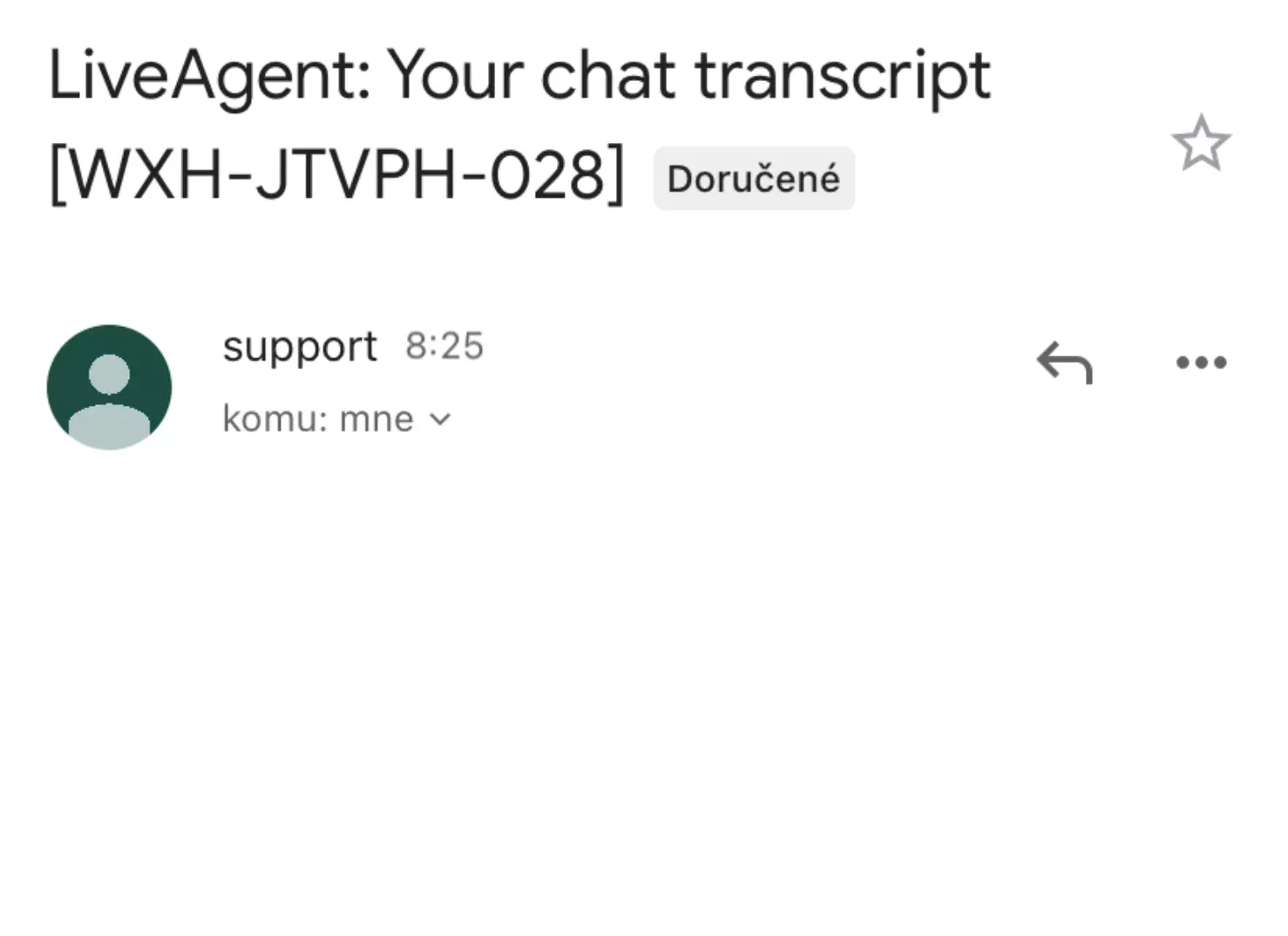
A chat transcript is sent to a customer’s email address on request. Chat transcript also includes a view chat button that takes the customer to the customer portal. This button wasn’t functioning correctly when tapping on it while using iOS and Android devices. We have resolved this issue in the 5.29 update.
We have plenty more news coming in the near future, so stay tuned for our next update blog post. Our developers are currently working on the next update, which will bring plenty of new improvements and maybe even a couple of new features and functionalities. Check out the LiveAgent 5.28 fixes and improvements if you overlooked the previous update!
Share this article
Meet Jana, the distinguished head WordPress content editor spearheading operations at LiveAgent, Post Affiliate Pro, URLsLab and FlowHunt. Armed with an unwavering dedication to excellence, she diligently navigates the intricate landscapes of digital content, ensuring pristine quality and seamless functionality across platforms. She enjoys creative activities even outside of work.

The Intercom migration plugin allows customers to independently migrate their data from Intercom to LiveAgent. Simply find the Intercom plugin in the Plugins section of LiveAgent configuration, and your data will be migrated automatically.
Users with an all-inclusive plan can create custom roles in LiveAgent. This feature allows you to specify agent responsibilities and manage privileges more specifically.
The phone scheduler allows you to define times when you're available for calls on particular devices. You can select times and dates in the calendar instead of manually turning calls on and off at the beginning or end of your shift.
ISO date format is YYYY-MM-DD hh:mm:ss. LiveAgent switched from the American time format (MM/DD/YYYY) to ISO date format to better serve customers from countries that use this standard format.
After the 5.29 update, SLA information can be found within a dedicated tab in the right panel on every ticket you open. This makes it easier to find SLA level information without scrolling through messages.
Discover LiveAgent 5.36! Enhanced report permissions, call handling, email setup, and bug fixes for seamless customer support. Learn more now!
LiveAgent 5.26 introduces a plugin search bar, agent/customer detail pop-ups, multiple attachment tabs, and a larger template editor. Fixes include faster ticke...

Discover LiveAgent 5.25 with new features, email improvements, security fixes, and enhanced functionality. Upgrade now for a better experience!
Join our community of happy clients and provide excellent customer support with LiveAgent.
