



LiveAgent 5.25 – New features, improvements, and important fixes
Discover LiveAgent 5.25 with new features, email improvements, security fixes, and enhanced functionality. Upgrade now for a better experience!
3 min read
Updates
News
+2


LiveAgent 5.26 introduces a plugin search bar, agent/customer detail pop-ups, multiple attachment tabs, and a larger template editor. Fixes include faster ticket opening and UI tweaks. Internet Explorer support is discontinued.
We keep on bringing in new updates to your help desk solution to ensure the best workflow. LiveAgent 5.26 rolled out and brought interesting improvements and fixes to many areas in our customer support solution.
One of them is a new improvement for users that rely on LiveAgent’s call center features and VoIP providers. Adding providers hosts during the process of integration with a VoIP provider was made easier with a configurable template. Now you can simply select the correct host from the list.
Another important update in LiveAgent 5.26 is that we no longer support access via the Internet Explorer browser since it has been discontinued.
Let’s take a look at other improvements, fixes, and things that will make your use of LiveAgent easier and more reliable.
These improvements focus on making your experience with LiveAgent better and help you cut down on time during various help desk activities.
Remember how you had to scroll through your active and inactive plugins to find them? Well, those days are over now because you can use our brand new search bar to find exactly what you need in a matter of seconds.
The plugins section now also offers a renewed design that offers both plugin names and descriptions. These descriptions can give you a hint at their purpose and describe what they do.
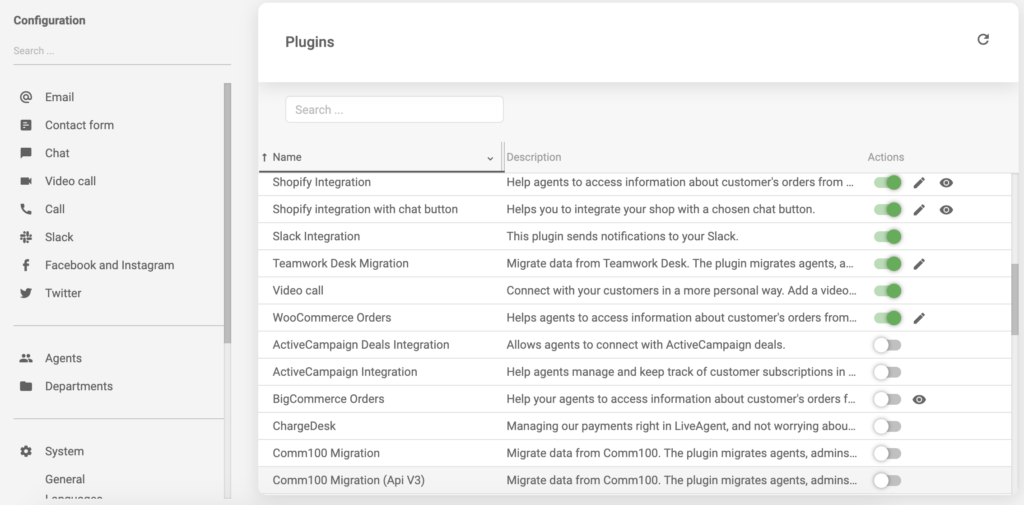
New search bar and plugin list
You don’t need to search for customer or agent data within the Contacts or Agents sections anymore. If you need to find out more about people, simply click on their names and get the information you need.
LiveAgent will show you pop-up information about agents while giving you the option to edit customer data when you click on customer names.
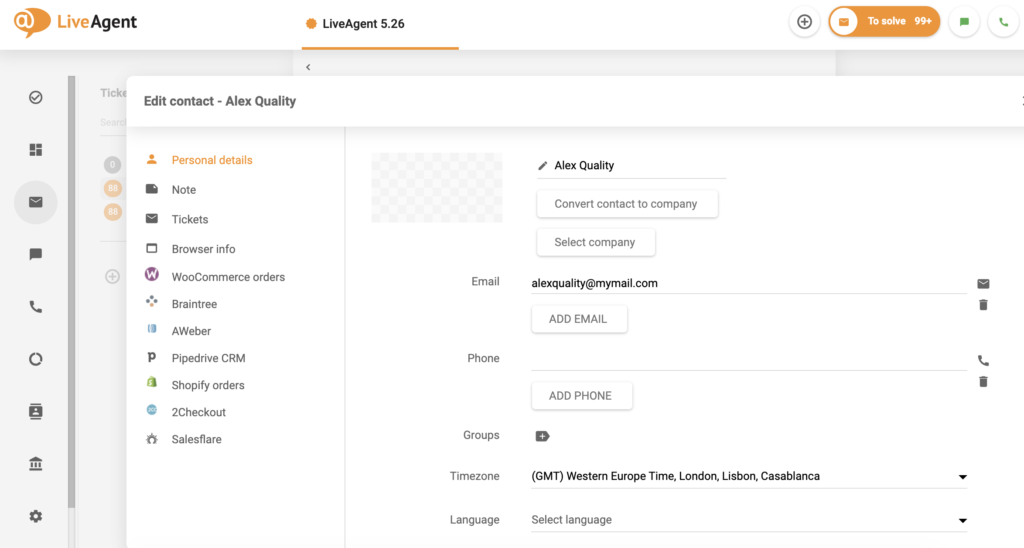
Edit by clicking on names
While you’re editing customer information, you can connect with them right there and then. We added two new buttons to the customer edit screen. One for creating a new customer ticket, and one for a direct call with the customer. Take advantage of them whenever you need them.
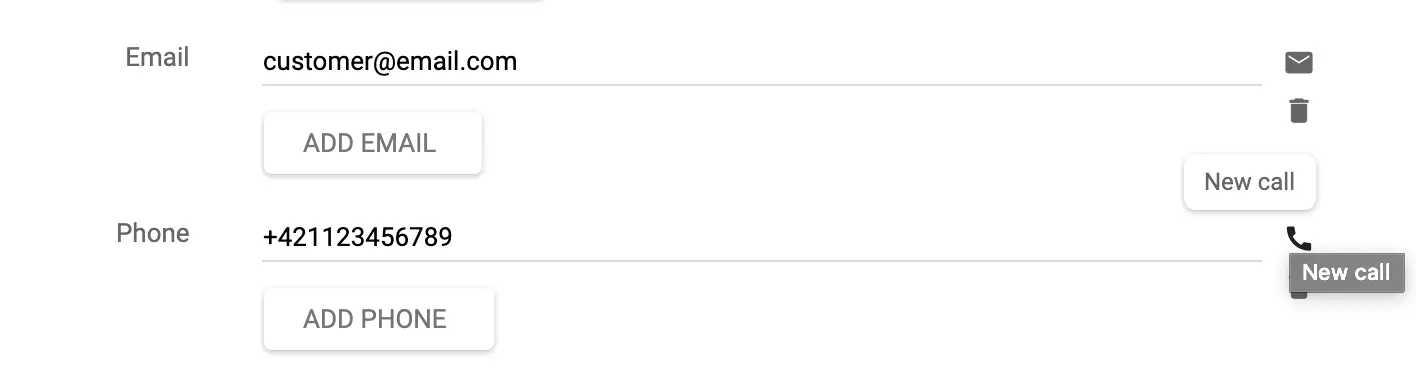
New buttons in the edit screen
Email attachments have always been opened in the same tab until now. We added an improvement that will open a new tab with each attachment you open in a ticket. This will help you keep track of attachments in the ticketing system and avoid confusion.
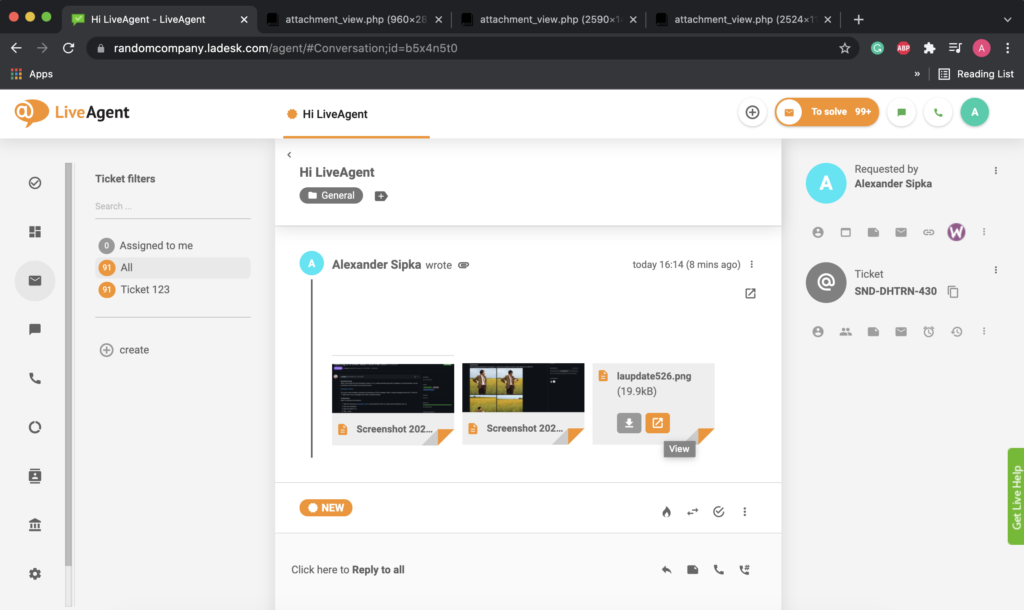
Attachments in multiple tabs
Tired of editing email templates in the old small window? We felt the same, and that’s why we decided to make it larger for everyone’s comfort. Edit your email templates with better visual clarity, and get rid of the frustration with the new and better email template editor.
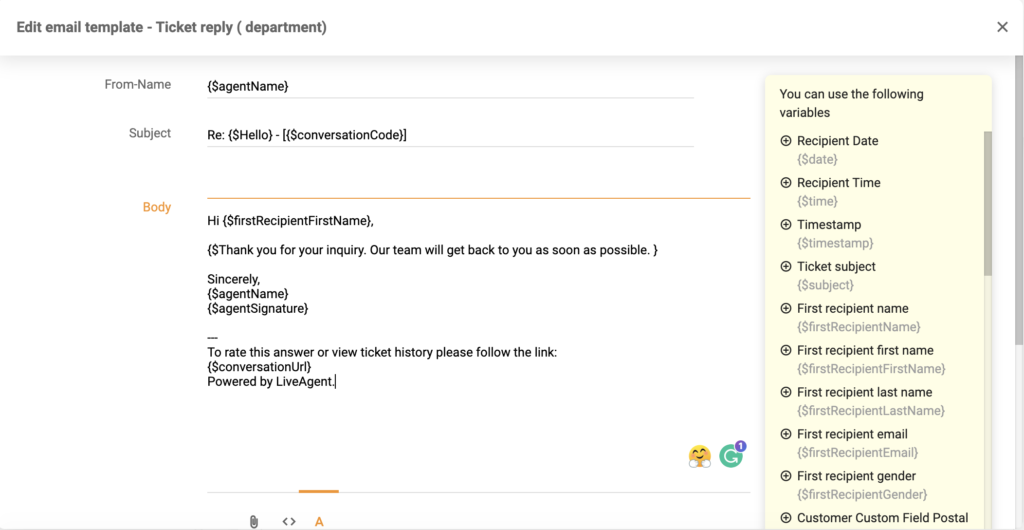
Template editor
As usual, we fixed some bugs and tweaked some functions for better functionality and convenience. Here’s a short list of the most important fixes.
Whenever you went to edit your profile and notifications, you would have seen inactive checkboxes with empty fields. From now on, if the checkboxes are inactive, the fields will simply not display at all to keep the user interface more clear.
Most users might have experienced very long waiting periods when opening tickets. This disrupted everyone’s workflow, agents got frustrated, customers anxious. So we fixed it and now tickets open a lot faster than ever before.
In case you’re displaying more columns in the Ticket grid some of them might’ve ended up trimmed with little information to see. We fixed this, so you don’t have to adjust the columns manually each time you resize your browser window or add more columns to see. Simply hover your mouse over the trimmed text and see its contents.
There used to be a slight inconsistency with centering in our left panel menu. We fixed this issue to make sure light and dark modes will be consistent in either case.
There used to be a problem with certain images not showing up in tickets. This problem was rare so not everybody might’ve experienced it. We made sure to fix this in 5.26 so you won’t experience similar problems in the future.
Don’t forget to try out the new LiveAgent update and see everything new in 5.26. Got any ideas for new features, improvements, integrations, or fixes to some issues? Let us know what you think about LiveAgent 5.26 and what you would like to see in some of our future updates.
Share this article
Meet Jana, the distinguished head WordPress content editor spearheading operations at LiveAgent, Post Affiliate Pro, URLsLab and FlowHunt. Armed with an unwavering dedication to excellence, she diligently navigates the intricate landscapes of digital content, ensuring pristine quality and seamless functionality across platforms. She enjoys creative activities even outside of work.

LiveAgent 5.26 introduces a plugin search bar for easier plugin discovery, agent and customer detail pop-ups, the ability to connect with customers from the edit screen, multiple attachment tabs, and a larger template editor for better usability.
No, LiveAgent 5.26 no longer supports access via Internet Explorer browser as it has been discontinued.
The new plugin search bar allows you to quickly find plugins without scrolling through active and inactive lists. The plugins section also displays plugin names and descriptions to help you understand their purpose.
LiveAgent 5.26 fixed the issue of long waiting periods when opening tickets, resulting in significantly faster ticket opening times that improve agent workflow and reduce customer anxiety.
Yes, LiveAgent 5.26 added two new buttons to the customer edit screen - one for creating a new customer ticket and one for making a direct call with the customer.
Discover LiveAgent 5.25 with new features, email improvements, security fixes, and enhanced functionality. Upgrade now for a better experience!

Discover LiveAgent 5.29! New features include custom roles, phone scheduler, ISO date format, Intercom migration plugin & more fixes!

LiveAgent 5.33 update enhances UI with a new tab design, ticket status indicator, and conversation improvements. It also includes main menu resizing and ticket ...
Join our community of happy clients and provide excellent customer support with LiveAgent.
