



Why Live Chat Is a Must-Have on Black Friday
Every year on Black Friday, retailers see a huge increase in customer interactions. Online stores often report about 57% more orders than usual during this time...
8 min read
Live Chat
Black Friday
+2


The holiday season represents the most lucrative—and most demanding—period for ecommerce businesses. This comprehensive guide provides battle-tested strategies for managing the December holiday support surge.
The holiday season represents the most lucrative—and most demanding—period for ecommerce businesses. Between Black Friday and Christmas Day, online retailers can generate up to 40% of their annual revenue. But this surge in sales comes with an inevitable spike in customer support requests: shipping inquiries, order modifications, return questions, and payment issues all multiply exponentially.
For ecommerce support teams, December isn’t just busy—it’s a high-stakes pressure test that can make or break customer relationships. A delayed response during checkout can cost you a sale. A fumbled return request can lose you a loyal customer. Conversely, exceptional support during this critical window can transform first-time buyers into brand advocates.
This guide provides battle-tested strategies for managing the December holiday support surge, from staffing and automation to channel management and post-holiday retention. Whether you’re preparing for your first holiday season or refining an established operation, these practical tactics will help your team deliver outstanding service when it matters most.
The holiday rush doesn’t just mean more customers—it means more stressed customers operating under tight deadlines. Understanding the unique pressures of holiday support helps you prepare appropriately.
Volume multiplication: Support ticket volume typically increases 200-300% between Thanksgiving and Christmas. Peak days like Black Friday, Cyber Monday, and the final shipping deadline before Christmas can see even higher spikes.
Time-sensitive urgency: Holiday shoppers are buying gifts with specific delivery deadlines. A question about shipping times isn’t just informational—it’s often a deciding factor in whether someone completes their purchase. Delays in response can directly impact conversion rates.
Operational complexity: Holiday promotions create temporary policies for returns, exchanges, and shipping that differ from year-round procedures. Support agents must master these seasonal rules while handling increased volume, creating opportunities for confusion and errors.
Omnichannel expectations: Customers expect consistent, fast support across every channel—live chat during checkout, email for order updates, social media for urgent issues. Managing multiple channels simultaneously while maintaining quality becomes exponentially harder under holiday pressure.
The businesses that thrive during this period don’t just throw more people at the problem. They implement systematic approaches to forecasting, automation, channel management, and team coordination.
Effective holiday support starts weeks before the first Black Friday ticket arrives. Strategic planning separates teams that merely survive the season from those that excel.
Start by examining support metrics from previous holiday seasons:
If this is your first holiday season, use your highest-volume days from the past year and multiply by three as a conservative estimate. Factor in growth in your customer base since last year.
Customers need clear information about how holiday shopping differs from your standard operations:
Publish these policies prominently on your website, in email campaigns, and across social media by early November. Update your FAQ section and train agents on policy details before the rush begins.
Create macros or saved replies for predictable high-volume questions:
These templates should feel personal and helpful, not robotic. Include the customer’s name, order details, and specific information relevant to their situation.
Review and update your self-service resources before support volume peaks:
A comprehensive knowledge base can deflect 20-30% of routine inquiries, freeing your team to handle complex issues that require human judgment.
No amount of automation can replace human agents during peak season. Strategic staffing ensures you have the right people available when ticket volume spikes.
Begin recruiting temporary holiday support agents in September or early October:
Many ecommerce companies successfully hire college students on winter break or retail workers seeking flexible seasonal income.
Holiday support demand isn’t constant—it fluctuates by day and hour. Smart scheduling matches coverage to actual need:
Identify your peak windows: Use historical data to pinpoint high-volume periods. For most ecommerce businesses, these include:
Build flexible shift coverage: Create multiple shift options beyond standard 9-5:
Use a tiered staffing approach: Schedule your most experienced agents during absolute peak periods. Have newer seasonal staff handle routine inquiries during moderate volume times, with experienced agents available for escalations.
Customer support shouldn’t stand alone during the holidays:
This cross-functional approach prevents bottlenecks when your primary support team is overwhelmed.
Seasonal hires need to become productive quickly. Focus training on:
System fundamentals: How to access customer information, create tickets, and route complex issues (typically 1-2 days of training)
Product knowledge: Deep dives on your top-selling products and common troubleshooting issues (ongoing, with quick-reference guides)
Holiday policies: Intensive focus on seasonal return policies, shipping deadlines, and promotion rules (dedicated 4-hour session)
Tone and brand voice: Examples of great vs. poor responses, with emphasis on maintaining your brand personality under pressure (integrated throughout training)
Pair each new hire with an experienced agent for their first week of live ticket handling. This mentorship accelerates learning and builds confidence.
Holiday shoppers use multiple channels based on urgency and convenience. Your support strategy must address each effectively.
Live chat captures customers at critical decision points—when they’re actively browsing your site, adding items to cart, or stuck at checkout. During the holidays, chat support can directly impact conversion rates.
Implement proactive chat triggers: Automatically offer help to visitors who:
Staff chat during peak shopping hours: Prioritize live chat coverage during high-traffic periods, typically weekday evenings and weekends. If you can’t offer 24/7 chat, clearly display your available hours.
Enable chat-to-ticket conversion: When complex issues arise that can’t be resolved immediately, agents should seamlessly convert chats to email tickets with full context preserved. The customer shouldn’t have to repeat their issue.
Email remains the backbone of ecommerce support, handling everything from order modifications to complex return scenarios.
Set realistic response time expectations: During the holidays, your standard 24-hour response time may not be sustainable. It’s better to promise a 48-hour response and deliver in 36 hours than to promise 24 and take 40. Display current response times prominently.
Use a proper ticketing system: If you’re still managing support through a shared Gmail inbox, the holidays will break that system. A proper ticketing platform prevents duplicate responses, lost inquiries, and unclear ownership of issues.
Implement smart routing: Automatically direct tickets to specialized team members based on keywords:
Nothing frustrates customers more than uncertainty about when they can reach you.
Create a dedicated holiday support schedule page: List your support hours for each channel (chat, phone, email) throughout the holiday season. Include:
Display hours prominently: Add a banner to your website header during the holidays. Include hours in your email signature, social media bios, and checkout confirmation emails.
Set up autoresponders for off-hours: When customers contact you outside support hours, send an immediate autoresponse confirming receipt, stating when they’ll hear back, and directing them to self-service resources for common issues.
Social media complaints can damage your brand if ignored, but they also provide opportunities to demonstrate exceptional service publicly.
Monitor social channels actively: Assign team members to watch for mentions, tags, and DMs across Twitter, Instagram, Facebook, and TikTok. Response time expectations are shorter on social—aim for under 2 hours during business hours.
Move complex issues to private channels: Acknowledge the issue publicly, then ask the customer to DM you or provide their order number. Resolve sensitive issues (payment problems, personal information) privately.
Showcase great service publicly: When you resolve an issue, the customer’s positive follow-up comment serves as social proof. This kind of authentic public resolution builds trust with potential customers watching the interaction.
Strategic automation doesn’t replace human agents—it amplifies their effectiveness by handling routine inquiries and guiding customers to answers independently.
AI-powered chatbots excel at handling common, predictable questions that spike during the holidays:
Order tracking: Connect your chatbot to your order management system so customers can check shipping status by entering their order number—no human agent needed.
Return instructions: Program your chatbot to walk customers through your return process, generate return labels, and answer policy questions.
Product availability: Enable the bot to check real-time inventory and provide accurate stock information.
Hours and policies: The bot should instantly provide business hours, shipping deadlines, and holiday policy information.
Set clear expectations about when customers are talking to a bot vs. a human. Always provide an easy path to escalate to a live agent for complex issues or frustrated customers.
Self-service content is your most scalable support resource. Create specific holiday FAQ content addressing:
Shipping and delivery:
Orders and modifications:
Returns and exchanges:
Gift purchases:
Optimize these FAQ articles for search engines using long-tail keywords customers actually use. Most people search for answers before contacting support.
Set up automation rules that handle routine tasks without agent involvement:
Order confirmation issues: If a customer emails ‘I didn’t receive my confirmation,’ automatically:
Review requests: After delivery is confirmed, automatically send a review request email after 3-5 days (but not during the immediate post-holiday chaos when volume is highest).
Abandoned cart recovery: Trigger automated emails to customers who add items to cart but don’t complete checkout, with a direct link to resume their order.
Refund notifications: Automatically update customers when their return is processed and refund is issued, including expected timeframe for funds to appear.
Saved replies dramatically speed up responses to frequent questions, but they must feel personal. Effective templates include:
Train agents to customize templates appropriately rather than sending them verbatim. A canned response should be a starting point, not the complete message.
Managing multichannel support during the holiday surge requires a platform built for scale, speed, and coordination. LiveAgent provides ecommerce teams with the integrated tools needed to maintain quality service under pressure.
During the holidays, customers contact you through every available channel—sometimes using multiple channels for the same issue. LiveAgent consolidates all communication into a single ticketing interface:
All channels in one inbox: Email, live chat, social media messages, contact forms, and phone calls create tickets in the same system. Agents work from one unified queue rather than juggling multiple tools.
Complete customer history: When a ticket arrives, agents see the customer’s entire interaction history across all channels—previous purchases, past support issues, and current open tickets. This context prevents customers from repeating themselves and enables faster, more personalized responses.
Conversation threading: If a customer emails you, then follows up via chat, LiveAgent connects these as a single conversation thread. Agents see the full context without searching across systems.
This unified approach is particularly valuable during holiday peaks when customers may contact you via chat while shopping, email after placing an order, and social media if tracking shows a delay. Your team maintains context throughout.
LiveAgent’s automation rules handle routine ticket management so agents focus on customer interaction rather than administrative work:
Automatic ticket assignment: Route incoming tickets based on content, channel, or customer segment. Shipping questions go to fulfillment specialists, technical issues to product experts, VIP customers to senior agents.
Time-based automation: Automatically escalate tickets that haven’t received a first response within your SLA timeframe. Set up holiday-specific rules that adjust priorities for urgent deadline-related inquiries.
Macro responses: Create expandable templates for common scenarios. An agent handling ‘Where is my order?" selects the appropriate macro, which auto-populates with the customer’s tracking information, estimated delivery date, and carrier link.
Business hours and SLA rules: Configure different response time targets for various inquiry types. Black Friday order questions might have a 4-hour SLA while general product questions have a 24-hour target.
LiveAgent’s live chat features help capture and convert holiday shoppers at critical decision points:
Proactive chat invitations: Trigger chat windows based on visitor behavior—time on page, pages visited, cart value, or return visits. During the holidays, focus triggers on high-value actions like viewing shipping information or hesitating at checkout.
Real-time visitor monitoring: Agents see what page visitors are browsing, enabling them to offer relevant help. If someone is viewing a product with low stock, agents can proactively mention availability to prompt faster decisions.
Canned messages for speed: Agents access pre-written responses to common chat questions, dramatically reducing response time during high-volume periods. These can be customized before sending for a personal touch.
Chat-to-ticket conversion: When a chat conversation requires follow-up or extended research, agents seamlessly convert it to an email ticket with full chat history preserved. Customers don’t restart their explanation.
LiveAgent includes a built-in knowledge base that reduces support volume by helping customers find answers independently:
Easy article creation: Build FAQ articles, how-to guides, and policy documentation within the platform. Use a simple editor to add images, videos, and formatting.
Smart search functionality: Customers search your knowledge base using natural language questions. The search algorithm surfaces relevant articles even if keywords don’t match exactly.
Integration with ticketing: When creating a ticket response, agents can search the knowledge base and insert article links directly into their replies. This educates customers while resolving their current issue.
Analytics on article performance: Track which articles are most viewed, which search terms customers use, and where users fail to find answers. Use this data to identify gaps in your content and improve articles that aren’t performing.
During the holidays, a well-populated knowledge base can deflect 25-30% of routine inquiries about shipping deadlines, return policies, and order modifications.
Real-time visibility into support performance is critical when handling holiday volume:
Live dashboard: Monitor current queue size, average wait time, and agent availability in real-time. Spot bottlenecks as they develop and reassign resources dynamically.
SLA tracking: See which tickets are at risk of breaching your service level agreements. Prioritize these to maintain your response time commitments even under peak load.
Agent performance metrics: Track each agent’s ticket resolution count, average response time, and customer satisfaction ratings. Identify top performers and those who need additional support or training.
Channel analytics: Understand how support volume distributes across channels. If chat volume is overwhelming your team while email capacity is available, adjust staffing accordingly.
Many ecommerce businesses find that LiveAgent’s combination of automation, multichannel unification, and real-time analytics enables them to handle 2-3x more holiday volume without proportionally increasing staff. The platform’s 30-day free trial (no credit card required) provides a low-risk way to test whether it fits your holiday support workflow—many teams implement it in October specifically to prepare for the November-December surge.
Holiday support isn’t just a cost center—it’s a direct revenue opportunity. Exceptional service during high-stress moments creates loyalty and drives additional sales.
Train agents to recognize and act on opportunities to increase order value:
Product recommendations: When a customer asks about a specific product, agents can suggest complementary items. ‘That camera is excellent—many customers also purchase our memory card bundle since the camera doesn’t include one.’
Bundle offers: If someone contacts you about purchasing multiple items, offer a bundled discount. “I notice you’re considering three of our products. We actually have a holiday bundle that includes all three at 15% off.’
Upgrade opportunities: When a customer expresses concern about shipping timing, suggest expedited shipping. Many will pay extra for certainty during the holidays.
Gift card sales: If a product is out of stock, offer a gift card as an alternative. This preserves the sale and lets the recipient choose.
The key is relevance—recommendations must genuinely help the customer, not just push products. When done well, this approach increases average order value while improving customer satisfaction.
Don’t wait for customers to contact you with problems:
Proactive delivery updates: When carriers report delays, contact affected customers before they contact you. Acknowledge the issue, provide updated timelines, and offer alternatives (expedited replacement shipping, partial refund, discount on next purchase).
Stock alert responses: When high-demand items sell out, email customers who abandoned carts containing those products. Let them know about restocking dates or alternative products.
Post-purchase confirmation: Send a detailed order confirmation that anticipates common questions—expected delivery date, how to track shipment, return policy, and how to contact support. This prevents many routine inquiries.
Support conversations reveal operational problems that impact sales:
Create a feedback loop where support team insights inform decisions in product development, marketing, and operations.
Holiday support requires seamless coordination across teams. Shared information systems prevent mistakes and speed resolution.
Create comprehensive documentation for support agents covering:
Product troubleshooting guides: Step-by-step instructions for resolving common technical issues with each major product category.
System access instructions: How to look up orders, process refunds, modify shipments, and perform other system actions. Include screenshots and common error messages.
Holiday policy details: Complete documentation of seasonal return policies, shipping deadlines, and promotional terms, with effective dates clearly marked.
Escalation procedures: Clear instructions for when and how to escalate issues to managers, product teams, warehouse staff, or specialized technical support.
Update this documentation continuously throughout the season as new scenarios emerge.
Support agents shouldn’t struggle in isolation with complex issues:
Internal chat system: Enable agents to message colleagues for quick questions without creating formal tickets. ‘Has anyone dealt with a customer who needs to split a shipment to two addresses?”
Team channels for updates: Create dedicated channels for urgent announcements—shipping carrier delays, website technical issues, inventory problems. All agents see critical updates immediately.
Manager availability: Senior agents and managers should be readily accessible during peak hours for escalation guidance and complex decision-making.
During the peak holiday period (Black Friday through the final shipping deadline), conduct short daily team meetings:
Keep these meetings to 10-15 minutes. The goal is alignment, not extensive discussion.
Implement tools that give all departments visibility into customer issues:
This shared visibility prevents disconnects where support makes promises fulfillment can’t keep, or warehouse ships items customers have already requested to cancel.
You can’t improve what you don’t measure. Track the right metrics to identify problems early and optimize your holiday support operation.
First response time: How long customers wait before receiving an initial reply. This is often more important than resolution time—customers tolerate delays better when they know someone is working on their issue.
Resolution time: How long it takes to completely resolve an issue. During holidays, this is less critical than response time for most inquiries.
Customer satisfaction score (CSAT): Percentage of customers rating their support experience positively.
Ticket backlog: Number of unresolved tickets waiting for response.
Channel distribution: Percentage of inquiries coming through each channel (email, chat, phone, social).
Self-service deflection rate: Percentage of customers who find answers in your knowledge base without contacting support.
Configure live dashboards visible to all agents and managers showing:
This visibility enables dynamic resource allocation—pulling agents from chat to handle email backlog, or asking on-call staff to log in during unexpected volume spikes.
Schedule end-of-day leadership reviews throughout November and December:
These reviews should take 15-20 minutes and result in specific action items for the following day.
High volume creates pressure to work quickly, which can compromise quality. Implement regular ticket reviews:
Random sampling: Managers review 5-10 tickets per agent weekly, checking for:
Coaching sessions: Provide constructive feedback to agents based on ticket reviews. Focus on specific examples and alternative approaches rather than vague criticism.
Positive reinforcement: Share examples of excellent responses with the full team. This spreads best practices and motivates agents.
The weeks after Christmas represent a critical opportunity to cement relationships with new customers acquired during the holidays.
Returns spike dramatically in early January as gift recipients exchange items. Prepare for this:
Staff adequately: Don’t reduce support staff to pre-holiday levels immediately after Christmas. Returns volume remains elevated through mid-January.
Streamline returns processing: Make returns as frictionless as possible—easy label printing, no-questions-asked policies, fast refund processing. A smooth return experience encourages customers to shop with you again.
Offer exchanges over refunds: When processing returns, suggest exchanges rather than refunds. ‘Would you like to exchange this for a different size, or would you prefer a refund?" Many customers will exchange, preserving revenue.
Follow up on returns: After processing a return, send a “we’re sorry it didn’t work out’ email with a 10-15% discount on their next purchase. This shows you value them despite the return.
Don’t let relationships with holiday customers go cold:
Thank you email campaign: In early January, send a simple thank-you message to all holiday purchasers. Express appreciation for their business and provide a small discount (10-15%) on their next order.
Product care tips: Send helpful content about maintaining or getting more value from products customers purchased. This positions you as a helpful resource rather than just a seller.
New year product launches: Use your expanded holiday customer base to announce new products or spring collections. They’re already familiar with your brand and quality.
Request reviews: Ask satisfied customers to review their purchases. Social proof from authentic reviews drives future sales.
Segment your holiday customers for targeted retention:
High-value customers: Those who spent above a certain threshold deserve special attention—exclusive previews, loyalty program invitations, or white-glove customer service.
Gift purchasers vs. self-purchasers: People buying for themselves are better repeat customer prospects than those buying gifts. Target them differently.
First-time vs. returning: Customers who returned to buy more during the holidays have high lifetime value potential. Recognize and reward this loyalty.
Use this segmentation to create differentiated email campaigns and offers throughout the following year.
Send a brief post-season survey to understand their experience:
This feedback identifies both operational improvements and marketing insights about what drives holiday purchases.
Managing holiday customer support effectively requires planning, the right tools, and a team prepared to execute under pressure. The most successful ecommerce businesses approach December as a strategic opportunity rather than just a survival challenge.
Start your preparation early—by October at the latest. Hire and train seasonal staff, update your policies and knowledge base, and audit your systems for handling multichannel inquiries. Don’t wait until Black Friday to discover your infrastructure can’t handle the load.
Implement smart automation to handle routine inquiries, but ensure human agents remain accessible for complex situations and high-value customers. Balance efficiency with personalization—templates and chatbots save time, but genuine human connection builds loyalty.
Tools like LiveAgent become force multipliers during this period, unifying communication channels, automating repetitive tasks, and providing the visibility needed to manage a dynamic support operation. The platform’s combination of multichannel ticketing, live chat, automation rules, and real-time analytics specifically addresses the challenges ecommerce teams face during peak season. If you’re currently managing support through disconnected tools or struggling with holiday volume, LiveAgent’s free trial offers a practical way to test whether consolidating your support infrastructure would benefit your team.
Remember that exceptional holiday support doesn’t end on December 25. The post-holiday period—returns processing, follow-up engagement, and retention campaigns—determines whether holiday shoppers become long-term customers. Companies that invest in making returns easy and staying engaged in January convert significantly more holiday customers into year-round buyers.
The holiday season tests every aspect of your ecommerce operation, but exceptional customer service during this pressure-filled period creates lasting competitive advantage. Customers remember how you treated them when stakes were high and timelines were tight. Invest in your support infrastructure, empower your team with the right tools and training, and approach the season strategically. The businesses that do this don’t just survive the holidays—they use them as a foundation for year-round growth.
Share this article
Lilia is a copywriter at LiveAgent. Passionate about customer support, she crafts engaging content that highlights the power of seamless communication and exceptional AI-powered service.

Every year on Black Friday, retailers see a huge increase in customer interactions. Online stores often report about 57% more orders than usual during this time...

Black Friday is one of the busiest periods for retailers worldwide. From early-morning online rushes to last-minute deals, customer inquiries spike dramatically...
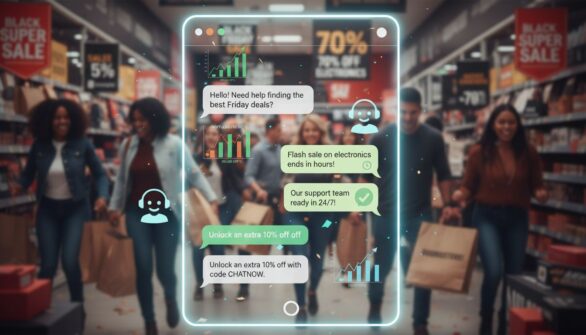
Discover how live chat increases e-commerce conversions with real-time support and instant engagement. Learn proven strategies to boost Black Friday sales and r...
Join our community of happy clients and provide excellent customer support with LiveAgent.
