The ultimate guide for building an effective internal knowledge base
Learn how to build an effective internal knowledge base with this guide, covering benefits, best practices, and steps for building, using, and securing it
Published on Jan 20, 2026 by Viktor Zeman.Last modified on Jan 20, 2026 at 7:35 am
Knowledge Base
Knowledge Management
Internal Documentation
In the maze of daily business operations, a company’s collective knowledge can either be its most powerful tool or its greatest hindrance. An internal knowledge base, when built effectively, can empower every team member with the insights they need at their fingertips, driving efficiency and innovation. But how do you construct such a tool that resonates with your organizational needs, is intuitive for your team, and stands the test of evolving demands?
This guide is your answer. Navigating through the intricate layers of content creation, categorization, and user engagement, we’ll lay out a comprehensive 7-step blueprint to sculpt a knowledge base that truly becomes the nerve center of your organization. Strap in, and let’s embark on this enlightening journey together.
What is an internal knowledge base?
An internal knowledge base is a centralized digital repository tailored specifically for an organization’s unique needs. It houses a wealth of essential company information, from step-by-step tutorials and best practices to detailed processes and protocols.
The aim of such a platform is to ensure that employees can swiftly and autonomously access the knowledge they require, thereby fostering efficiency and consistency throughout the organization.
Consider the scenario of a new marketing executive needing to understand the company’s branding guidelines. Instead of reaching out to colleagues or trawling through multiple files, they can effortlessly refer to the internal knowledge base. In a matter of moments, they have a clear understanding of the color palettes, typography, logo usage, and more, ensuring that all their subsequent work aligns perfectly with the company’s brand identity.
Such a platform not only boosts productivity but also ensures that the collective knowledge and expertise of the organization remain consistent, organized, and easily accessible, regardless of personnel changes or evolving business needs.
7 Signs that your business needs an internal knowledge base
A staggering statistic reveals that employees waste approximately 20% of their time – roughly one day a week – searching for internal information or seeking help from colleagues. This inefficiency can significantly impede productivity and innovation. But how do you know if your business is suffering due to the absence of a centralized knowledge repository? Here are seven telltale signs indicating the need for an internal knowledge base:
Recurring questions: If departments like HR, IT, or management constantly face a barrage of repetitive questions from employees about company processes or tools, it’s a clear indicator of information gaps.
Inconsistent processes: Noticeable disparities in how different teams or members execute tasks can point to a lack of standardized references or guidelines.
Lengthy onboarding process: If getting newcomers fully integrated and productive takes an inordinate amount of time due to knowledge access challenges, it’s a red flag.
Dependency on key personnel: If operations grind to a halt every time a key team member is absent because they’re the sole bearer of certain knowledge, it highlights the need for a more democratic system of information distribution.
Scattered documentation: When company documentation and guidelines are dispersed across various platforms, drives, or even physical binders, it underscores the need for centralization.
Reinventing the wheel: If team members often find themselves recreating materials or resources that someone else in the company has already produced, it points to a lack of shared knowledge visibility.
Feedback from team members: Direct feedback or complaints about the difficulty in accessing essential information or best practices can be the most straightforward sign of all.
Recognizing these signs and implementing an internal knowledge base can be transformative, turning lost time into innovation and fostering a culture of collaboration and shared growth.
What information is usually stored in the internal knowledge base?
An internal knowledge base is a reservoir of critical company insights, but its content can vary based on the nature and requirements of each organization. Typically, these bases encompass a variety of informational categories:
Company policies and procedures: Detailed guides on the accepted practices and operations within the company, ensuring standardization across the board.
Training materials: From onboarding tutorials for newcomers to advanced skill-building sessions for veterans, these materials foster continuous employee development.
Product or service documentation: In-depth descriptions, usage guidelines, and troubleshooting steps for products or services offered by the company.
FAQs: Common questions and their answers about different aspects of the company—this can range from IT issues to HR policies.
Best practices: Proven strategies and approaches recommended for different tasks and processes within the company.
Team directories and organizational charts: Information about who’s who within the company, their roles, and how they fit within the larger organizational structure.
Meeting minutes and summaries: Records of what was discussed and decided in company meetings.
Project management guides: Guidelines, templates, and tools to manage projects effectively.
Tech and software manuals: Instructions and tips for using specific software, tools, or tech infrastructure in the company.
It’s essential to note that while these are common components of many knowledge bases, the exact content can vary significantly based on industry and company specifics. For instance, a pharmaceutical company might have detailed research documents and regulatory compliance guidelines, while a software development firm might house vast code documentation and API references. Tailoring the knowledge base to the unique needs and nuances of the industry is paramount for its efficacy.
The benefits of creating and using an internal knowledge base
Implementing an internal knowledge base yields manifold benefits, transcending mere organizational efficiency. Its significance is further underscored by research that illuminates its broader impacts, so let’s dive into the most notable benefits of using an internal knowledge base.
Enhanced productivity: According to a McKinsey report, employees spend around 20% of their time searching for internal information. This search time is drastically reduced by consolidating information in a knowledge base, directly boosting productivity.
Consistent information access: A knowledge base ensures all employees have access to the same information, fostering consistency in practices and decision-making throughout the organization.
Streamlined onboarding: A study by Glassdoor found that a strong onboarding process can improve new hire retention by 82%. With a well-structured knowledge base, newcomers can swiftly acquaint themselves with company processes, reducing the learning curve.
Reduced dependency: By democratizing access to information, a knowledge base reduces the reliance on key personnel, ensuring operations aren’t hindered in their absence.
Cost efficiency: Research from Panopto suggests that knowledge-sharing tools, including knowledge bases, can save large companies up to $47 million a year. These savings arise from reduced time spent answering questions, faster onboarding, and better information management.
Encourage collaborative culture: A well-integrated knowledge base promotes a culture of collaboration, as employees can contribute their insights, fostering a collective growth mindset.
Improved decision-making: A study by PwC indicated that data-driven decision-making can improve overall productivity by up to 6%. A knowledge base, acting as a repository of vital data and insights, can be a catalyst in this data-driven approach.
Knowledge retention: Employee turnover is inevitable. However, with a knowledge base in place, the insights and expertise of departing employees can be preserved for the benefit of the organization.
7 key steps to create an effective internal knowledge base
Crafting an internal knowledge base is about more than just compiling information; it’s about ensuring that information is accessible, actionable, and beneficial for every team member. Here are seven essential steps to build a resource that becomes an indispensable asset within your organization.
Step 1: Identify the needs of your users
Understanding your users’ genuine needs is the foundation for an effective knowledge base. By surveying your team, you can discover knowledge gaps and prioritize essential information. Catering to user needs ensures that the knowledge base remains relevant and is a tool that employees want to use regularly.
Step 2: Choose a user-friendly platform
Opting for a SaaS (Software as a Service) solution for your knowledge base offers scalability, reduced IT involvement, and continuous updates. The key is to select a platform that is intuitive and accessible, ensuring that even those who aren’t tech-savvy can navigate with ease.
Step 3: Organize your information clearly
A knowledge base’s value hinges on how easily users can locate what they’re seeking. Emphasize a user-friendly design and layout. Categorization tools and features can help streamline content into logical sections, making information retrieval swift and straightforward.
Step 4: Collaborate with your team
A collective effort, drawing on the expertise of diverse team members, will enrich your knowledge base. Encourage staff contributions to foster a sense of ownership and community around the resource. Collaboration tools can assist teams in contributing efficiently, ensuring a comprehensive and collective wisdom repository.
Step 5: Ensure your knowledge base is searchable
The effectiveness of a knowledge base is closely tied to its search capabilities. Users should find what they need swiftly. Implementing powerful search functionalities enhances user experience, ensuring that crucial details are always within reach.
Step 6: Keep your knowledge base updated
Stagnation is a knowledge base’s enemy. Regular audits and updates ensure the content remains pertinent and mirrors the most recent organizational practices. This proactive approach prevents misinformation and consistently delivers value.
Step 7: Collect feedback and continuously improve
Continuous refinement is the name of the game. By obtaining feedback, you can identify areas for improvement. Monitoring usage patterns of specific articles provides insights into prevalent knowledge needs and helps guide your content updates.
8 best practices for the internal knowledge base
An internal knowledge base, when optimized effectively, can be a beacon of clarity for your team. Its potential to streamline operations and enhance productivity is unparalleled. Let’s delve into the best practices to ensure your knowledge base stands as a cornerstone resource for your organization.
Provide clear titles and descriptions: Straightforward titles and descriptions guide users directly to the information they need. A well-defined title acts as a signpost, making navigation more intuitive. When creating content, use descriptive and concise titles, ensuring the description offers a brief overview of the content within.
Set up the knowledge base team: Having a dedicated team for your knowledge base ensures its integrity and consistent content quality. Assign specific roles such as content creators, editors, and managers. An organized approach ensures quality content production and timely updates.
Include step-by-step guides and FAQs: Detailed guides and FAQs offer invaluable insights to users, addressing their common queries. Base your FAQs on real questions raised by employees and, for intricate tasks, use a step-by-step format to simplify understanding.
Use internal knowledge base templates: Templates bring about consistency in how content is presented, making information easier to locate and comprehend. Establish templates suited for various content types, be it how-to guides, FAQs, or policy documents.
Use tags and metadata: Incorporating tags and metadata is instrumental in enhancing your knowledge base’s searchability. By thinking from a user’s perspective when tagging, you ensure they find relevant information without hassle.
Create cross-references: Linking related content through cross-references offers users a comprehensive understanding and diminishes the need for repetitive searches. Whenever a topic has related content, make sure it’s directly linked.
Evaluate content success: Analyzing metrics related to user engagement helps pinpoint which content resonates the most and identifies potential gaps. By using analytics to observe which articles are most accessed or where users spend the most time, you’re better equipped to make informed content decisions.
Rewrite or optimize old content: Content relevance and accuracy are crucial. Regularly update your content to ensure it remains current. Schedule periodic content reviews, and if something appears outdated or is rarely accessed, it might be time to revise or archive it.
How to choose the right internal knowledge management tool
Choosing the appropriate internal knowledge management tool is paramount for ensuring efficient information dissemination, optimal employee engagement, and streamlining operations within an organization. A good tool doesn’t just store information—it facilitates better understanding and collaboration among your teams. Here’s what to look out for to make the right choice.
Identify your organization’s needs
Before diving into the myriad of options available, it’s imperative to have a clear understanding of what your organization requires. Are you looking for a basic tool to store FAQs and documents? Or do you require a more sophisticated platform that integrates with other systems and offers analytics?
User-friendliness
The software should have an intuitive interface. If your team finds it cumbersome or challenging to navigate, they’re less likely to use it, negating the purpose of having a knowledge base.
Search capability
A robust search function is vital. Users should be able to quickly locate the information they’re looking for without going through multiple pages or links. Features like predictive search, filters, and tags enhance search efficiency.
Customizability
Every organization is unique, and so are its requirements. The tool should allow for easy customization in terms of layout, content categories, user roles, and more.
Collaboration features
A knowledge base isn’t just for storing information—it’s for building it. Look for tools that allow multiple users to collaborate on content, offer commenting capabilities, and track changes.
Security and compliance
Your internal knowledge might contain sensitive information. Ensure that the software complies with industry-specific regulations and offers robust security features like encryption, two-factor authentication, and regular backups.
Scalability
As your company grows, so will your knowledge base. Opt for a tool that can grow with you, accommodating more data and users without compromising on performance.
Integration capabilities
Your knowledge management tool should easily integrate with other systems in use, such as CRMs, project management tools, or communication platforms. This ensures a seamless flow of information across the organization.
Feedback and analytics
To continually enhance the knowledge base, it’s essential to understand how employees are using it. Features that allow users to provide feedback on content and analytics to track engagement metrics are invaluable.
Cost
Finally, consider the total cost of ownership, not just the upfront cost. This includes subscription fees, training costs, potential customization, and any future scalability costs.
5 best internal knowledge base software in 2025
LiveAgent
LiveAgent offers an intuitive knowledge base software solution for businesses looking to streamline internal communications and information access. With its user-centric design and feature-rich capabilities, LiveAgent stands out as a top choice in 2025.
List of features:
User-friendly editor for easy knowledge base article creation
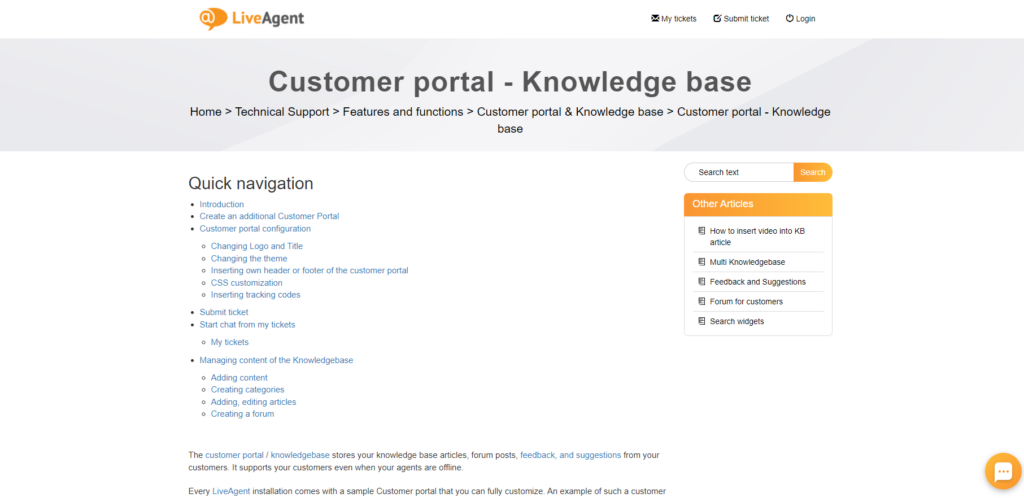
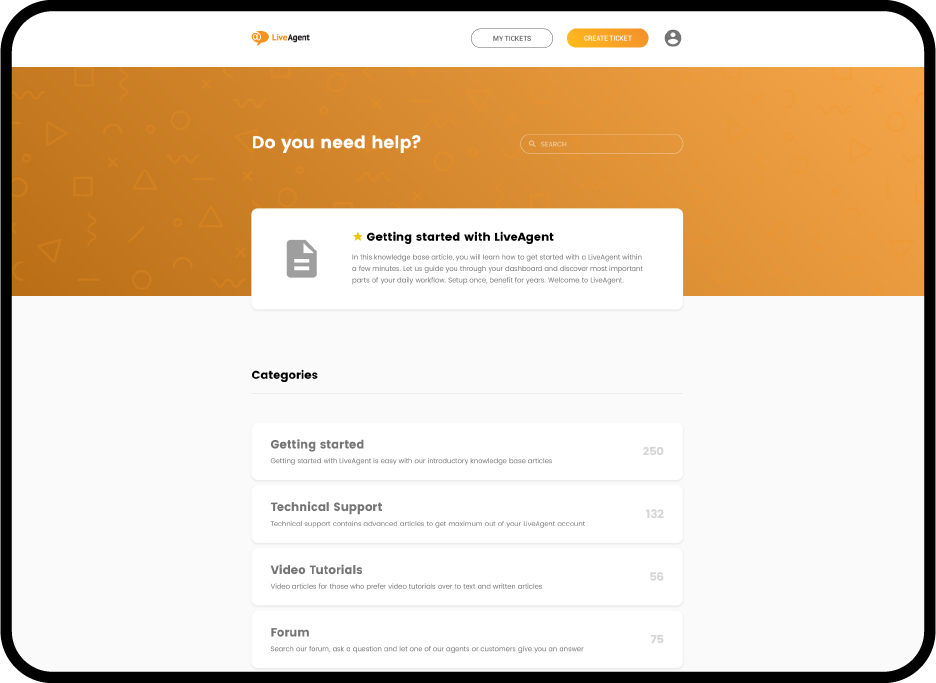
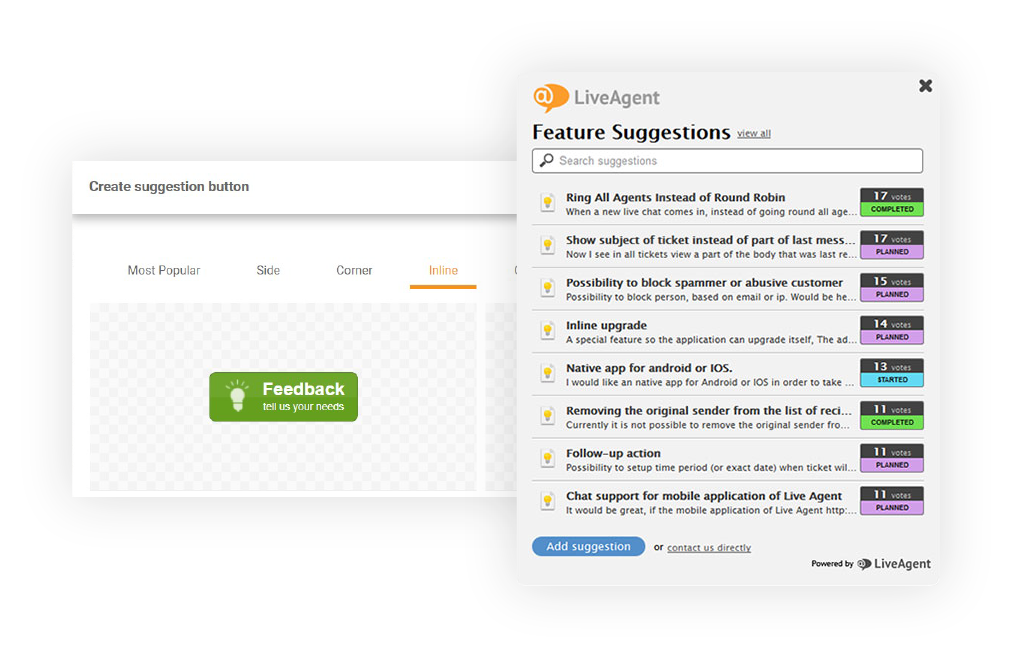
Comprehensive customer portal including knowledge base articles, forums, feedback, and suggestions
Multiple browser compatibility including Chrome, Edge, Firefox, Safari, and Opera
Design customization to align with brand identity
Image uploading and alternative text option for improved SEO
Direct communication channels via forums
Pros
Intuitive and user-friendly interface
Affordable and scalable pricing options
A wide range of customizable features
Responsive design with no reported bugs or lags
Cons
No preview feature for multiple devices
Pricing + free version:
Free Version: Yes
Small: $15/agent/month
Medium: $29/agent/month
Large: $49/agent/month
Expert opinion
LiveAgent’s knowledge base is a comprehensive tool that simplifies internal communication while providing an array of customizable options. Its seamless design, paired with its affordability, makes it a top contender for businesses of all sizes.
We find LiveAgent’s ticketing system and knowledge base to be particularly useful due to the high volume of inquiries we receive. Our team members share tickets fairly, and they may communicate with one another to offer quick support. Self-service options are now available, allowing us to give support around the clock.
HelpCrunch
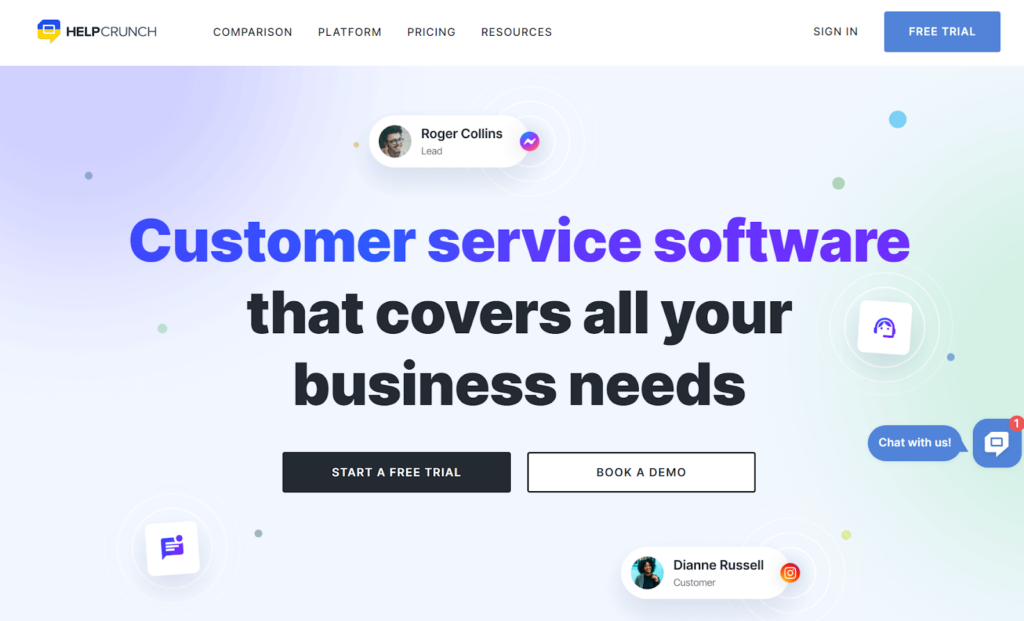
HelpCrunch offers a dynamic knowledge base software aimed at reducing customer service inquiries while streamlining the self-service experience. Trusted by thousands of businesses, both large and small, it’s become a go-to for those looking to enhance their customer support experience.
List of features:
Integrated help center widget
Feedback mechanism
Full customization
Powerful search function
Multilingual support
Pros
User-friendly interface that’s easy even for newcomers
SEO optimization features help in increasing article visibility
Cons
May require some time to set up and organize initially
Integration with certain third-party platforms might be limited
Pricing + free version:
Free version: No
Basic: $12/agent/month
Pro: $20/agent/month
Unlimited: $495/month
Expert opinion
HelpCrunch offers a streamlined knowledge base solution with an emphasis on user-friendly content creation and integrative features. Its multilingual support and intuitive interface make it a competitive option in the market.
Notion
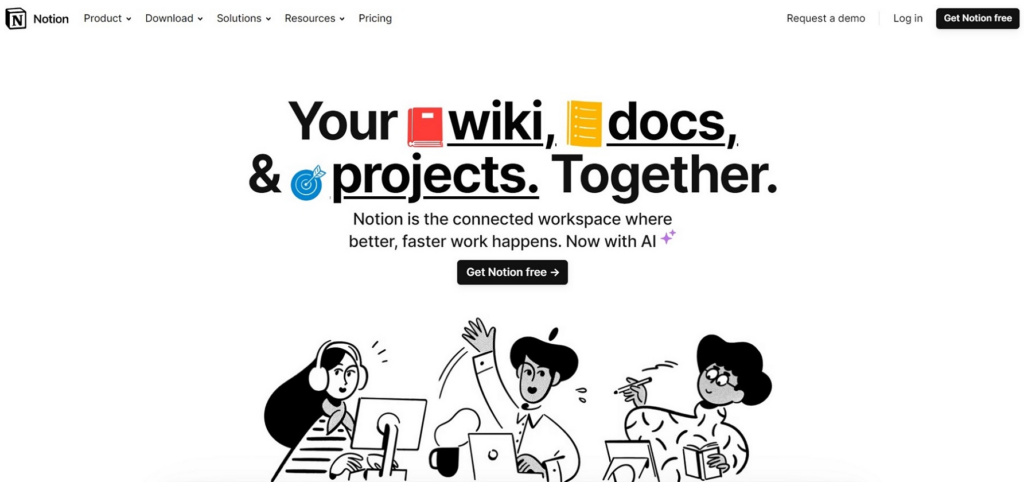
Notion serves as an all-in-one workspace tool. While it’s not exclusively a knowledge base software, its flexible design allows it to be tailored into one effectively.
List of features:
Customizable templates
Consistent hierarchical structures
Integration capabilities
Efficient tagging and filtering
Customer support portals
Pros
Highly flexible and customizable
Serves multiple purposes beyond a knowledge base
Cons
Can be complex for new users
Requires third-party integrations for specialized knowledge base features
Pricing + free version:
Free version: Yes
Plus: $8/user/month
Business: $15/user/month
Enterprise: custom pricing upon request
Expert opinion
Notion’s versatility makes it a top choice for teams looking for a unified platform for task management, note-taking, and knowledge storage.
Document360
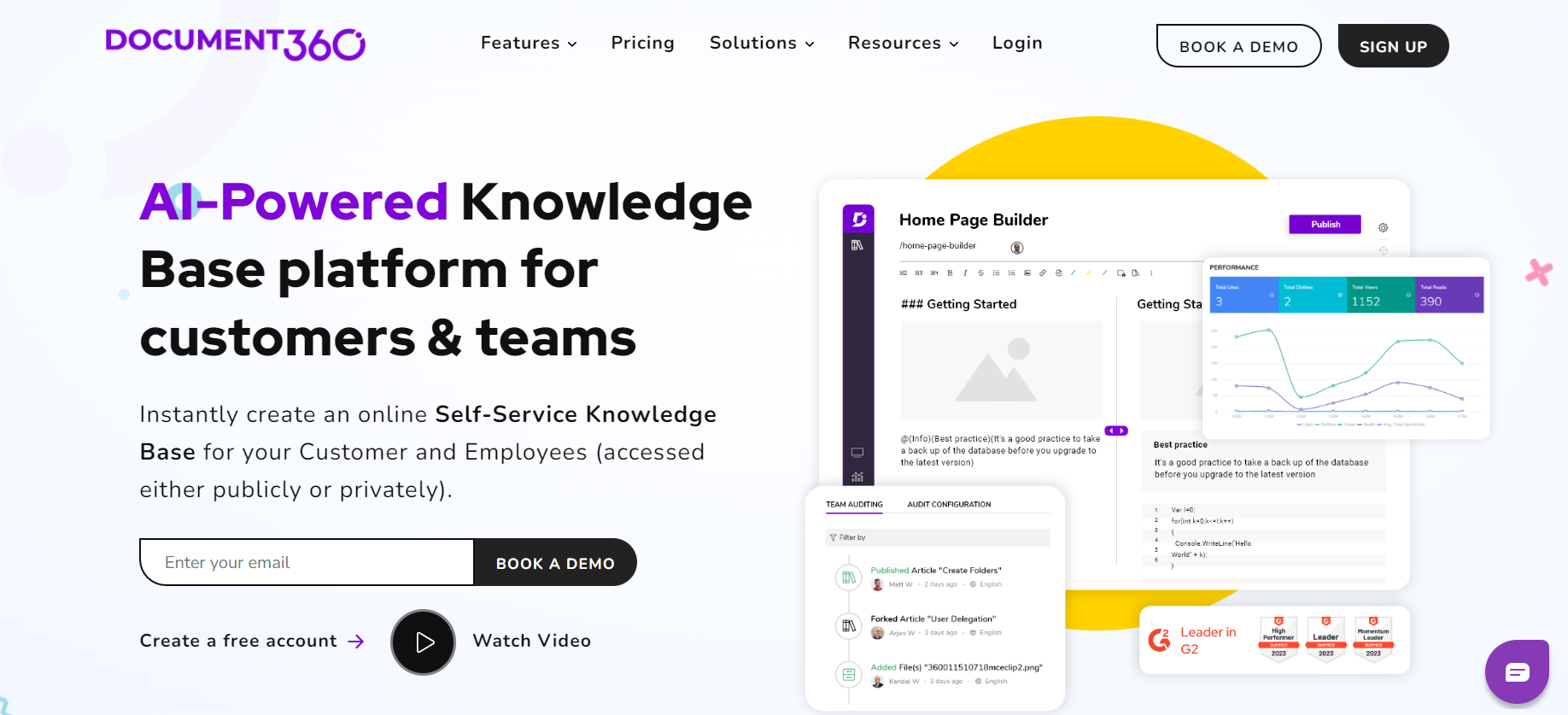
Document360 is a robust knowledge management tool designed to provide both external and internal audiences with comprehensive documentation. Catering to the needs of businesses that require an organized and easily accessible knowledge base, it offers user-centric designs coupled with powerful backend features.
List of features:
Knowledge base site
Real-time search engine
Branding & customization
Simple navigation
Custom CSS/JavaScript
SEO optimized
Pros
Versatile branding and customization options
Advanced search capabilities
Multiple layers of access and security controls
Cons
Might be overwhelming for beginners due to its vast features
Custom CSS/JavaScript requires technical know-how
Pricing + free version:
Free version: Yes
Standard: $146/project/month
Professional: $299/project/month
Business: $399/project/month
Enterprise: $599/project/month
Expert opinion
Document360 stands out as a comprehensive solution for businesses wanting both aesthetics and power in their knowledge management system. It’s particularly suited for mid to large-scale enterprises that require a versatile and in-depth knowledge base.
HelpJuice
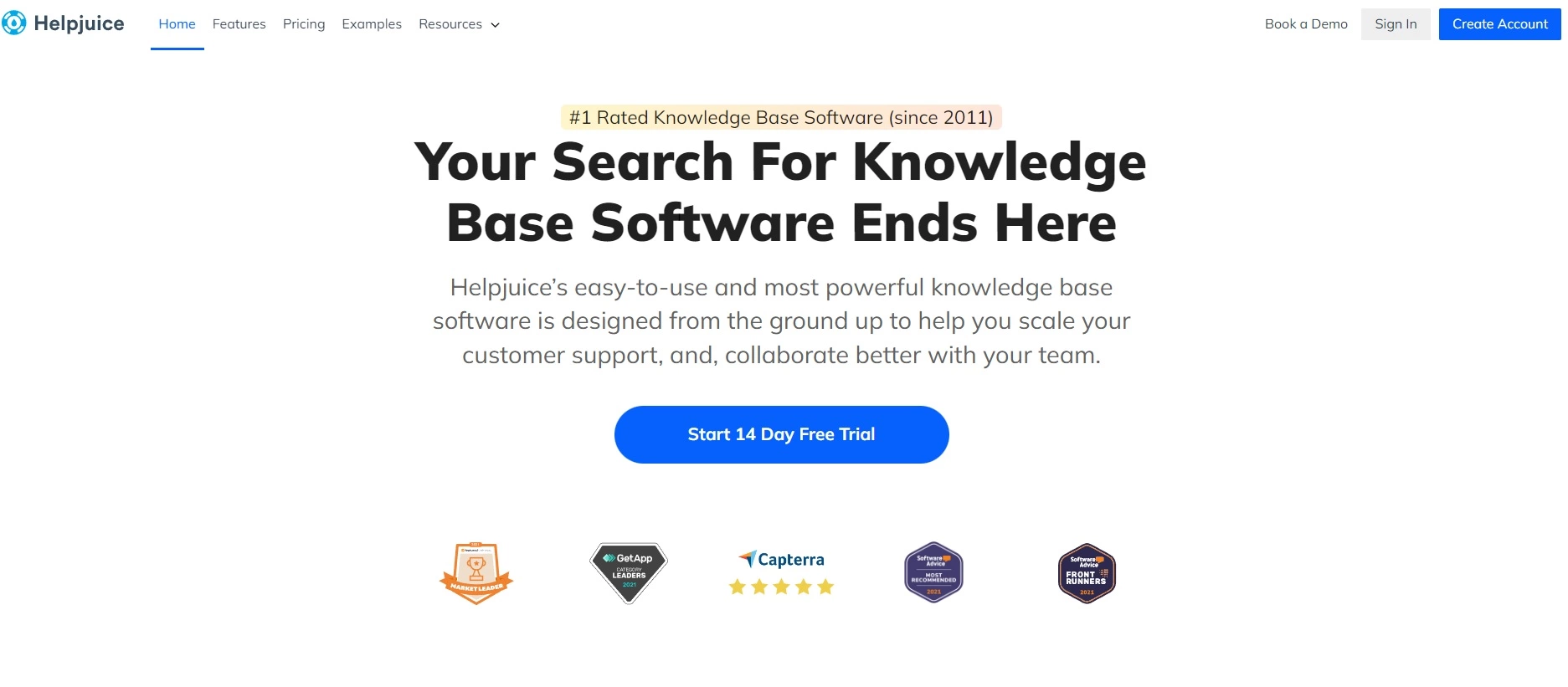
HelpJuice has firmly established itself as the top-rated knowledge base software since 2011. It is widely acknowledged for facilitating seamless customer support and team collaboration.
List of features:
Customization
Analytics
SEO optimization
Multi-language support
Pros
Highly customizable interface
Quick and technically adept customer support
Multi-language support broadens the user base
Cons
Might be perceived as too feature-rich for very small businesses
Customization can be overwhelming for some users
Pricing + free version
Free version: No
Starter: $120/month/up to 4 users
Run-Up: $200/month/up to 16 users
Premium Limited: $289/month/up to 60 users
Premium Unlimited: $499/month/unlimited users
Expert opinion
HelpJuice does have commendable features, especially in customization and its specific search engine. While its analytics and multilingual support are pluses, there’s a learning curve associated with its richness, which might be challenging for some.
How to create an internal knowledge base using LiveAgent?
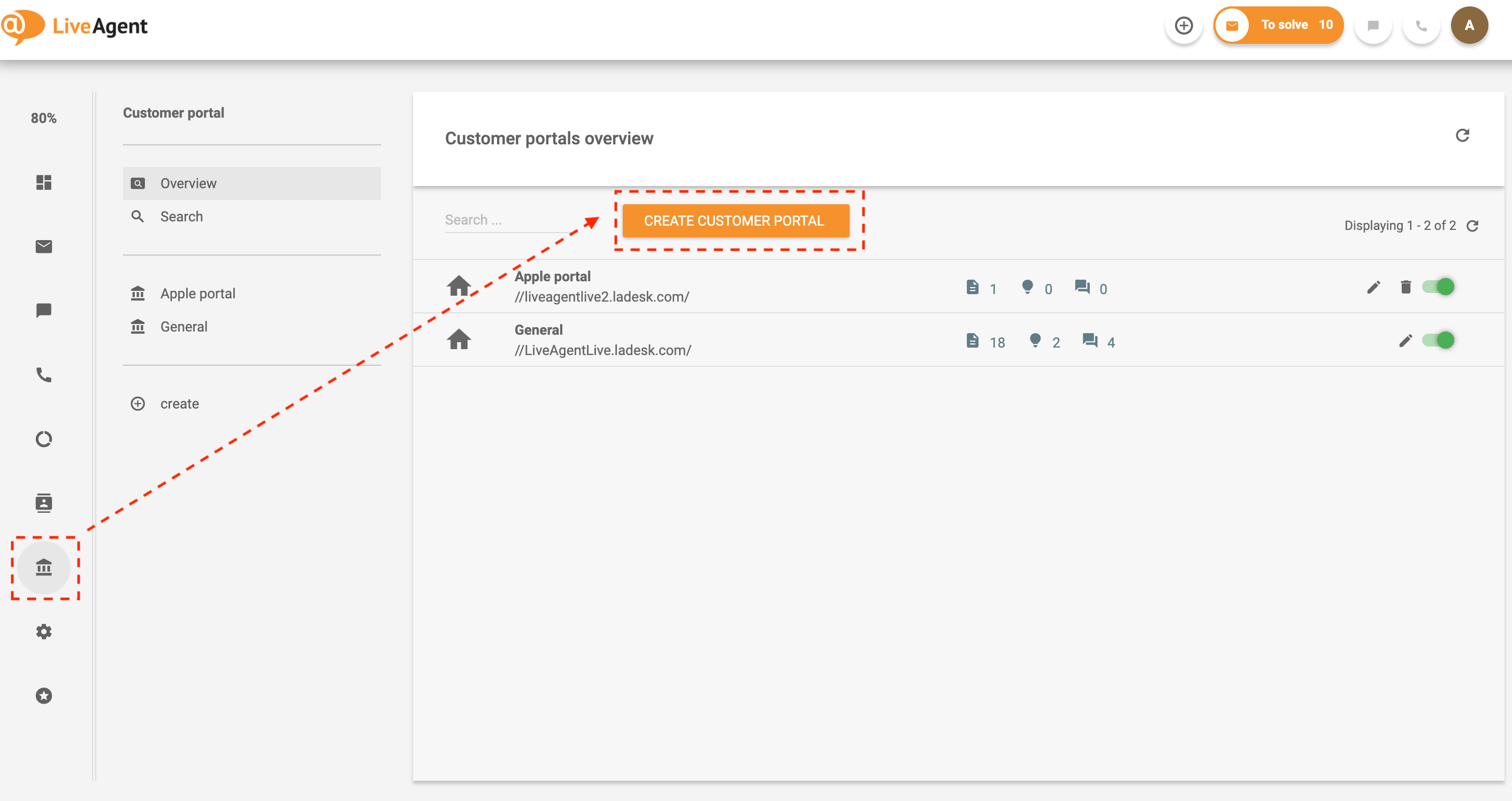
Setting up an internal knowledge base within LiveAgent allows your employees to access crucial company information efficiently. Here’s a step-by-step guide to creating one:
1. Log in/create account
Begin by logging into your LiveAgent account. If you’re a new user, sign up to take advantage of the 30-day free trial.
2. Navigate to the knowledge base
Once logged in, look for the Knowledge Base option and click on it.
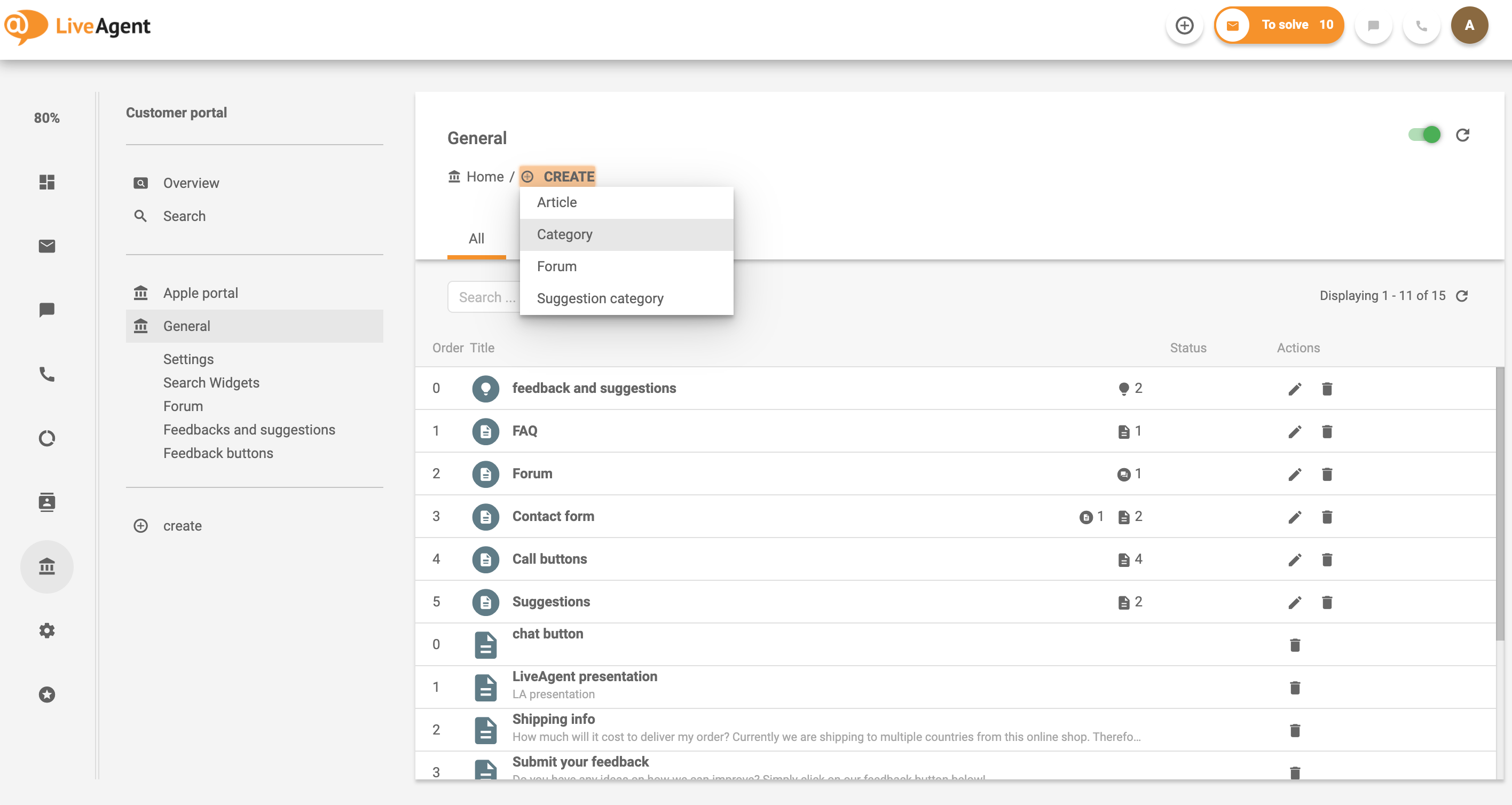
3. Create categories
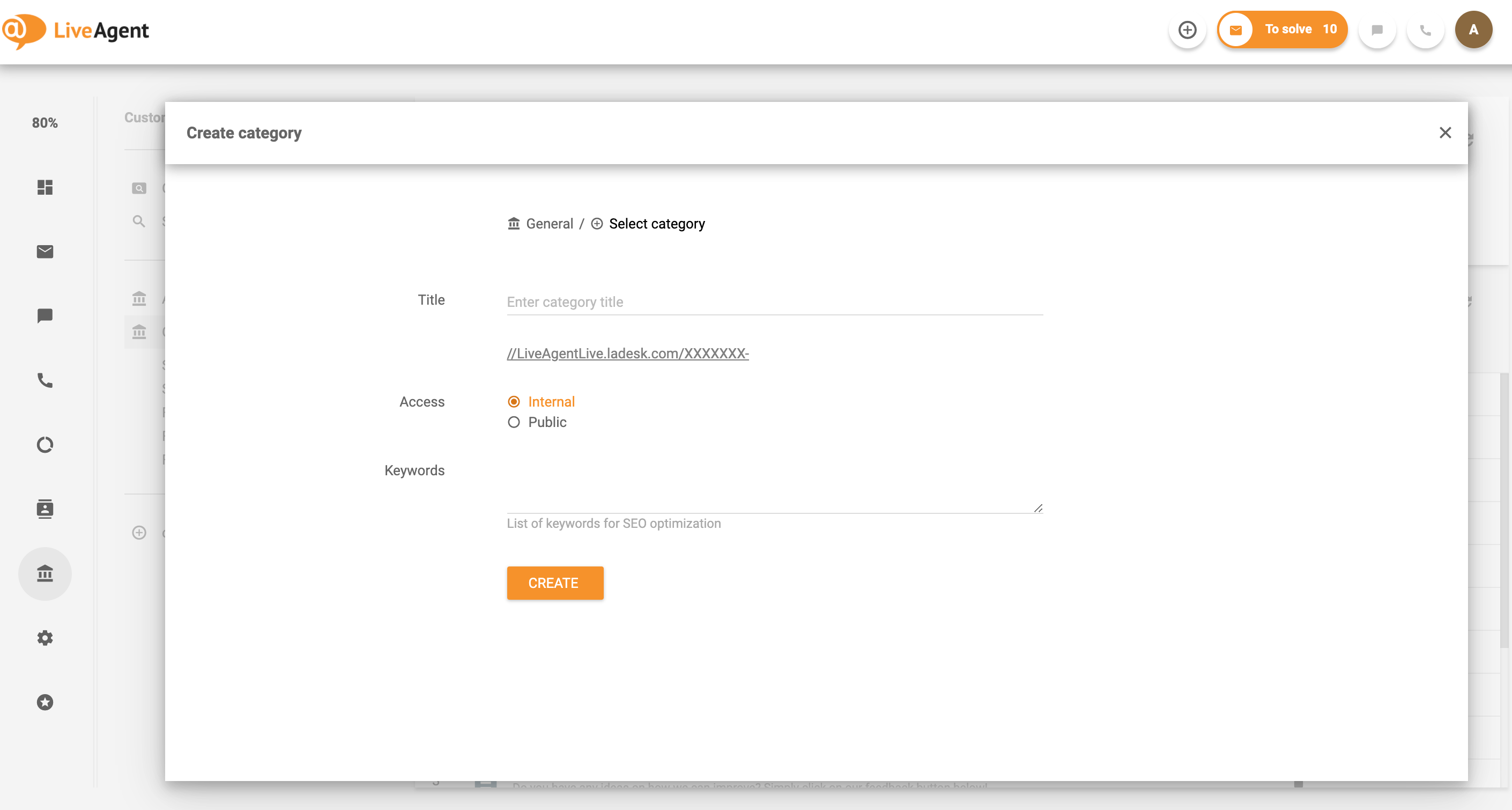
Organizing your knowledge base is essential for easy navigation. Start by creating different categories based on your company’s needs. This can range from onboarding processes to company news or IT guides. When setting up each category, ensure you select the internal access option to keep the information private and exclusively for your employees.
4. Build content
After setting up your categories, it’s time to populate them with content. This can include articles, forums, or suggestions tailored to each category. As you build, remember to keep the information relevant and updated to ensure employees always have access to the latest details.
5. Finalize and launch
Once all your content is in place and organized, review everything one final time to ensure accuracy and comprehensiveness. When satisfied, launch the internal knowledge base, and inform your team about its availability.
6. Continuous update
Regularly update the internal knowledge base to reflect the latest company information, news, and processes. Keeping the content current ensures that employees always have access to the most accurate and up-to-date information.
This is how you can establish a robust internal knowledge base within LiveAgent, enhancing efficiency and ensuring all employees have easy access to vital company information.
Potential challenges and solutions for ensuring data security and privacy within the internal knowledge base
Unauthorized access: One of the most significant challenges is unauthorized access to sensitive company and employee data within the knowledge base. Implementing robust access controls such as multi-factor authentication (MFA) and single sign-on (SSO), combined with defining user roles and permissions, can effectively prevent such breaches and ensure only authorized personnel access specific information.
External data breaches: External threats and data breaches are ever-present concerns. Regularly updating the knowledge base software to address vulnerabilities is a proactive measure. Employing end-to-end encryption and intrusion detection systems further enhances security, ensuring the knowledge base is resilient against external threats.
Employee over-sharing: Inadvertent sharing of sensitive or proprietary information by employees is another challenge. Regular training sessions on data privacy, combined with a stringent content review and approval process, can mitigate the risks associated with oversharing.
Conclusion
An internal knowledge base stands as an essential cornerstone in modern business. It streamlines information access, fosters collaboration, and strengthens an organization by ensuring all members are aligned and informed. This guide has explored everything from identifying the need for such a system to the detailed nuances of its setup and security.
With best practices and the optimal knowledge management tool, your team’s efficiency can skyrocket. Remember, accessing the right information when needed can be a game-changer, pushing the boundaries between mere existence and true innovation. Curious about this transformative journey? Delve into the realm of proficient knowledge management with our 30-day free trial!
Unlock the power of collective wisdom
Empower your support team with LiveAgent's knowledge base to elevate your customer support.
Viktor is a developer and technical content contributor at LiveAgent, focused on creating informative content about help desk software and customer service solutions.
Viktor Zeman
Developer
Frequently asked questions
An effective knowledge base should be comprehensive, accurate, and easily accessible. It should contain a wide range of information with clear and concise explanations. The knowledge base should be regularly updated to ensure the information is current and relevant. Additionally, it should be organized in a way that makes it easy to navigate and search for specific information.
A database is a structured collection of data that is organized and can be easily accessed, managed, and updated. It typically consists of tables, rows, and columns, and is designed to store and retrieve specific information, such as customer records, transactions, or inventory. A knowledge base is a repository of information that often includes articles, documents, FAQs, and other resources that provide information and guidance on specific topics or issues.
An internal knowledge base includes documents, best practices, policies, procedures, and other relevant information that can help employees perform their jobs more effectively. It helps streamline communication and collaboration within the organization and aids in training new employees. Additionally, an internal KB ensures that important knowledge is not lost when individuals leave the organization.
How to create a knowledge base in 6 easy steps (+ Examples)
Learn to create a knowledge base in 6 steps: choose the right software, organize content, and improve articles. Avoid common errors, enhance customer service, a...
Discover the top 20 knowledge base software for 2025, featuring comparisons on features, pricing, and expert opinions. Explore tips for selecting the right tool...
42 min read
You will be in Good Hands!
Join our community of happy clients and provide excellent customer support with LiveAgent.