



How to add a live chat button to your website
Learn to integrate a live chat button on your website to boost customer satisfaction and sales. Choose a provider, customize the widget, and optimize chat suppo...
6 min read
Live Chat
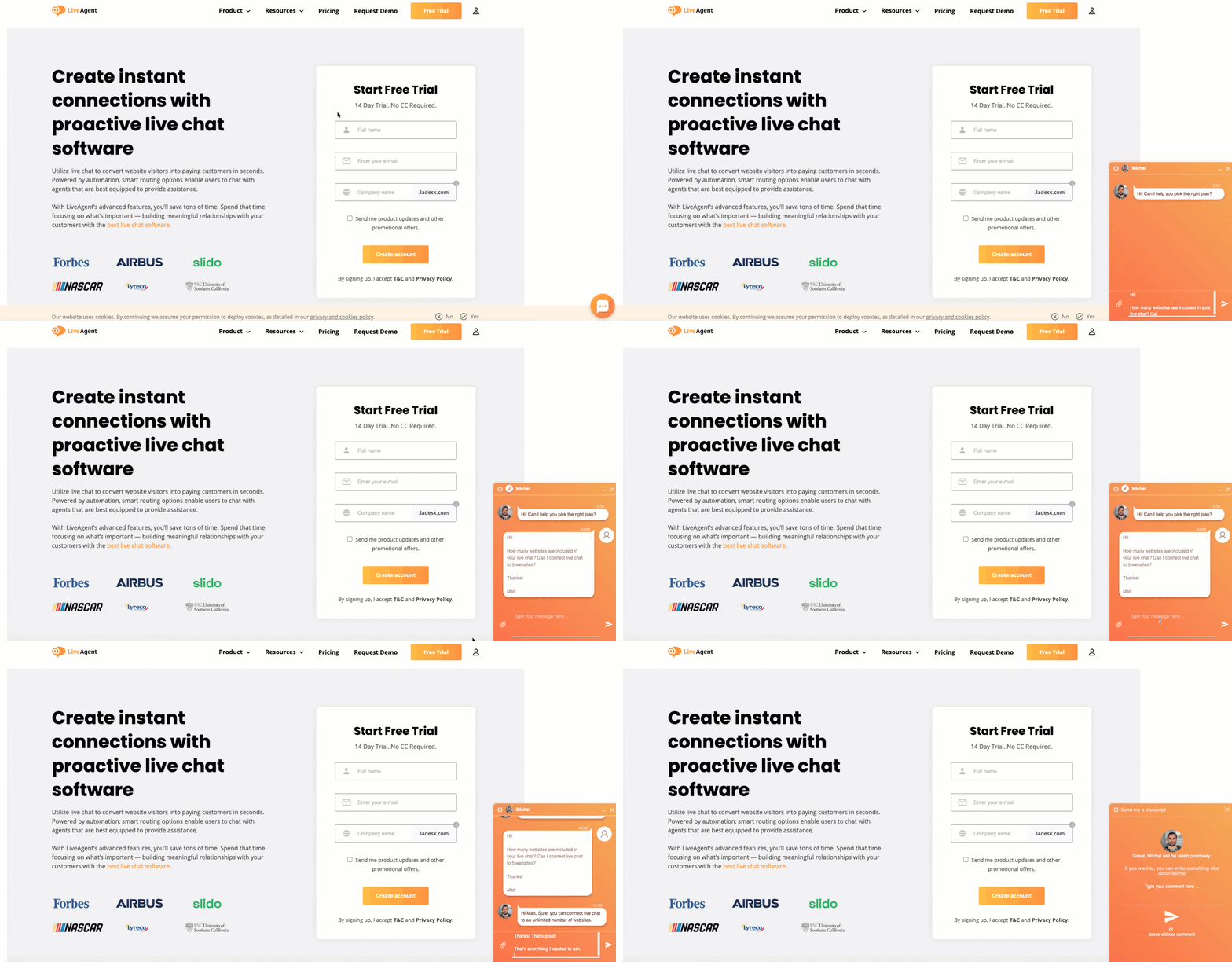
Discover the best live chat plugins for WordPress in 2025. Compare top solutions like LiveAgent, Zendesk, and others to enhance customer engagement and boost sales.
In today’s digital landscape, customer expectations have shifted dramatically. Visitors to your WordPress website expect immediate responses to their questions—they don’t want to wait for email replies or navigate through self-service resources. This is why live chat has become essential for WordPress websites. With the right live chat plugin, you can provide instant support, boost customer satisfaction, and significantly increase your conversion rates.
In this comprehensive guide, we’ll explore the best live chat plugins for WordPress in 2025, helping you choose the perfect solution for your business needs.
Before diving into specific plugins, let’s understand why live chat has become a must-have for WordPress sites:
Consumer Expectations
Business Impact

When evaluating live chat plugins for your WordPress site, consider these essential features:
The fastest live chat widgets load in just 2.5 seconds, ensuring your website performance isn’t compromised. Look for plugins that are optimized for speed and won’t slow down your site.
Your chat widget should match your brand. Look for plugins that offer:
The best plugins allow you to:

Modern live chat plugins should include:
Advanced plugins show you what customers are typing before they send messages, allowing you to:

Look for plugins that provide:
The plugin should intelligently:
Essential collaboration features include:

LiveAgent stands out as the premier live chat solution for WordPress websites. Here’s why:
LiveAgent’s chat widget displays on your website in just 2.5 seconds, ensuring your site performance remains unaffected. This speed impresses customers and shows them you value their time.
Integration is remarkably simple:
The entire process takes just minutes—no technical expertise required.
Chatbot and AI
LiveAgent includes an AI-powered chatbot that automatically answers customer questions based on your website content. You can also enable proactive chat invitations on pricing and checkout pages to drive sales.
Smart Chat Distribution
The system intelligently routes chats to available agents based on:
Real-Time Typing View
See exactly what customers are typing before they send messages, allowing you to prepare answers and provide faster support.
Visitor Monitoring
Track all online visitors in real-time:

Team Collaboration
LiveAgent isn’t just a live chat plugin—it’s a complete omnichannel help desk solution featuring:
LiveAgent offers flexible pricing plans:
All plans include a 30-day free trial with no credit card required.
LiveAgent has earned recognition from industry leaders:

The integration process is straightforward:
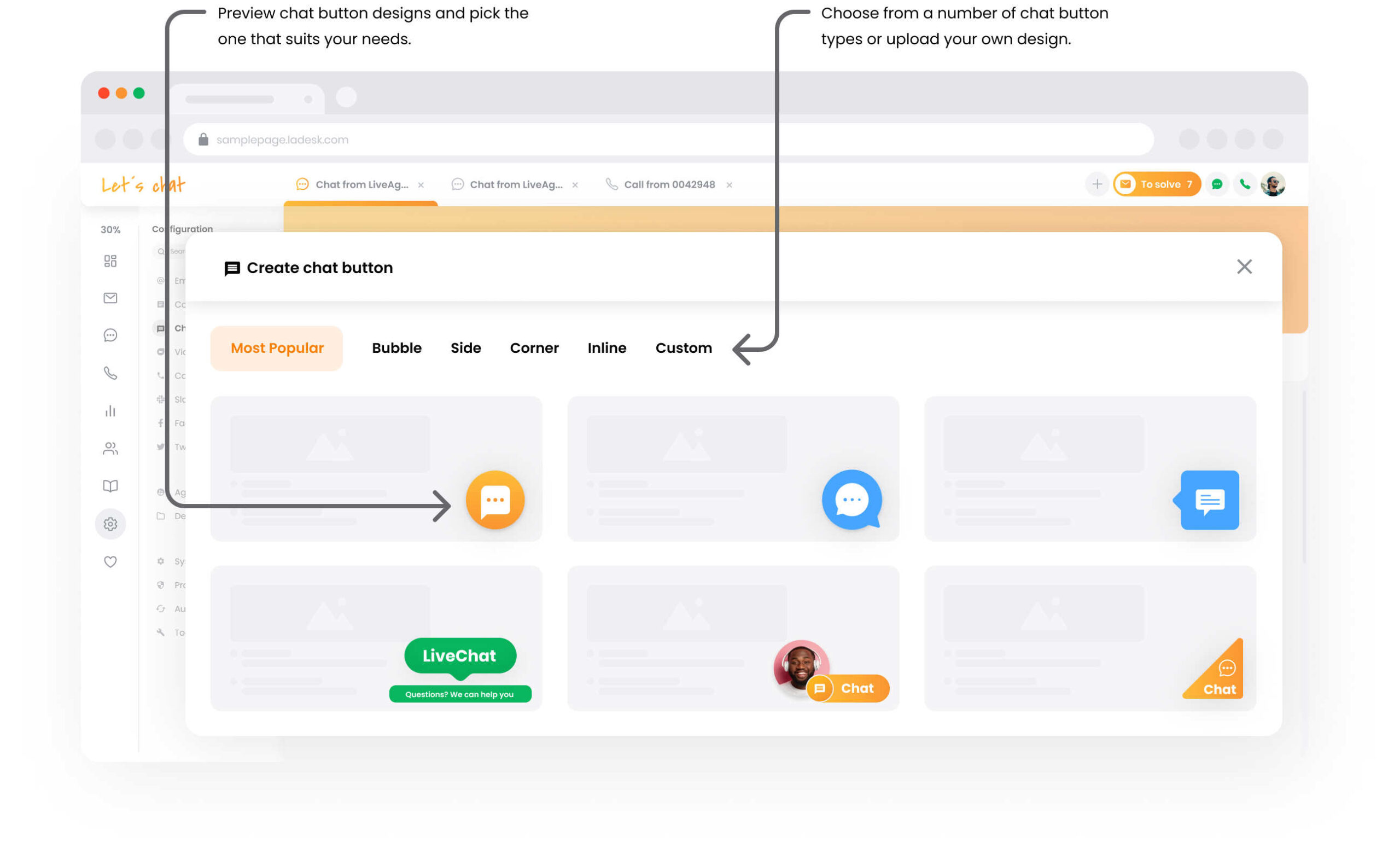
Select from LiveAgent’s gallery of pre-designed chat buttons that match your brand aesthetic.
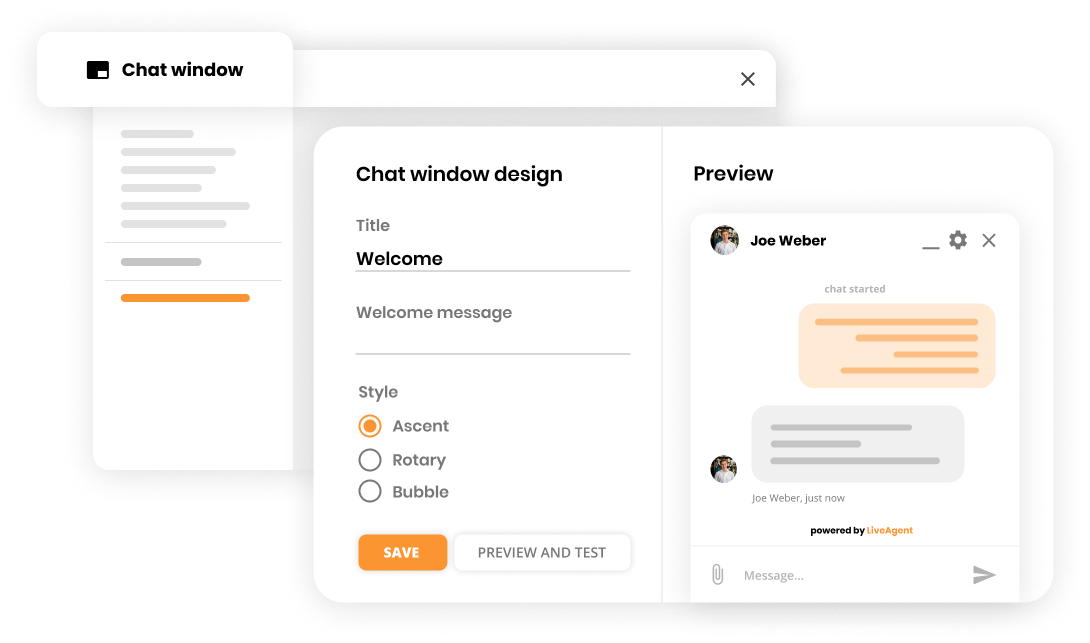
Personalize the chat window with:
Copy the provided code snippet and paste it into your WordPress site. LiveAgent routes incoming chats to the right team members and dynamically adapts availability as agents log in and out.
Your live chat is now live! Monitor visitors, respond to inquiries, and watch your customer satisfaction and conversion rates improve.
| Feature | LiveAgent | Zendesk | Intercom | Drift |
|---|---|---|---|---|
| Speed | 2.5 seconds | Moderate | Moderate | Moderate |
| Chatbot | Yes (AI-powered) | Yes | Yes | Yes |
| Proactive Invitations | Yes | Yes | Yes | Yes |
| Real-time Typing View | Yes | No | No | No |
| Visitor Tracking | Yes | Limited | Yes | Yes |
| Smart Routing | Yes | Yes | Yes | Yes |
| Team Collaboration | Yes | Yes | Yes | Yes |
| Ticketing System | Yes | Yes | Yes | Limited |
| Call Center | Yes | No | No | No |
| Social Media Support | Yes | Yes | Yes | Limited |
| Starting Price | $15/agent/month | $19/month | $39/month | $500/month |
| Free Trial | 30 days | 14 days | 14 days | 14 days |
To maximize the effectiveness of your live chat plugin:
Aim to respond to chat inquiries within 1-2 minutes. Faster responses lead to higher satisfaction and conversion rates.
Connect your live chat with:
Live chat has evolved from a nice-to-have feature to an essential component of modern customer support. With the right WordPress live chat plugin, you can:
LiveAgent emerges as the best choice for WordPress websites, offering the fastest chat widget, most advanced features, and best value for businesses of all sizes. Its combination of speed, intelligence, and comprehensive functionality makes it the ideal solution for WordPress sites looking to elevate their customer support and drive business growth.
Ready to transform your WordPress customer support? Start your free 30-day trial with LiveAgent today—no credit card required. Experience firsthand how the right live chat plugin can revolutionize your customer interactions and boost your bottom line.
Share this article
Daniel oversees marketing and communications at LiveAgent as a member of the inner product circle and company top management. He previously held various managerial positions in marketing and client communication. He is recognized as one of the experts on AI and its integration into the customer service environment.

A live chat plugin for WordPress is a software tool that enables real-time communication between website visitors and support agents. It allows businesses to provide instant customer support, answer questions, and engage with visitors directly on their WordPress website.
Live chat plugins help businesses provide immediate customer support, improve customer satisfaction, increase conversion rates, and reduce support costs. Studies show that 60% of consumers aged 18-34 regularly use live chat for customer service, and 52% of customers are more likely to repurchase from companies that offer live chat support.
Key features to consider include ease of integration, customizable chat widgets, proactive chat invitations, chatbot capabilities, real-time typing view, visitor tracking, agent routing, mobile responsiveness, and integration with other business tools.
Yes! Live chat is not just for customer support. 85% of B2B and 74% of B2C companies use live chat for sales, and 54% of B2B businesses and 31% of B2C businesses use live chat for marketing purposes.
Most modern live chat plugins are designed for easy integration. Many require just a simple copy-and-paste of code into your WordPress site, or can be installed directly through the WordPress plugin directory. Integration typically takes just a few minutes.
Free live chat plugins typically offer basic features like simple chat functionality and limited customization. Paid plugins provide advanced features such as chatbots, proactive invitations, advanced analytics, multiple agent support, and priority customer service.
Yes, most modern live chat plugins are fully responsive and work seamlessly on mobile devices. Many also offer dedicated mobile apps for agents to manage conversations on the go.
Learn to integrate a live chat button on your website to boost customer satisfaction and sales. Choose a provider, customize the widget, and optimize chat suppo...

Learn to integrate a live chat button on your website to boost customer satisfaction and sales. Choose a provider, customize the widget, and optimize chat suppo...
Boost WordPress engagement with LiveAgent's lightning-fast live chat! Enjoy a 30-day free trial, no credit card needed.
Join our community of happy clients and provide excellent customer support with LiveAgent.
