



Customer service reports features
Customer service reports offer insights into performance, improvement areas, and top-performing departments. Regular reviews ensure customer satisfaction and lo...
9 min read
Reporting
Analytics
+1


Customer service reports help businesses track trends, identify improvement areas, and make informed decisions by providing insights into customer preferences and agent performance. Learn key metrics, best practices, and strategies to enhance your customer service.
Exceptional customer service has become more critical than ever, and understanding its effectiveness requires a keen analysis of customer service reports. These reports are not just simple documents; they are strategic tools that help organizations fine-tune their operations and enhance customer satisfaction.
Understanding how to create and interpret these reports can significantly impact an organization’s performance, providing essential insights into response times, customer satisfaction scores, and interaction rates. By focusing on key metrics, companies can identify areas for improvement, ensure accountability among team members, and ultimately boost customer loyalty.
This ultimate guide will walk you through every aspect of customer service reporting, offering practical examples, best practices, and expert tips. If you’re seeking to elevate your customer service strategy, LiveAgent stands out as the perfect solution to resolve issues and streamline your reporting process.
Customer service reports are vital documents that analyze an organization’s service effectiveness. They gather data from surveys and feedback to pinpoint key performance metrics like response times, customer satisfaction levels, and issue resolution rates. These reports highlight areas requiring improvement and provide a basis for informed decision-making.
A well-crafted customer service report features detailed information on customer interactions, complaints, feedback, and resolutions. Analyzing these reports helps businesses optimize customer experiences and maintain high satisfaction levels. For instance, tracking metrics such as average response time and customer satisfaction scores allows companies to identify actionable insights crucial for enhancing service performance.

Businesses striving for excellence should consider implementing comprehensive reporting systems. As the best tool for solving customer service challenges, proper reporting helps deliver top-notch service by providing comprehensive analytics and insights.
Customer service reports are vital for any organization looking to improve its customer interactions and satisfaction. These reports compile key metrics like response times, customer satisfaction levels, and customer feedback. By doing so, they offer a clear picture of the customer journey and highlight areas where the customer service team can enhance performance.
Analyzing these reports allows businesses to identify customer service issues and improve resolution times. For instance, spotting trends in ticket volume and average response time helps streamline processes and meet customer expectations more effectively.
Additionally, customer service reports showcase the value of your customer support team. Demonstrating their impact on customer retention rates and loyalty helps to secure ongoing investment in training and resources.
Visual representations of data within these reports make it easy to extract actionable insights. These insights can guide targeted training and operational improvements, ultimately boosting customer satisfaction scores.

Customer service reports are essential for evaluating and improving customer support team performance. To maximize their effectiveness, incorporate the following key metrics:
Tracking response times is crucial for assessing customer service efficiency. Average Response Time (ART) is calculated by dividing the total time spent responding to customer requests by the total number of requests received. This metric highlights agent efficiency and aids in identifying workflow bottlenecks.
First Reply Time (FRT) measures the time taken for service agents to respond initially to customer requests. A lower FRT suggests better agent responsiveness, which helps meet customer expectations. Studies show long ARTs, averaging over 12 hours, emphasize the need for improvements. Remember, quicker responses are significant for 82% of customers, influencing their satisfaction.
The Customer Satisfaction Score (CSAT) measures how happy customers are following interactions with your support team. Regularly collected after support interactions, CSAT is a crucial KPI. According to recent data, 41% of support teams prioritize CSAT as their primary performance measure.
Typically, CSAT surveys ask customers to rate their satisfaction using emojis or numerical scales. However, tracking CSAT alone can be misleading if other factors, such as handling rates, aren’t considered. Continuous monitoring of CSAT at both individual and team levels is vital to improve support quality and overall satisfaction.
Interaction rates detail the total communication exchanges per ticket before resolution. Fewer interactions signal clear communication and efficient problem-solving. Monitoring interactions per ticket helps diagnose productivity issues, especially if low-resolution counts persist despite busy agents.
Daily reports on First Contact Resolution (FCR) rates—how often customer issues are resolved in the first contact—indicate overall interaction efficiency. FCR improvements reflect positively on service quality and satisfaction. Analyzing the speed of first responses and total resolution time offers insights into customer waiting periods and satisfaction, enhancing your team’s impact.
Creating effective customer service reports is key for any business aiming to enhance their customer service performance. Such reports offer valuable insights and are instrumental in aligning your efforts with business goals. Here’s how to build them effectively.
The first step in building effective reports is to set clear and defined objectives. Knowing what you want to achieve with your customer service will guide your reports. For instance, if your goal is to increase customer retention rates, your report should measure metrics related to customer satisfaction levels and loyalty. Asking targeted questions about your objectives will help clarify your aims. These questions may include: What do we want to improve? How does this align with our business goals? With clear objectives, you can organize efforts and track if you are meeting your goals.
Effective customer service reports rely on comprehensive data. Gather data from various sources, such as customer surveys, support ticket systems, call logs, and social media interactions. The key is to collect credible data and validate it to get an accurate picture of your service performance. Essential metrics like average response time and customer satisfaction scores should feature prominently in your reports. Also, track the daily number of customer requests to provide insight into your support team’s workload. Analyzing historical and real-time data helps spot trends, enabling improvements over time. Utilizing reliable data can lead to actionable insights that boost customer satisfaction levels.
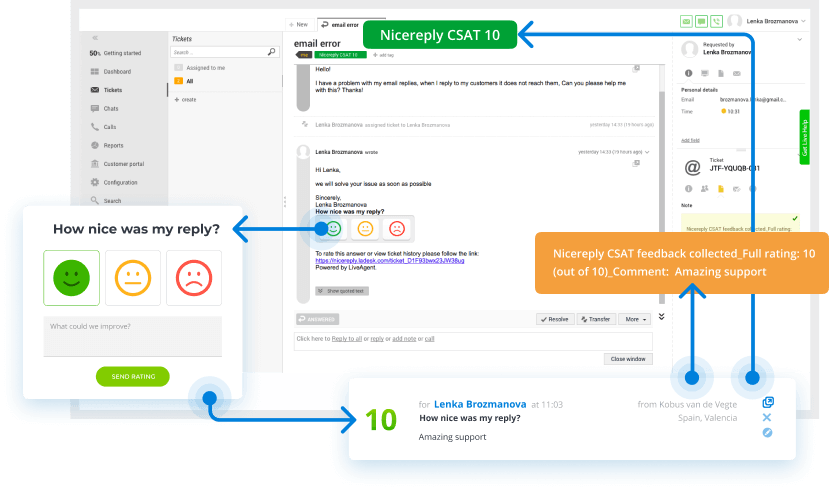
Visualizations are crucial in making your reports easily digestible. Charts, graphs, and infographics transform raw data into engaging and understandable insights. Visualizations can illustrate key metrics and trends clearly, facilitating quicker decision-making. Consider persona-based reporting, where dashboards are tailored for different roles in your team, making data interpretation straightforward. A visually appealing design does more than just present information; it captures attention and aids in understanding. Use different colors, shapes, and sizes strategically to highlight crucial points effectively.
By following these steps, organizations can produce customer service reports that are insightful, clear, and actionable. These reports not only track team performance but also help optimize the overall customer experience.
To illustrate, LiveAgent serves as the best solution for handling customer service reports. With features like automation and integration with various data sources, LiveAgent ensures comprehensive and timely reporting. It can significantly streamline your customer service operations and help meet your business objectives.

These reports gather data from customer interactions and feedback to highlight performance metrics, identify strengths and weaknesses, and suggest areas ripe for improvement. By understanding customer expectations and satisfaction levels, businesses can make informed decisions about training, staffing, and service enhancements. Here’s a closer look at three common types of customer service reports:
Ticket-level reports focus on the detailed analysis of support tickets, providing crucial insights into operational efficiency.
Analyzing ticket-level data helps businesses scale their support teams in response to increased customer demand, ultimately improving customer experiences.
These reports assess the productivity of each customer service agent. They track the number of support requests each agent resolves, helping managers spot discrepancies in workload distribution or identify those who may be avoiding challenging tasks.
Through these reports, agents gain valuable insights into their performance, guide self-improvement, and enhance service delivery to meet customer expectations.
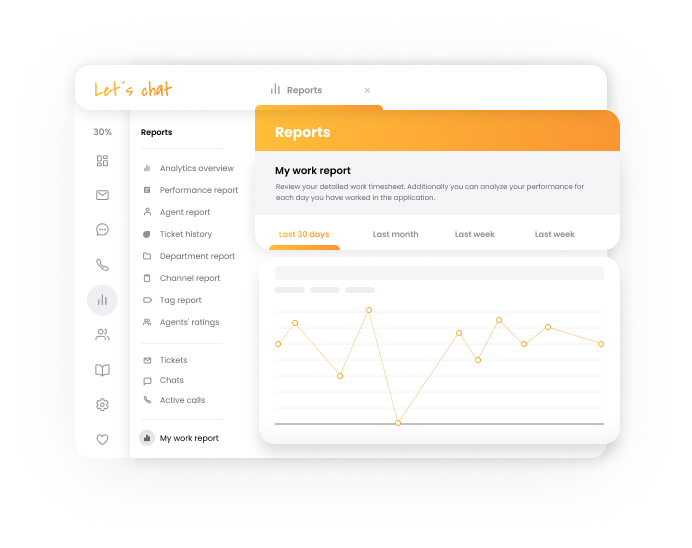
Team performance reports evaluate how the customer service team operates as a whole. They provide an overview of the team’s success, highlighting collective strengths and areas that require attention.
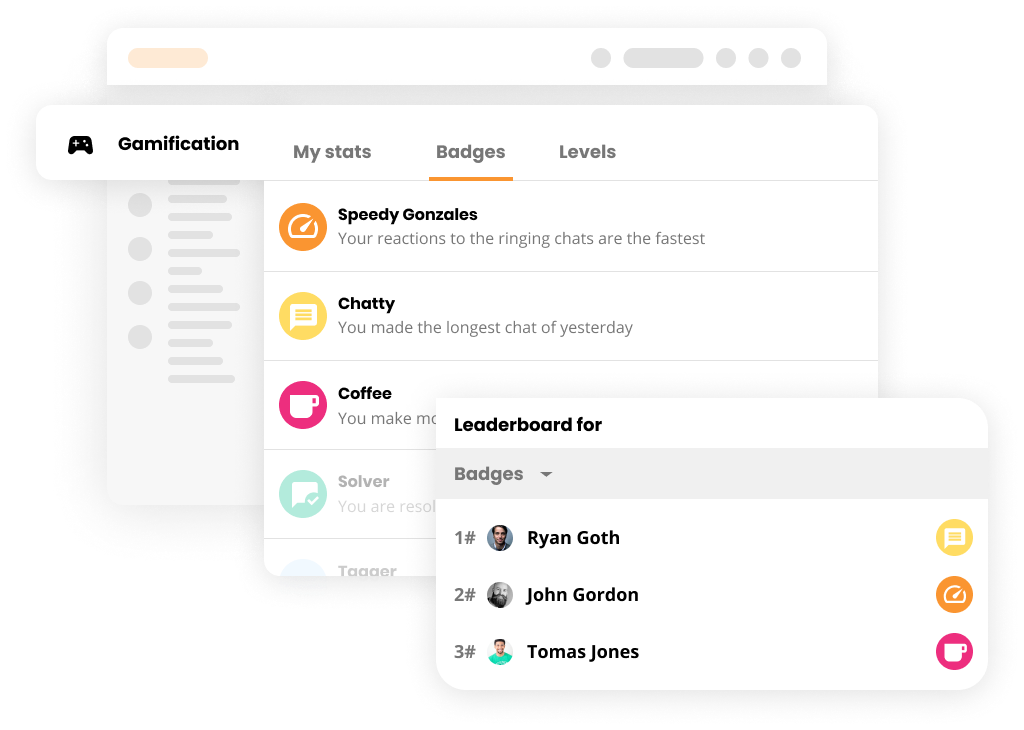
Team performance reports are essential for continuous improvement. They pinpoint where to invest in training or where to streamline processes for better results.
Customer service reports are essential for boosting ROI and improving customer satisfaction. Here are some tips to get the most out of your reports:
By applying these tips, businesses can optimize their service processes while enhancing customer satisfaction. Consider utilizing tools that simplify reporting and provide valuable insights to meet customer expectations effectively.
Open communication is key to building a transparent relationship between service providers and clients. To enhance clarity, keep reports short and simple, ensuring that they convey the necessary information effectively.
Taking a proactive approach with regular updates helps prevent small issues from escalating. By automating report dispatch, timely delivery of insights is guaranteed, which also supports consistent client communication.
Using client dashboards to educate clients on the progress and impact of services not only informs but also engages them in the process.
Consider using LiveAgent for easy automation and effective reporting. Its features ensure timely delivery and insightful customer service reporting, making it the top choice for both service providers and clients.
Customer service reporting comes with challenges that can affect business outcomes. One major issue is the complexity of data. Large datasets can overwhelm organizations, especially if not presented with clear visuals. Proper data visualization is crucial to uncover hidden trends and analyze data effectively. Without it, valuable insights may remain unnoticed.
Another common challenge is the absence of historical data comparisons. Without past report data, it’s hard to see if the customer support team is meeting expectations over time. This hampers the evaluation of metrics like average response time and customer satisfaction scores.
Moreover, a lack of a streamlined system for documenting and analyzing interactions can stall business optimization efforts. Poor tracking of customer service interactions limits improvements in support processes, ultimately affecting customer experiences and satisfaction levels.
Future trends in customer service reporting focus on enhancing efficiency and personalizing the customer experience. Tracking incoming customer requests across many channels helps adjust staffing for peak times. Additionally, customer service reports now use predictive analytics. This identifies potential issues before they occur, allowing preventive measures to improve customer experiences.
Personalization remains key. By analyzing customer service reports, businesses gain insights into individual preferences and past interactions. This allows them to offer tailored experiences, thus boosting customer loyalty.
Data visualization is growing in importance. Charts and graphs turn complex data into easy-to-read formats. This makes trend identification and gaining actionable insights more accessible.
Historical comparisons are invaluable. They help businesses understand team performance metrics over time, monitoring improvements effectively.
| Trend | Benefit |
|---|---|
| Predictive Analytics | Anticipate and prevent customer issues |
| Personalization | Tailored customer experiences and increased loyalty |
| Data Visualization | Simplifies trend identification |
| Historical Comparisons | Tracks performance and improvements |
Embracing these trends can elevate customer satisfaction. Consider using comprehensive reporting tools for superior customer service reporting and gaining valuable insights.
In conclusion, customer service reports are vital tools for businesses aiming to understand and meet customer needs. They play a crucial role in boosting customer satisfaction levels and ensuring consistent service quality. A well-structured report should include key feedback summaries, clear objectives, and specific action plans for improvement.
To craft effective customer service reports, companies must focus on detailed data collection, insightful analysis, and transparent communication of findings. These reports not only help in assessing customer service performance but also hold customer service agents accountable, improving overall customer experiences.
For businesses seeking to optimize their customer service reporting, implementing comprehensive reporting systems offers an excellent solution. It supports effective data management and provides valuable insights for enhanced customer interactions. With proper reporting tools, businesses can streamline their reporting process and uplift their customer support.
Don’t miss the opportunity to experience the benefits first-hand. Try a 30-day free trial to see how it can transform your service quality and reporting efficiency.
Gain valuable insights into your support performance. Track key metrics, improve response times, and enhance customer satisfaction with data-driven decisions.
Customer service reports offer insights into performance, improvement areas, and top-performing departments. Regular reviews ensure customer satisfaction and lo...

Customer feedback is vital for business growth, providing insights into customer experiences to improve satisfaction and loyalty. LiveAgent offers tools to gath...

Explore the top 8 customer service books focusing on writing skills and customer psychology from entrepreneurs like Sam Walton and Jeff Bezos. Enhance communica...
Join our community of happy clients and provide excellent customer support with LiveAgent.
